

You have an idea for a customer portal, a feedback board or a small SaaS. Vibe coding tools let you describe it in plain English and ask AI to build and change the software. The first screen is only the start: you also need a way to fix it, keep its data and afford to run it.
For a first small web app, start by comparing Lovable and Bolt. Both built a database-backed feedback board from the same brief in our trials. Bolt is especially worth a look if you want to make manual code changes on Free; Lovable’s built-in code editing requires a paid plan. That matters if you expect to make small fixes yourself.
Replit is another option if you want to build and manage the app in one hosted workspace. Its Free-mode trial also produced a database-backed board; the results below explain what worked and what still needed attention. v0 suits a Next.js workflow; Cursor, Claude Code and Codex offer more direct work with source code. This guide focuses on small web apps. A responsive phone layout and publishing a native iOS or Android app are different requirements.
Evidence: Codex agents ran the Lovable, Bolt and Replit development-preview trials with the same fictional app brief on October 16–17, 2026; Sebastian did not personally perform those builds. The other four entries use current official documentation, not matched app tests. Features and prices were checked October 17, 2026. The separate Google AI Studio section combines documentation checked October 19 with a Codex-run, file-storage prototype trial on October 20.
Which vibe coding tools fit your project?
Start with the situation closest to yours. Each route gives you a useful comparison and the condition that could rule an option out.
If you must reproduce a particular Figma design or component system, include it in the same trial for both tools. Before importing assets, use our dashboard UI-kit comparison to separate Figma files from frontend code and check framework and licence fit. A good-looking default screen does not tell you how closely the tool will follow your design.
Once you have a building workflow, choose the interface foundation. Our UI libraries for vibe coding guide compares shadcn/ui, Untitled UI React Free and daisyUI through the same small React app, with real screenshots and the fixes the implementations needed.
Building the public website around your app? Our free shadcn blocks comparison shows SaaS pages built from Shadcnblocks, Shadcn Studio and Tailark, including mobile-menu repairs and the logic behind their pricing switches.
Free plans and the first paid commitment
A free starting allowance, direct code editing and a live app are separate decisions. These are current entry points, not measured prices for building the same app.
Prices are the dollar amounts displayed by the cited providers, with billing commitments shown where used. Tax treatment and account offers vary; the product sections link the official conditions. A million tokens and 30 credits are different units, so they cannot establish which tool is cheaper for your app.
What the Lovable and Bolt builds revealed
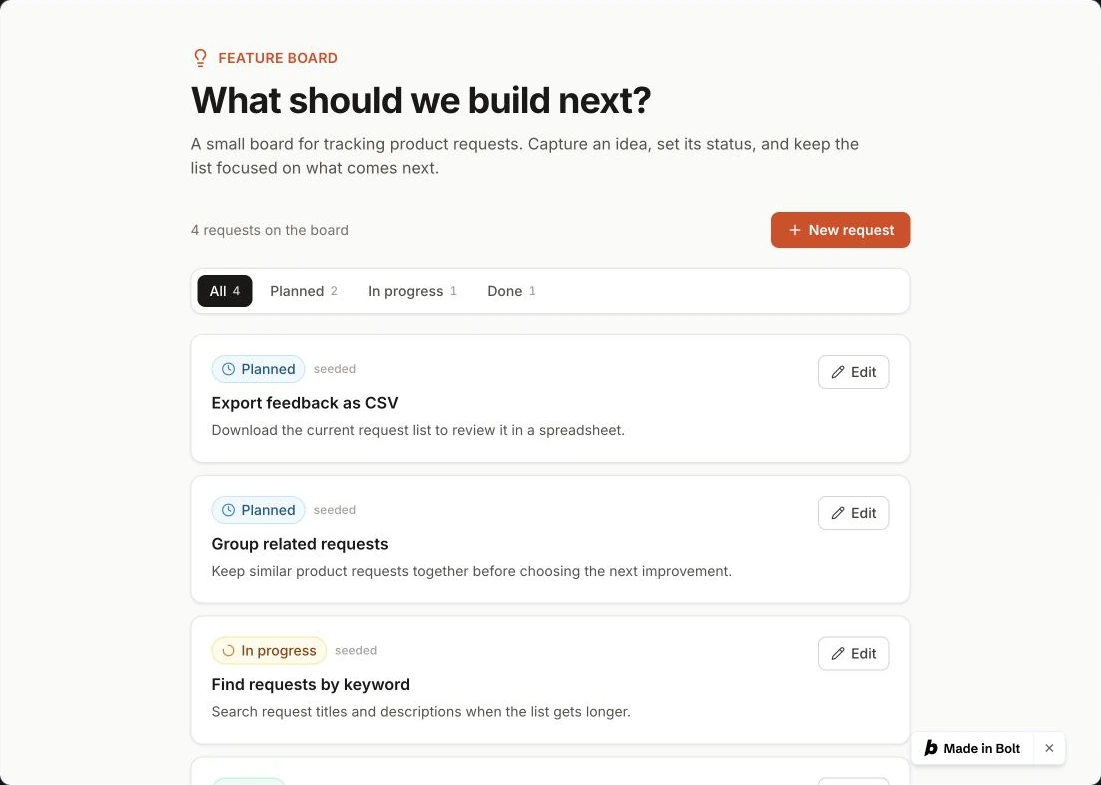
The task was a fictional feature-request board: create a request, edit its status, filter the list and retain the changes after reload. Both Lovable and Bolt completed those actions. The first handoff and the work needed afterward were more revealing than the opening screenshot.
Check the records behind the preview. Lovable’s extra initial entries would be easy to miss if you only looked at the layout. Later records deliberately created during the checks are different: they are part of testing, not extra handoff errors. A reload alone can also be misleading, because an app may save data only in the browser.
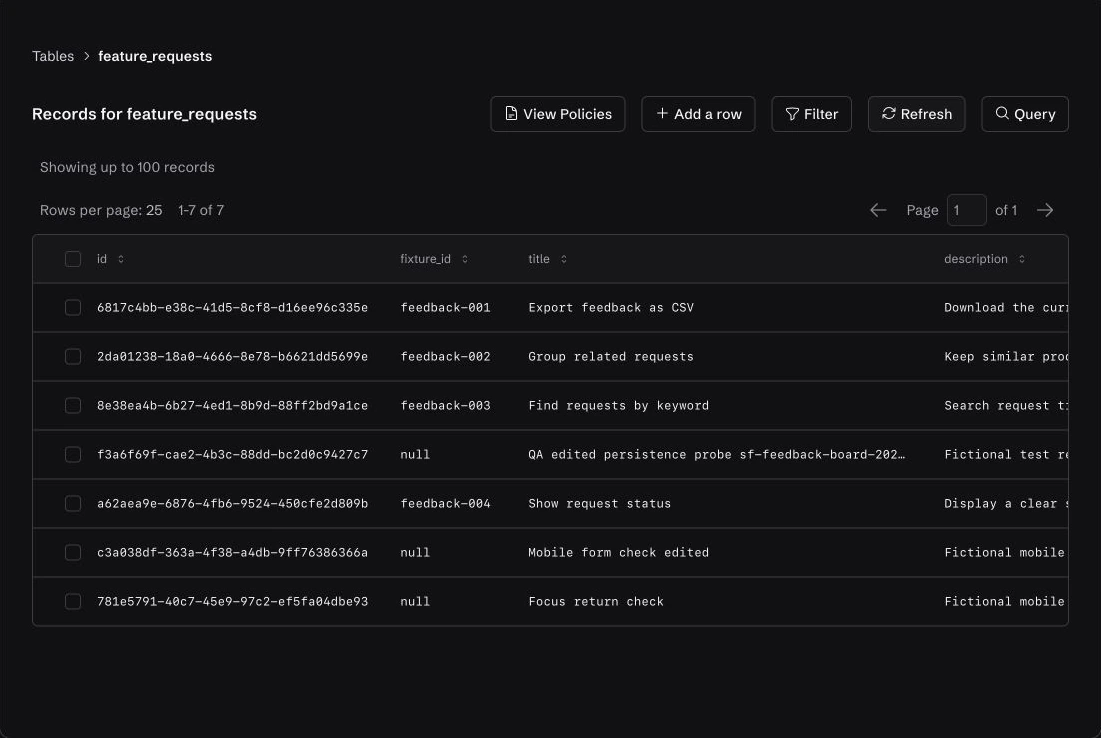
Keep using the form after the first save. Both apps needed a specific keyboard-focus repair. After the repair, the create and edit actions were repeated at phone width. These are browser viewport checks, not physical-device or full accessibility tests.
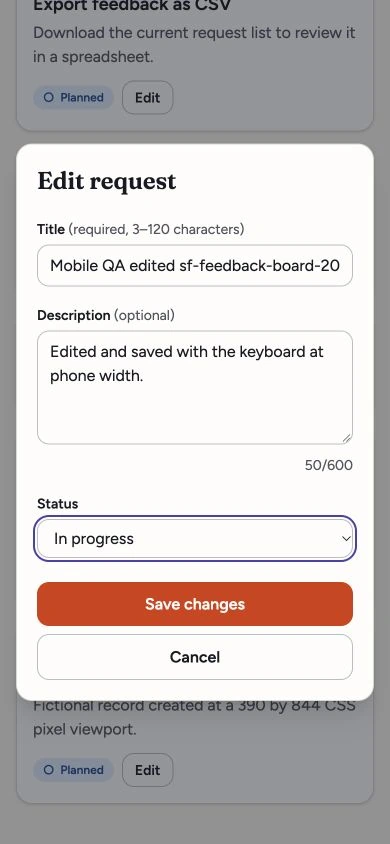
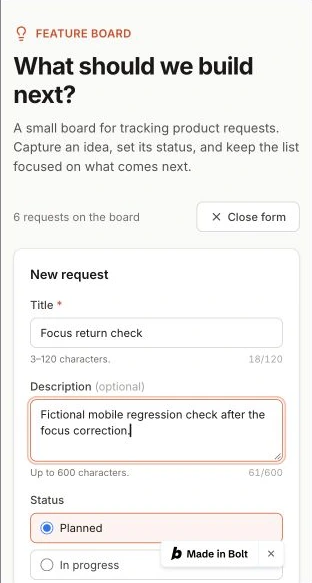
These were development-preview trials with fictional data. Customer authentication, payments, production permissions and a complete code/data migration were not verified. Different trial credits and token allowances do not support a cost or speed winner. The full Lovable vs Bolt comparison documents the task, corrections and remaining limits.
For a third build using the same app brief, see the Replit trial and its limits below.
Can you take the code and data with you?
Keeping the source files is only part of leaving a platform. A running app also depends on its records, uploaded files, sign-in setup and secrets. Here are the documented routes for the four browser builders; none was completed as a full migration in our trials.
Sources: Lovable GitHub and Cloud; Bolt project export and database options; Replit Git and database; v0 export FAQ and databases.
Cursor, Claude Code and Codex can work with ordinary source files and repository workflows. That makes handing code to another editor or developer straightforward in principle; it does not transfer a live database, user accounts or API keys. Codex’s eligible Sites workflow can also supply hosted data and sign-in, so assess the specific services your project uses rather than assuming a coding agent has none. Sites data and connections.
Browser app builders: Lovable, Bolt and Replit
Lovable: start with a small workflow you can inspect
Lovable combines conversational building with a live web-app preview. It is worth trying when you want to turn an idea into something you can click through before setting up a development environment yourself.
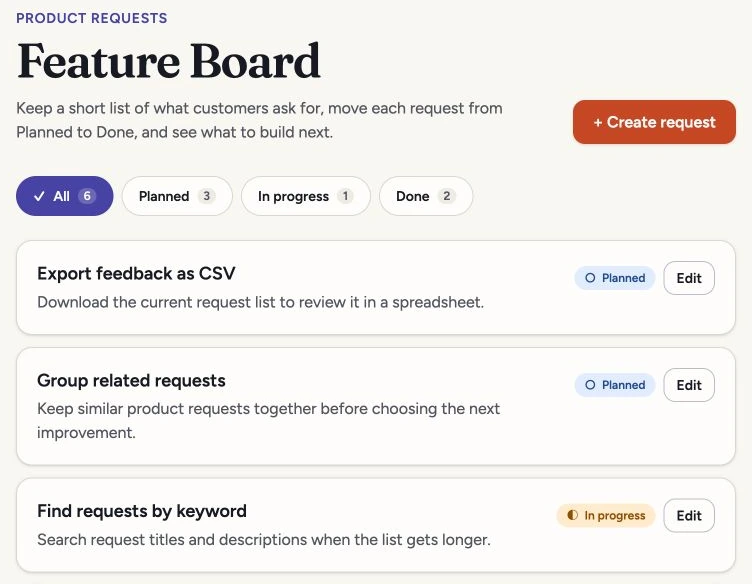
Official conditions: Lovable plans, credit rules.
Try Lovable if its chat-led workflow suits you and those code-access conditions are acceptable. Before inviting users, check the permissions on the actual data—not just whether a form saves.
Bolt: check the free manual-editing path
Bolt also generates an app in a browser workspace. Its documented Code view gives you a way to make manual changes without spending agent tokens, including on Free. That can matter when you want to fix a small detail yourself rather than send another prompt. Safari’s Code view is read-only; use a supported desktop browser. Sources: Code view and supported technologies.
Official conditions: Bolt pricing, tokens, hosting.
Replit: look at the whole hosted workspace
Replit brings Agent, source editing, data tools and publishing into a hosted environment. Its current Agent modes let you choose between Free, Power and Max; it can generate code, configure infrastructure and test or revise an app. The broader feature list comes from its documentation; our own check covered one small feedback-board app. Sources: Agent overview and Agent modes.
In the Free-mode trial, Replit built the same feedback board with a real development database. The four supplied examples matched their requested statuses. A new request and a later title/status edit survived reloads and appeared in the native database. That is a useful first checkpoint if your idea needs saved records rather than a static demo.
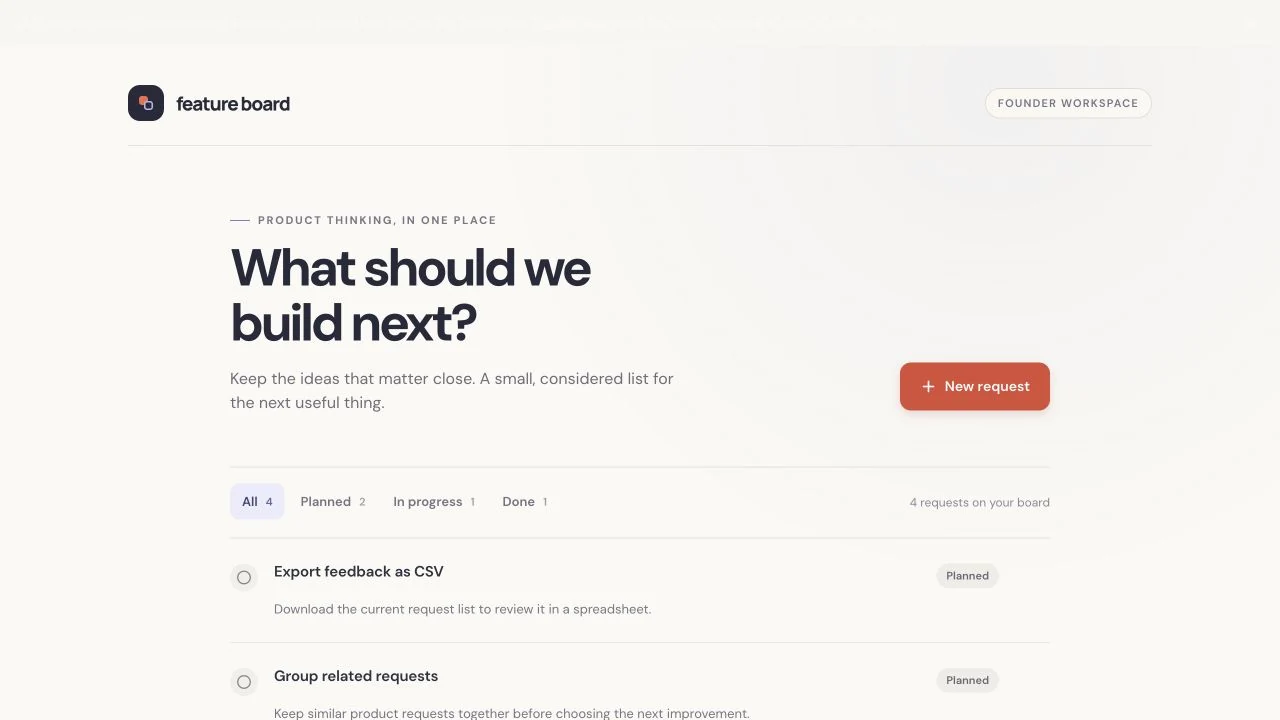
The first version also needed accessibility work: the title and description fields lacked accessible names, and closing the editor dropped keyboard focus. One targeted correction added accessible field names and restored keyboard focus in the checked Cancel, Escape and save paths. At 390 pixels wide, the editor fitted the screen and a saved mobile edit survived a reload. Check those details in your own app before inviting users; a successful first generation is only a starting point.
This was a private development preview. A separate browser session required Replit login, so cross-session persistence remains unverified. The trial did not cover recovery from failed loads or saves, customer access rules, public deployment or a full export. The account showed Free mode; an exact credit-consumption figure was not available. This is not a comparative cost or speed result.
Consider it if you want to stay in one workspace while building and operating the app. Check which path your trial uses: Starter supports Lite build, while full build, Plan Mode and external connectors require Core or above. Starter’s one published app has a link that expires after 30 days; the publishing docs describe republishing. Starter plan details.
Choose the deployment type before committing to a recurring app budget. Agent work and cloud services can draw from the same credits; inspect project usage and spending controls before turning a prototype into an always-on service.
Official conditions: current pricing, Agent billing.
v0: a Next.js app, with a visual editing workflow
v0 is Vercel’s AI web-app builder. It defaults to Next.js, a React web framework, and can create backend routes and connect data services; its full-stack guide recommends building incrementally: interface first, then data, authentication and other behavior. v0 full-stack guide.
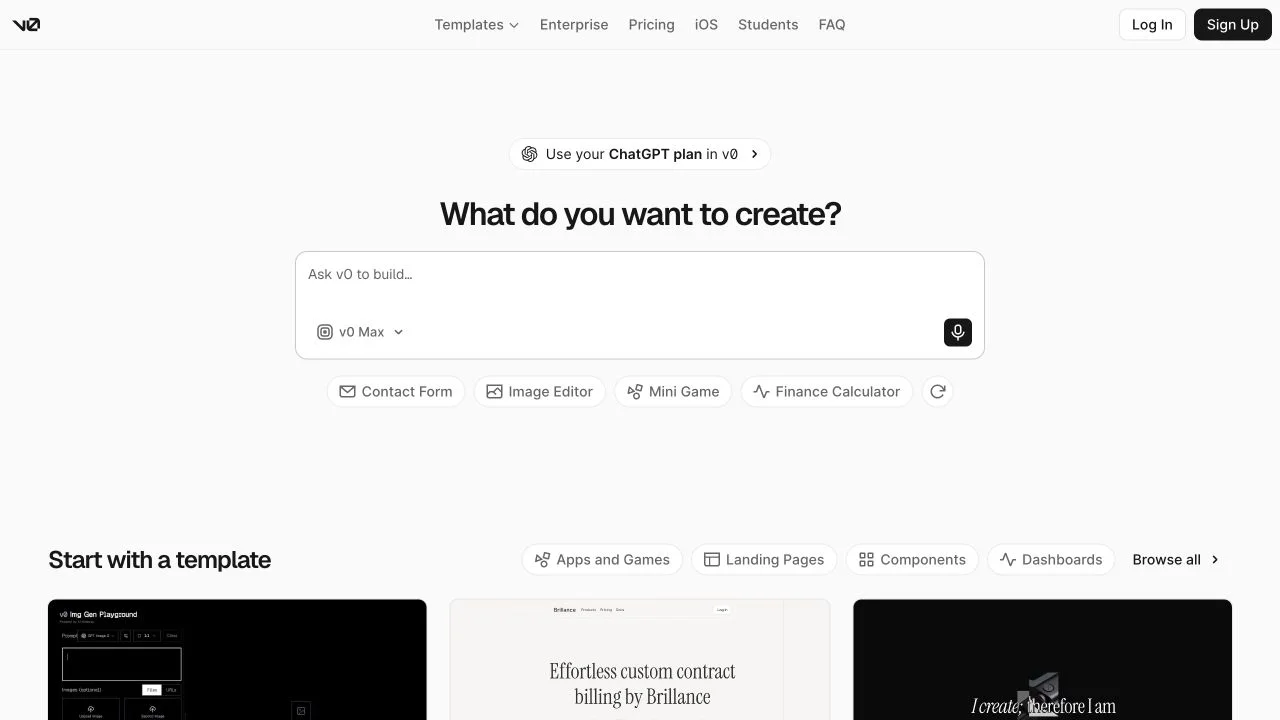
There are two useful controls to investigate: editing source in the Code viewer and selecting preview elements in Design Mode. The latter is unavailable on mobile viewports. GitHub sync and code export provide documented paths to keep your source, but transferring database data and services is a separate job. Sources: code editing, Design Mode and GitHub integration.
Official conditions: v0 plan conditions, Vercel Hobby, database integrations.
Considering Lovable as well? Our Lovable vs v0 comparison follows the same request-board task through a Priority change, a keyboard-focus repair and a failed save, and explains the backend and code-access tradeoffs.
Coding agents: Cursor, Claude Code and Codex
These tools can inspect and change a codebase, run development tasks and help work through errors. A developer or a founder willing to review code can use that control well. Cloud options also mean you don’t always need to install an editor or bring an existing repository to get started.
To narrow these three down, start with how you want to work: inspect Cursor if you want its editor or Origin-based cloud start; inspect Claude Code for a terminal or remote GitHub task workflow; check Codex if you already have ChatGPT access and want to review work across its supported environments. Then compare the required model, plan and publishing path for your project.
Cursor: compare the editor and cloud routes
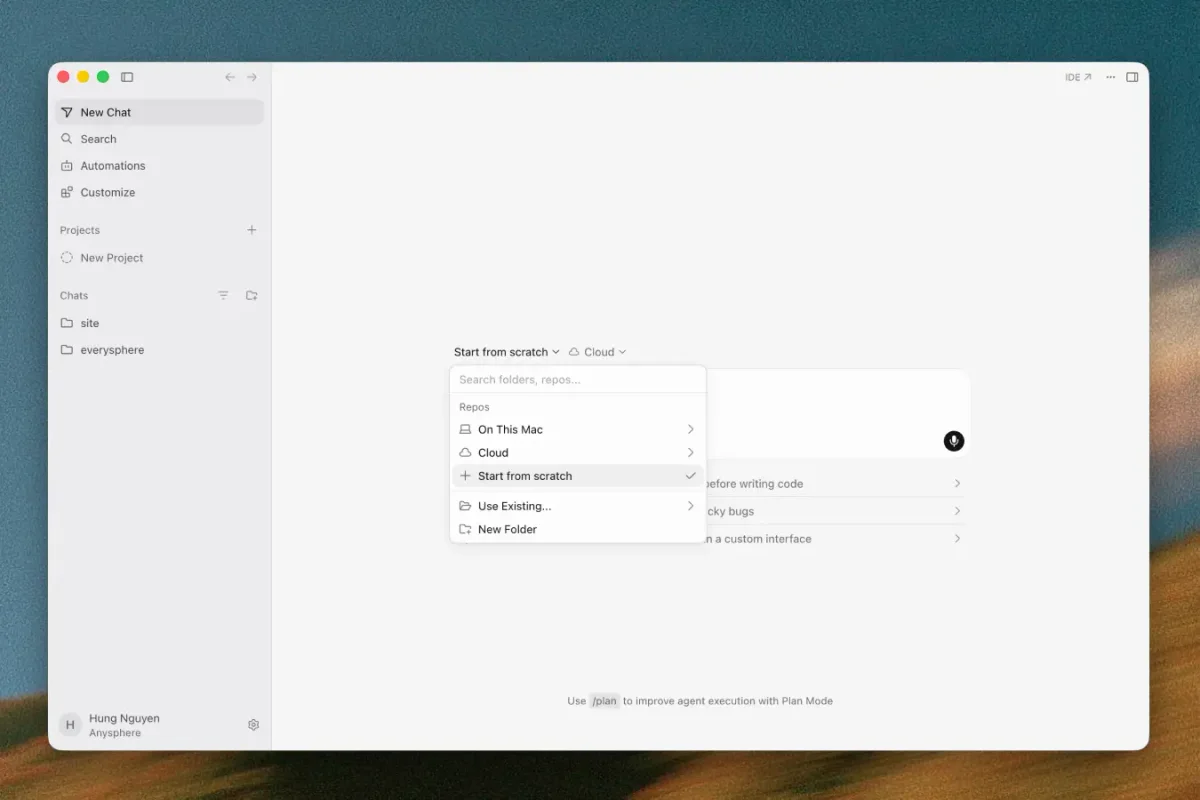
Cursor offers an agent in an editor, a CLI and cloud workflows. Its Start from scratch workflow can create an Origin repository without a connected GitHub account, provide a browser preview and publish through a connected Vercel account. You can begin a new app here; the important question is which services and plan that route needs.
Check your account if it retains a legacy plan: older Pro tiers and today’s Plus/Premium plans do not have identical entitlements. On current plans, third-party model use is billed separately from the first request; the cheaper Plus tier uses Cursor models.
Official conditions: Cursor pricing, models and billing.
Put Cursor on your shortlist if you want to review changes in a code-oriented workflow, including a cloud path for a new app. Its development environment and Origin repository don’t by themselves tell you which production database or hosting plan the app needs.
Claude Code: an agent for development work across several surfaces
Claude Code can work through a terminal, editor and browser cloud sessions. It can inspect a repository, edit files and run commands; the web workflow lets it work remotely on GitHub repositories and prepare changes for review. That makes it worth considering when the code and its development process are central to your project. Sources: Claude Code overview and web workflow.
Included Code use shares five-hour and weekly limits with Claude. A long coding session can therefore use capacity you also rely on for ordinary chats. Its cloud sessions are development environments; the finished app’s hosting, database and API calls still need their own budget.
Official conditions: Claude pricing, Pro and Max usage.
Codex: coding tasks, review and a choice of environments
Codex works across desktop, CLI, editor and cloud surfaces. In the documented cloud workflow, you select project repositories, let it prepare an environment, give it a task and inspect the changed files and checks. Consider it when you want to delegate development work while keeping a reviewable code workflow. Codex Cloud workflow.
Official conditions: Current Codex access and pricing.
There is also a distinct Sites workflow for building and hosting compatible web apps through ChatGPT or Codex. It is included for eligible plans during public beta, subject to region and workspace availability. Check the supported runtime and connections for your app; this option doesn’t turn every Codex code project into an automatically hosted service.
How to make a free trial useful
Use the free allowance on the requirement that could rule a tool out. If direct code editing matters, make one change yourself. If saved data matters, create and edit a fictional record, reload, and locate it in the database when that view is available. Use the free-plan table for current limits, and stop before upgrading if the required workflow or publishing plan is still unclear.
Google AI Studio: check the free route before buying another builder
If you want to try a small web app without a builder subscription, Google AI Studio’s Build mode is worth checking. Google documents a React frontend, Node.js server, direct code editing, ZIP downloads and two-way GitHub sync. Build documentation
Check deployment eligibility first. The Starter Tier lets eligible accounts publish two Cloud Run apps without adding billing. Workspace accounts, paid Google Cloud billing history and Google’s account-activity checks can rule it out. Standard deployment requires billing. Deployment requirements
For saved records, ask for Firebase’s Firestore database. Cloud Run’s local disk is temporary. Firestore databases created by AI Studio in your project share a no-cost quota; hitting a daily cap pauses all of them until the next reset. Review the generated access rules and test who can read and change records before using customer data. Firebase setup and limits
Check AI costs separately. AI Studio usage is free unless you link a paid API key for paid features. If your app uses Gemini, other users’ calls consume your key’s allowance; paid models can generate charges. API billing
Codex also ran this brief in AI Studio on October 20 using free requests. An initial save in a separate preview tab failed. After two correction prompts, the final authenticated preview saved new requests and edits, retained them after reload and returned the changed records from its server. Create and edit worked at a 390-pixel browser width; the corrected dialog kept keyboard focus inside it.
The storage choice is the catch. This build used a JSON file in the running development container, not Firestore. We haven’t checked whether the file survives the development environment being recreated. An independent browser session and public deployment remain untested. Before relying on the app for records you need to keep, confirm its database, access rules and backups.

Give two tools the same small, useful task
A customer portal is too broad for a first comparison. “Create a request, change its status, filter the list and retain the result after reload” is something you can inspect. Start with fictional records and leave payments and sensitive customer data out of that first experiment.
A browser can remember a record locally, so a reload alone doesn’t prove it reached a server. If the builder exposes a database table, find the exact saved record there too.
This checks a limited workflow. Before real users rely on an app, someone still needs to verify user access, backups, failure handling and the services it depends on. Our copyable feedback-board brief gives you a concrete practice task if you don’t have one yet.
Turn your app idea into a two-tool shortlist
Copy the fields below into a note and fill them in for your idea. Use your answers to pick a pair from the shortlist above. Keep the same task and example records in both trials so you can compare what happened.
Example: “A private feedback board for five colleagues. Save requests and status changes; everyone can read, only the owner can edit status. New project, no required stack. A developer will review access rules before rollout. Need a Git copy and data export. Try the free allowance first; consider up to $30/month for building, with running costs assessed separately.”
That brief gives you a reason to compare Lovable and Bolt’s editing and data paths, or Replit’s hosted workspace. Change it to an existing Next.js app with a developer managing deployment, and v0 or a coding-agent workflow becomes more relevant. The requirements make the shortlist useful.
If v0 is already on your shortlist, use the v0 alternatives guide to decide whether Lovable, Replit or Bolt addresses the part of the workflow you want to change. It includes real build screenshots and a two-step brief for trying a second feature.

Affiliate Disclosure: Some of the links in this article may be affiliate links, which can provide compensation to me at no cost to you if you decide to purchase a paid plan. This site is not intended to provide financial advice and is for entertainment only. As an Amazon Associate I earn from qualifying purchases.