
Bonsai connects proposals, contracts, projects and invoicing. Essentials is the first plan that includes invoices and contracts; Basic does not cover that full workflow. This review explains who Bonsai suits, what the plans cost and which limits to check. Updated 9 October 2026 from official product documentation.

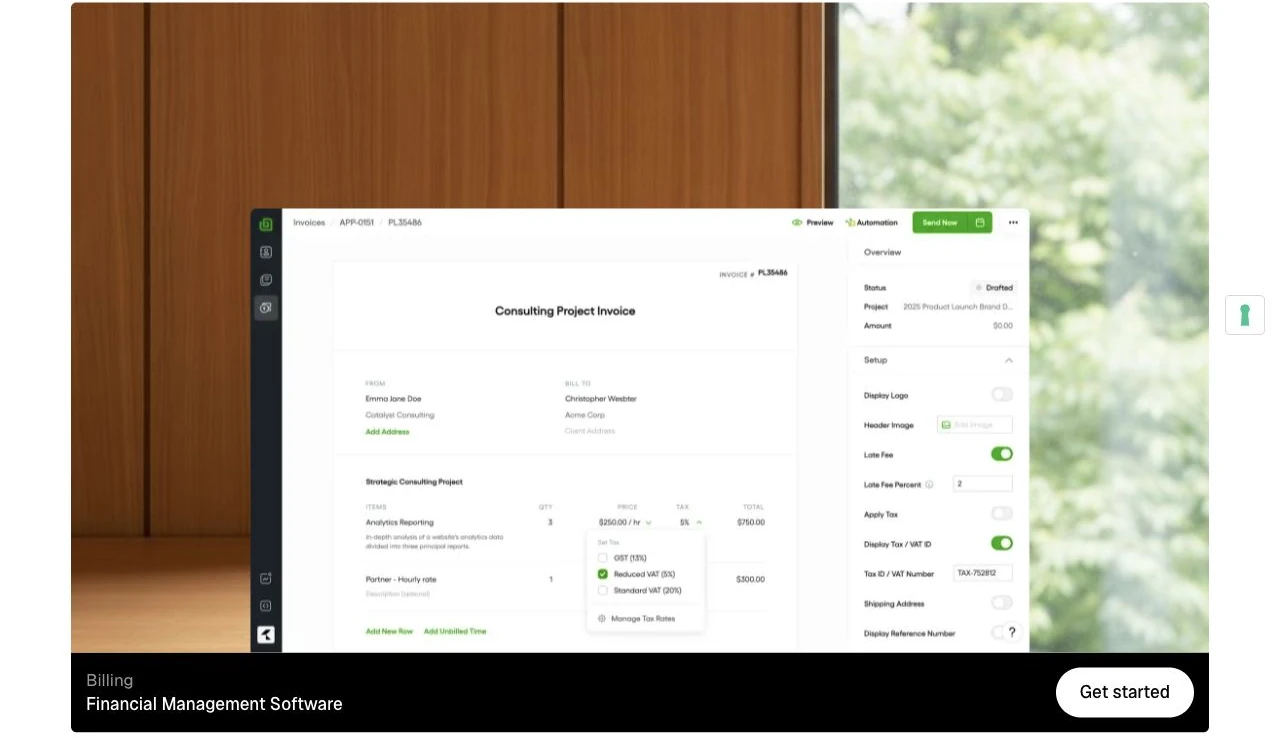

Updated 9 October 2026. This review assesses Bonsai's published features, pricing and Help Center documentation. It is an editorial buying assessment, not a hands-on performance test. Product screenshots show official public views; they do not represent a Superfounder customer account.
Our verdict: useful when the whole client workflow matters
Bonsai is worth shortlisting if you sell services and want fewer gaps between winning a client, organizing delivery and getting paid. Its appeal is having those steps connected. For a consultant or small agency currently moving details between separate documents, a task tool and invoices, that is a practical reason to try it.
Best fit: freelancers, consultants and service teams with repeatable client projects. Less convincing: someone who only sends occasional invoices, needs a productive free invoicing plan, or requires a custom client-portal domain. These are our judgments about fit, not measured savings or guarantees.
Bonsai's subscription overview describes plans for individuals through agencies, with separate add-ons and processing costs. Checked 9 October 2026.
What can you actually do with Bonsai?
Think of a design project: agree the scope, organize the work, track billable time, then invoice. Bonsai's documented tools cover CRM, proposals, contracts, tasks, time and a client portal. Whether that is easier than your current setup depends on how closely it matches your projects.
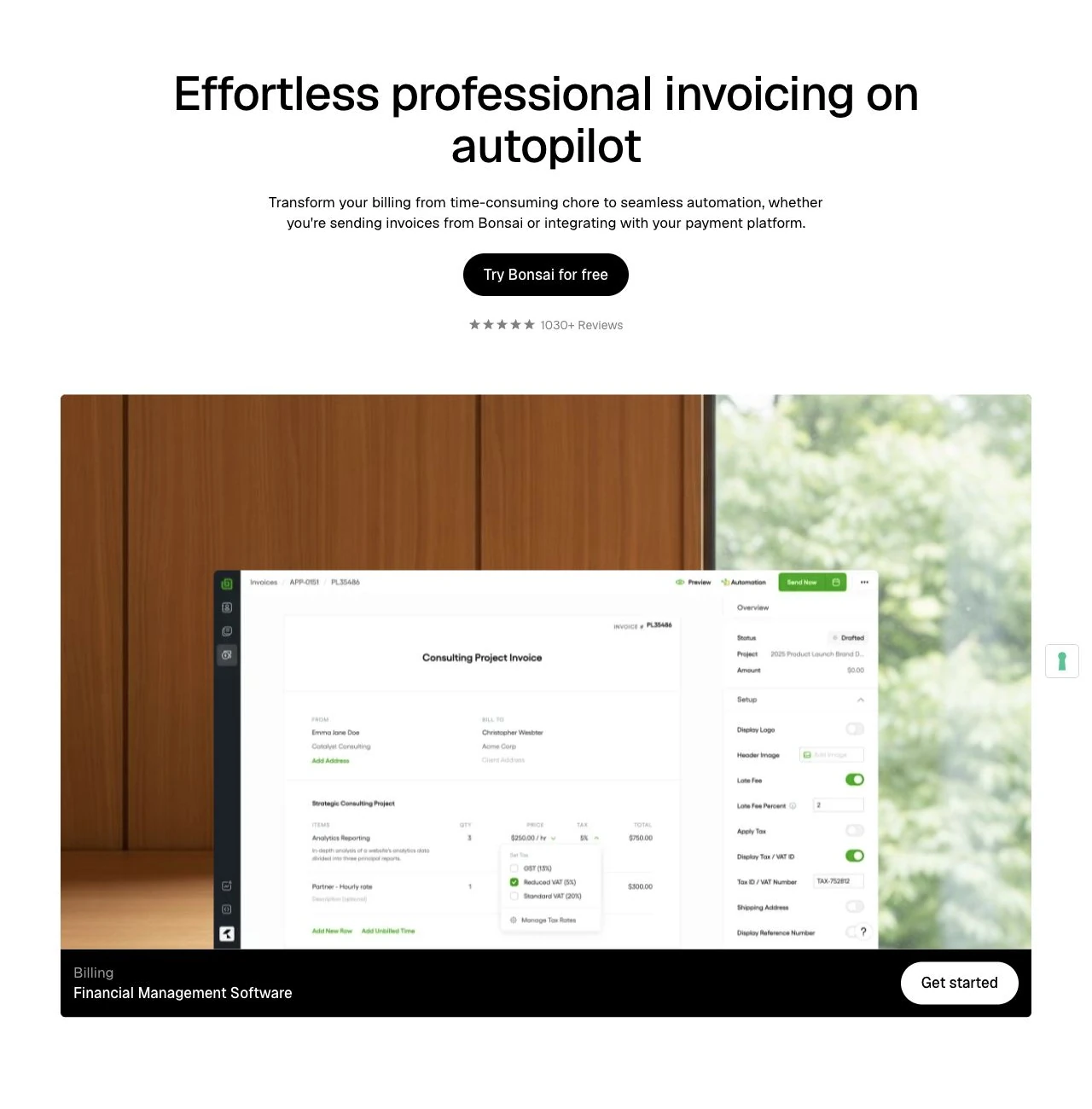
The strongest billing connection is turning recorded hours and project expenses into invoices. Bonsai also describes recurring billing for retainers and subscriptions, plus overdue reminders. Those features matter more than having the longest feature list: they address work you otherwise repeat every month. See Bonsai invoicing for the manufacturer's description, checked 9 October 2026.
Bonsai pricing: choose the tier for the job
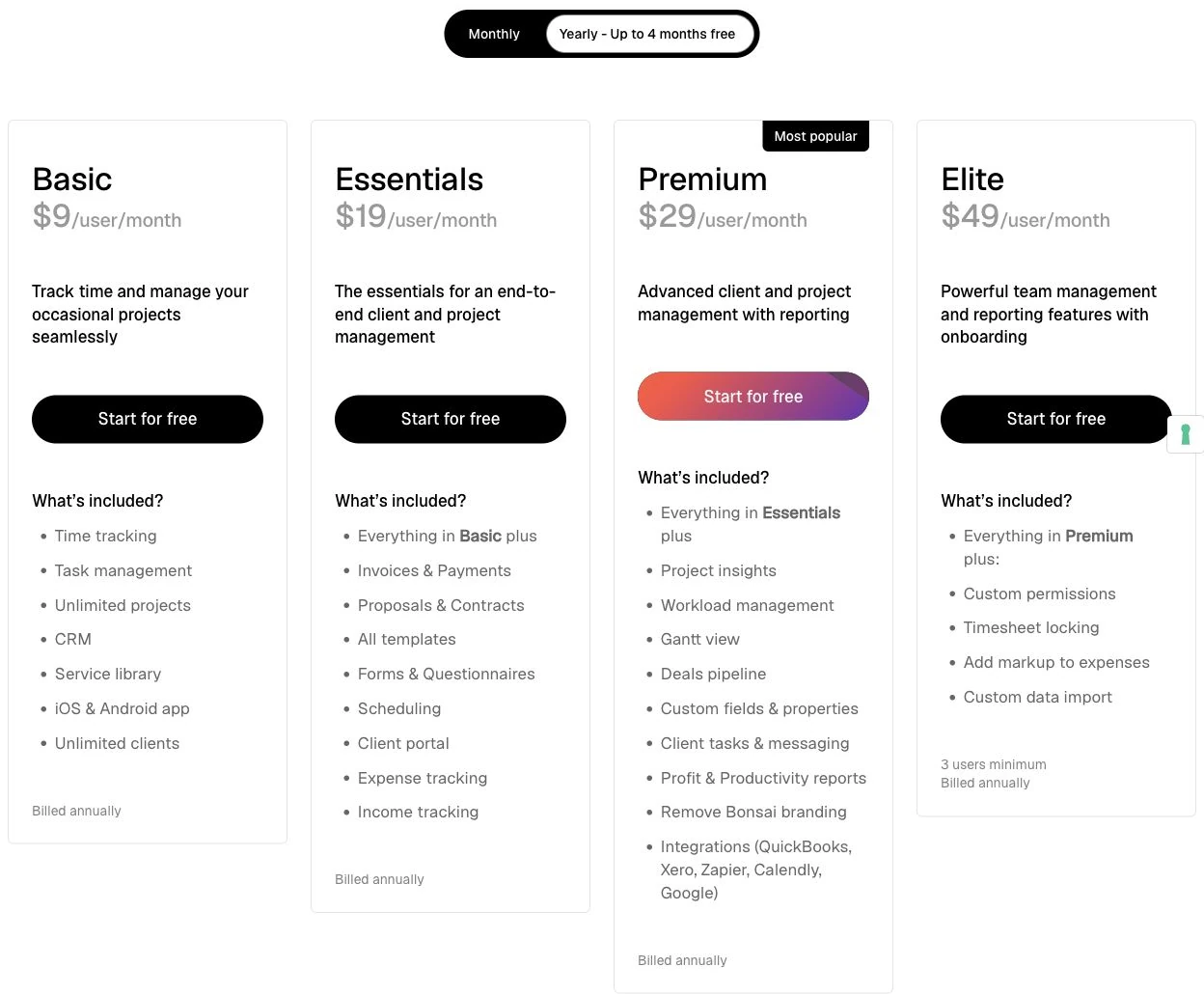
The following dollar amounts ($) are displayed on Bonsai's public pricing page, checked 9 October 2026. Every figure is per user, per month. Annual rates require annual billing; they are not monthly pay-as-you-go prices. Confirm the billing currency and final charges at checkout.
| Plan | Monthly billing | Annual billing: monthly equivalent |
|---|---|---|
| Basic | $15 | $9 |
| Essentials | $25 | $19 |
| Premium | $39 | $29 |
| Elite | $59 | $49 |
Important: invoices, proposals and contracts start at Essentials. Basic covers time, tasks and CRM. Premium adds reporting, workload, pipeline and integrations. Elite adds team controls and requires at least three users.
For one Essentials user, annual billing works out to $228 for the year. Elite's minimum is $177 with monthly billing or $1,764 annually. These are calculations from the published rates, excluding taxes, add-ons and payment processing.
The trade-offs to check before subscribing
Brand removal is not a custom domain
Bonsai's white-label documentation says Premium and above can remove branding from client documents and emails after setup. It also says the client-portal URL cannot currently be changed. If your own portal domain is essential, confirm availability before paying rather than relying on a planned feature.
Mobile apps exist
There are official iPhone and Android apps for time tracking, invoices and expenses, plus a Mac menu-bar time tracker. Check the official app guide against the tasks you need away from your desk.
Payments add costs and regional requirements
Bonsai Payments is documented for the US, UK, Canada and Australia; Stripe availability depends on supported countries. The published schedule lists standard cards at 2.9% plus $0.30, ACH at 1% with a $1 minimum, and additional fees in some circumstances. Review the payment methods and fee guide for your location and payment method. Subscription price alone is not the whole cost of collecting money.
Accounting connectors have boundaries
Xero integration is available from Premium. The QuickBooks Online guide documents invoice synchronization but excludes partially paid invoices, payment fees, refunds and non-invoice income from full synchronization. Test the cases your bookkeeper actually uses; an integration badge does not mean every accounting entry transfers.
Free access and tax features are limited
The free Limited plan retains restricted account access after cancellation or downgrade, but cannot create or send new invoices, proposals or contracts. It is not a substitute for the paid client workflow.
Bonsai Tax is a separate paid add-on for US-registered individuals, sole proprietorships and single-member LLCs. Its estimates and deductions tools should not be read as universal tax coverage or legal advice. Contract templates likewise need to suit your own circumstances.
Use the seven-day trial to answer one question
Can you complete your normal client-to-invoice workflow in the tier you intend to buy? Bonsai advertises a seven-day trial, but its pricing FAQ and trial Help article differ on card entry and access scope. Check the signup screen for the selected plan, renewal date and payment requirements; do not assume no card or every feature.
Cancel before the trial ends to avoid renewal charges. The published refund policy allows subscription refund requests within 14 days of a charge, for monthly and yearly plans. That is a defined request window, not indefinite free use.
Try one realistic example without sending anything to a real customer:
- Create a client and project, then draft a proposal and contract.
- Track time and add an expense; turn the work into an invoice.
- Inspect the client's document and payment experience.
- Check your required currency, payment eligibility and accounting edge cases.
- Calculate the total bill for all paid seats and optional add-ons.
When should you compare alternatives?
If invoices are your only bottleneck, compare dedicated invoicing products before adopting a broader suite. If bookkeeping or local tax filing is the main need, let those requirements lead your shortlist. If your existing delivery system works well, ask whether connecting billing is worth changing it. Compare one real workflow and the total team bill, rather than generic feature checkmarks.
For an invoice-first shortlist, compare FreshBooks; for an accounting-first shortlist, compare the QuickBooks offering for your country. These are alternative starting points, not a claim that either is universally cheaper or better. Verify the local plan and run the same workflow in each.
You can also browse our wider business-tool directory to shortlist tools for the job you actually need.
Is Bonsai worth it?
Our recommendation is conditional: trial Bonsai when connected client administration could replace several repetitive handoffs. Keep a narrower tool if that is all your business needs. The useful outcome is a workflow you can demonstrate and afford, rather than another subscription with features you never open.
Explore Bonsai and check the plan that fits your workflow.
Referral disclosure: our Bonsai link includes a referral parameter. We may receive a commission if a qualifying purchase is credited to Superfounder.
Disclosure: Some of the links in this article may be affiliate links, which can provide compensation to me at no cost to you if you decide to purchase a paid plan. This site is not intended to provide financial advice and is for entertainment only.