
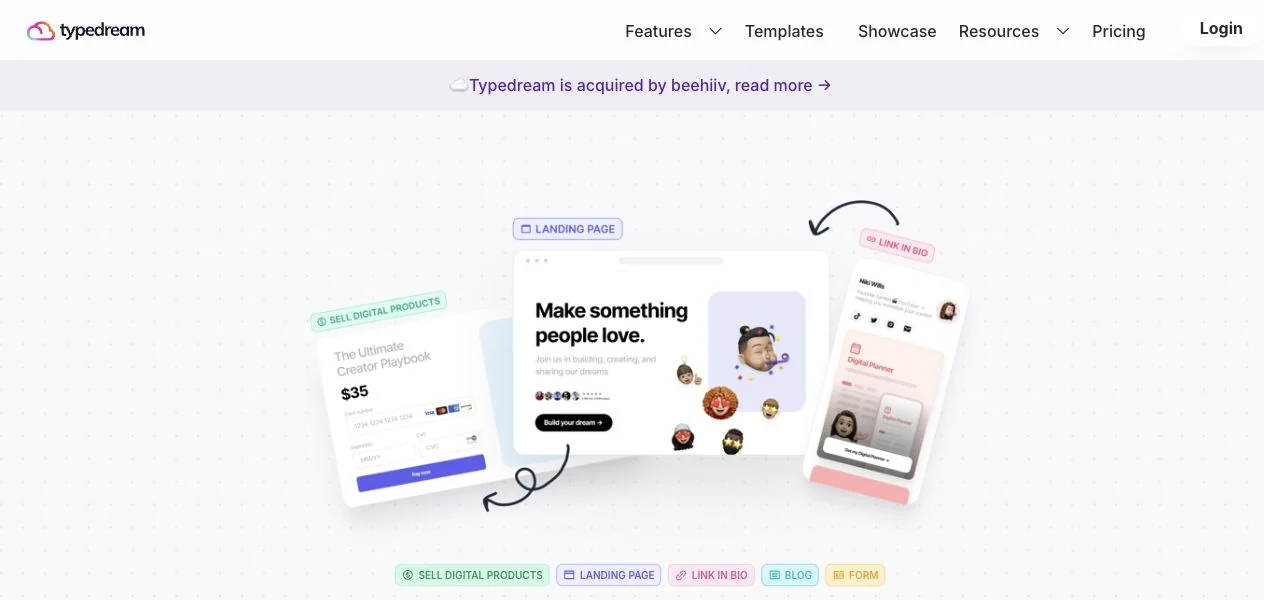
Typedream is a website builder for landing pages, blogs and digital downloads. This review explains its current plans, how to connect a custom domain and check HTTPS, AI planning and the trade-offs to check before subscribing.


The buying assessment draws on Typedream’s public product pages and documentation. For the domain walkthrough, Superfounder checked the settings in a Free project and tested the public DNS, redirect and HTTPS behavior of a Typedream showcase site on November 14, 2026.
Our verdict: shortlist it for a focused creator website
Typedream makes most sense when the job is presenting an offer, collecting enquiries and publishing useful content. A consultant's services page, a creator's template shop or a small resource library are reasonable examples. Our recommendation is to shortlist it for that focused website, then build one representative page before paying.
A marketing site is different from the product behind it. If your business needs an application backend, complex customer permissions or physical-product fulfilment, list those requirements separately. A website builder's feature list does not demonstrate that it can run the entire business.
What does Typedream help you build?
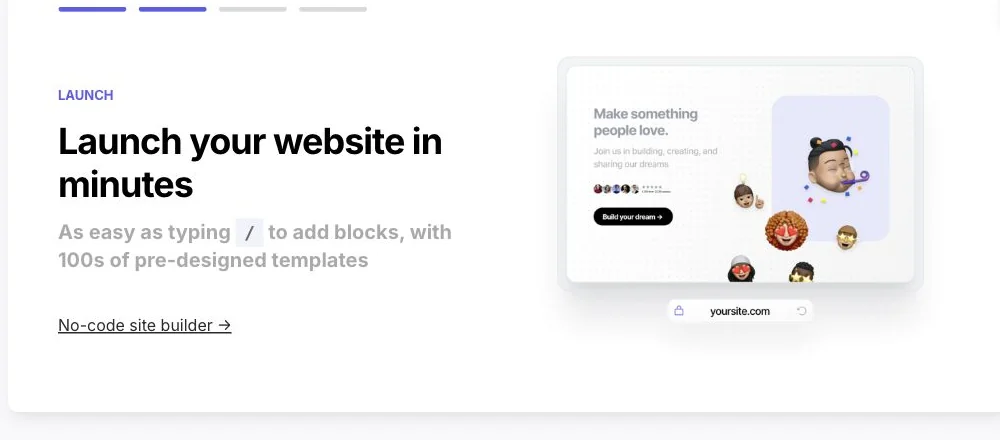
The site builder describes block editing with slash commands, themes, animations and responsive pages. That is a plausible fit for a founder who wants to maintain the marketing site directly. It does not establish that the editor is easier than every competitor or that a finished site will rank or load faster.
For recurring content, Typedream's CMS documentation shows a Notion database connected to collections and item-page templates. This can suit a blog, directory or knowledge base. Check the workflow with your own database: map the fields, preview an entry and change one record to confirm the result. Older help pages mention a Pro plan; use the current tiers below when buying.
The digital-product guide covers selling files and links, delivering multiple items and collecting email addresses for freebies. That is useful for templates or downloads. Before relying on it for revenue, check payment eligibility, delivery, refunds and tax responsibilities for your location and product.
Typedream pricing: Free, Launch or Grow?
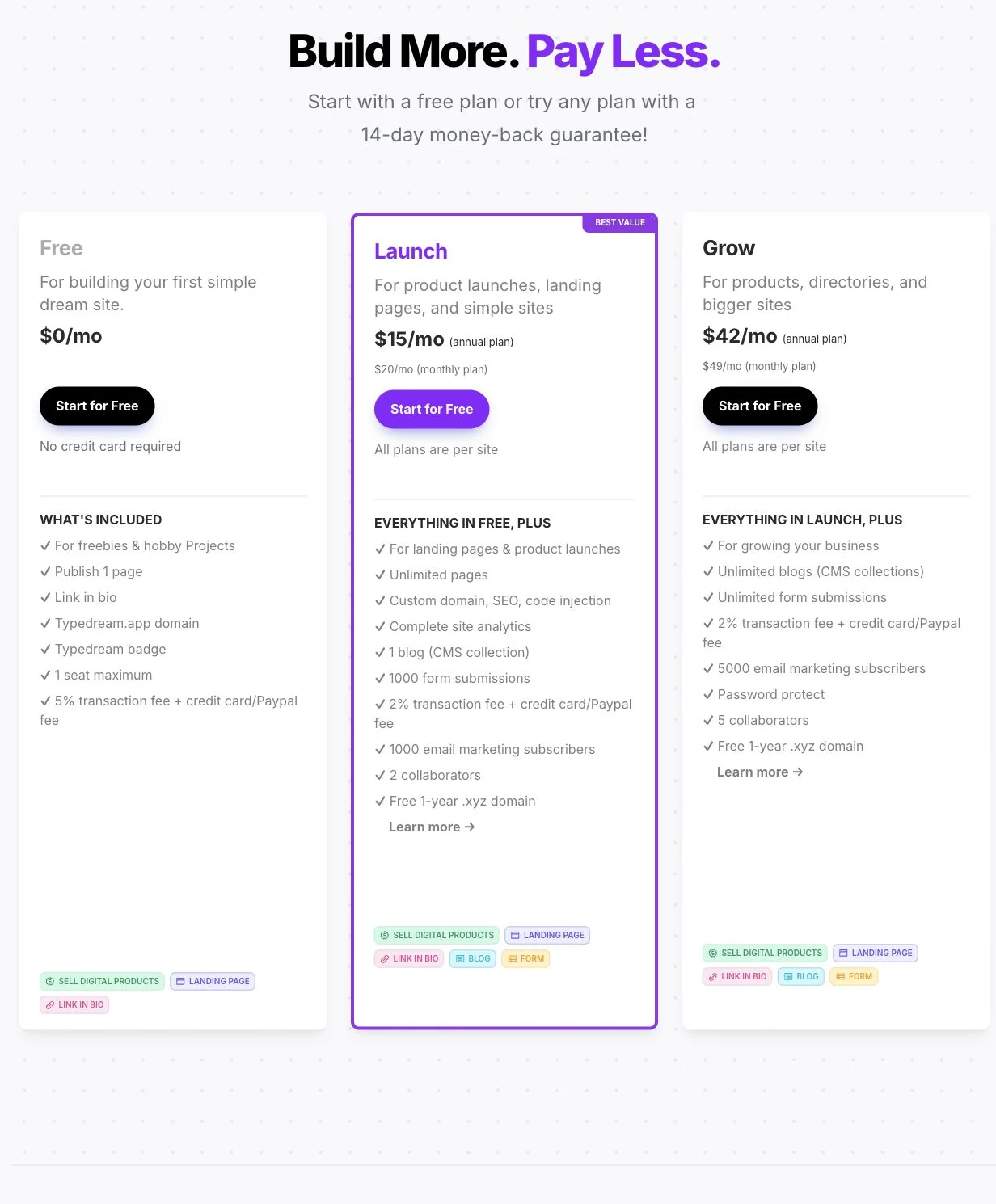
Checked 9 October 2026 on Typedream's pricing page. Rates are per site. Annual figures are monthly equivalents, paid annually. Confirm currency and taxes at checkout.
| Plan | Monthly billing | Annual billing: monthly equivalent |
|---|---|---|
| Free | $0 | $0 |
| Launch | $20 | $15 |
| Grow | $49 | $42 |
Free publishes one page on a Typedream.app domain with a badge. Launch adds unlimited pages, a custom domain, SEO, code injection, analytics, one CMS collection, 1,000 form submissions, 1,000 email subscribers and two collaborators. Grow raises this to unlimited collections and submissions, 5,000 subscribers, five collaborators and password protection.
Platform sales fees are 5% on Free and 2% on paid plans, plus payment processing. Confirm submission reset windows and badge removal in your account; the pricing cards do not settle those details.
How do you connect a custom domain?
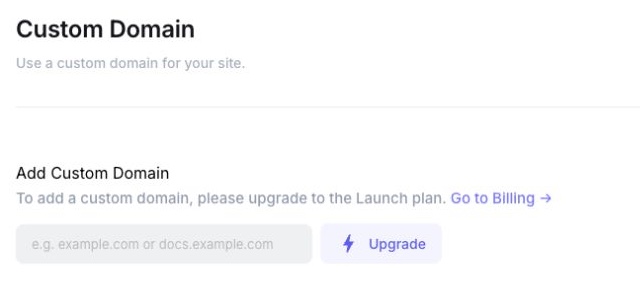
Open Site Settings → Custom Domain in Typedream. On the Free plan, the domain field is disabled. Custom domains start with Launch, listed at $20 per month or $15 per month billed annually ($180 for the year), per site. You can build on a typedream.app address first and connect your domain when you’re ready to switch.
If you’re launching a new site, Typedream’s domain guide recommends making www.example.com the main address and forwarding example.com to it. If you’re moving an existing site and want to keep its bare domain as the main address, check Typedream’s guide to DNS support for the bare domain. Publishing on a subdomain such as launch.example.com lets you leave the main website where it is.
1. Copy the DNS records for your site
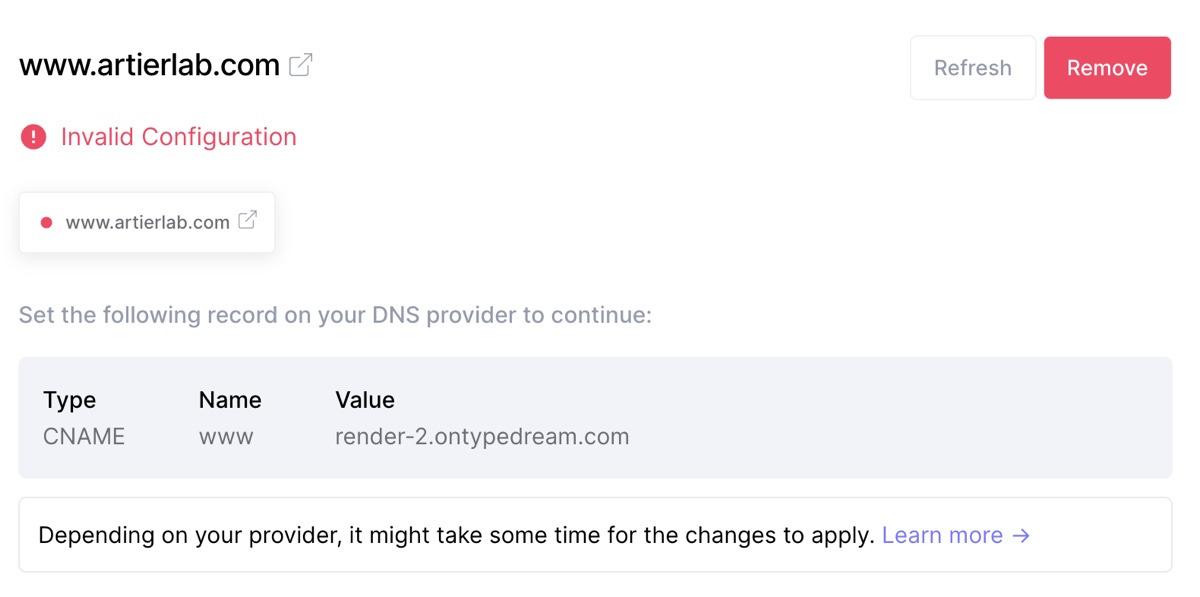
Add the domain in Typedream. At the service that manages your DNS, add the type, name and value shown for that hostname. For a www address, expect a CNAME pointing to a Typedream hostname. If Typedream asks for a verification TXT record, add that too. Use the values shown in your project.
Before replacing an existing record, save a copy of the current DNS settings. Change only the web records that conflict at the hostname you’re moving. Keep MX records and email authentication records such as SPF, DKIM and DMARC in place.
2. Point the second address to the first
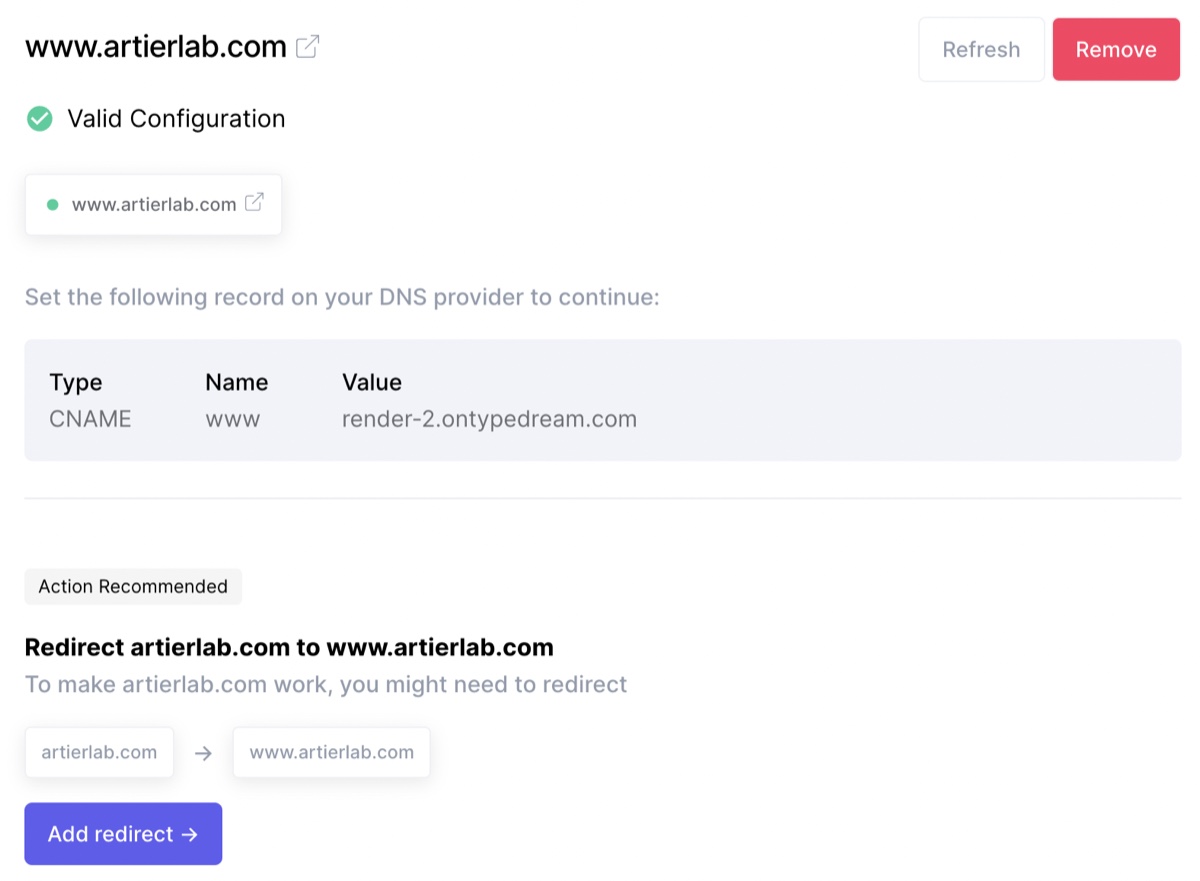
For example.com → www.example.com, choose that direction when adding the domain. If www is already connected, Typedream’s guide shows an Add redirect action. Apply the separate DNS instructions for the address that will redirect. A DNS record points a hostname to a service. The redirect happens when that service replies with the destination URL.
3. Check HTTPS and the redirect from outside Typedream
Open https://example.com and https://www.example.com in a private window. Both should reach the chosen HTTPS address without a certificate warning. Also try both HTTP versions, an existing page path and a harmless query string. On a move, confirm that an old deep link still lands on the matching page.
What a working setup looks like. On November 14, 2026, Superfounder checked Task Architect, listed in the Typedream showcase. The public DNS for www pointed to a Typedream hostname. All four homepage variants reached the HTTPS page on www.gettaskarchitect.com, returned a final 200 and kept the test query string. The bare HTTPS address returned a 307 redirect, and the HTTPS connections passed TLS certificate validation.
To see the redirect on your own site from a terminal, run the command below with your domain. Each Location header shows the next URL.
curl -sSL -D - -o /dev/null 'https://example.com/?domain-check=1'If Typedream shows Invalid Configuration, compare the public DNS records with the project’s instructions, including any verification record. If it shows Configuring SSL, try HTTPS directly. Typedream’s troubleshooting guide says the status can lag. If HTTPS still warns or the other hostname goes to the wrong site, resolve that before switching traffic.
What does Typedream AI do, and can you export?
The February 2024 AI release describes turning business notes into website structure, wireframes and copy, with planner output export to Typedream, Figma and Framer. That is a useful planning idea: bring a real offer and audience, then assess whether the proposed page supports them. Confirm current availability and entitlements in the editor.
Planner or design export does not establish that you can download a production website's HTML, CSS and JavaScript for self-hosting. If portability is essential, get the current export and migration options confirmed before adoption. This review does not treat a design handoff as proof of code export.
What changed after the beehiiv acquisition?
beehiiv announced the acquisition on 25 June 2024. Typedream's announcement said existing users could continue without immediate changes. That was a statement about the transition at the time.
beehiiv subsequently released its own website builder in July 2025. This does not mean a Typedream subscription includes beehiiv, that accounts migrate automatically or that billing is combined. Typedream's public homepage, pricing and login were reachable when checked. We found no official compulsory migration or shutdown announcement; future service and support commitments should be confirmed if they are critical to your business.
Which alternatives belong on your shortlist?
- Carrd focuses on responsive one-page sites. Compare it if one landing page or personal profile covers the job.
- Webflow combines visual design with structured CMS content and APIs. Compare it if your content model and design requirements need closer examination.
- Super turns Notion pages into websites while content stays in Notion. Compare it if that is already where you manage the entire site.
These are starting points based on each manufacturer's documented approach, not a head-to-head performance ranking. Build the same representative page in your shortlisted tools and compare the editing work, total cost and migration options. You can also browse our founder tools directory.
Check the full workflow before committing
Create one real page with your own copy, images and mobile layout. The publishing guide documents device previews and search/social metadata; inspect those settings before sharing. Test a dummy enquiry using the documented forms workflow, and verify where the response appears.
A refund window is not a free trial. Typedream's published policy allows a request within 14 days for a new paid plan bought by credit card, with exclusions including renewals and most upgrades. Check the current terms before an annual commitment. Choose the tool only once your essential page, enquiry and delivery workflow works as expected.
Explore Typedream and check the plan that fits your site.
Affiliate disclosure: this link may earn Superfounder a commission if a qualifying purchase is credited to us. A click does not establish a sale or an earned commission.
Disclosure: Some of the links in this article may be affiliate links, which can provide compensation to me at no cost to you if you decide to purchase a paid plan. This site is not intended to provide financial advice and is for entertainment only.