

Lovable and v0 both turn a plain-English brief into a web app. If you’re choosing one for your first product, the useful differences are the backend you want to run, how you’ll change the code, and what those changes cost.
Which should you try first?
Start with Lovable if you want its built-in Cloud backend and managed hosting. In our small app trial, it created a database we could inspect and saved changes across browsers without a separate database account.
Start with v0 if you want a Next.js-oriented workflow and plan to choose the app’s infrastructure. Its current documentation covers full-stack apps and database integrations. Our constrained build used server-side file storage, so it still needed a production data plan.
Both handled the core board and a later Priority field. Both also needed the same keyboard-focus repair. The trial supports those findings, rather than a universal winner for every SaaS product.
How this was tested: On November 2–3, 2026, Codex operated both builders for Superfounder and checked the generated apps. Each product’s own agent wrote its code. The same initial brief and Priority change were used, followed by one identical focus-repair prompt. Lovable was on Free; v0 used an existing $20/month Premium account with v0 Max, not today’s public Free plan. No new external service accounts or public deployments were allowed. That makes this a bounded workflow comparison, not an equal-plan speed or cost benchmark.
Lovable vs v0 at a glance
Scroll sideways to see both products.
| Decision | Lovable | v0 by Vercel |
|---|---|---|
| Backend route | Built-in Cloud database, auth, storage and functions. A database was connected in this trial. | Full-stack Next.js support and database integrations. This trial’s generated app used a development-server JSON file. |
| Working request board | Create, edit, cancel, status and Priority filters worked; saved changes could be read in another browser. | Create, edit, validation and filtering also worked in v0, and a second browser could read the saved requests from its preview server. |
| What needed repair | Closing the editor lost keyboard focus. One focused prompt repaired the checked paths. | The same focus problem appeared and was repaired with the same prompt. |
| Failed-save recovery | A real offline save showed an error and retained the draft. One online retry saved it. | The same offline-error and retained-draft retry check passed. |
| Code workflow | Free code view is read-only. Individual files can be copied/downloaded; manual editing and full ZIP are paid features. Git sync is documented on all plans. | Native code view and file copying were available. Export and Git workflows are documented; a complete ZIP/local run was not verified here. |
| Best reason to shortlist | You want to build around Lovable’s integrated backend and hosting. | You want the Next.js/Vercel project workflow and can evaluate the data and deployment setup. |
The backend and code rows combine the observed builds with the providers’ current Lovable Cloud, Lovable code, v0 full-stack and v0 FAQ documentation. The walkthrough below explains where that distinction matters.
The same small app, built in both
The brief was a Feature Board: a founder’s list of product requests, with titles, descriptions and Planned, In progress or Done statuses. The apps needed to create and edit requests, validate the form, filter saved records and retain changes after a reload.
Four fictional requests were supplied, including “Export feedback as CSV” and “Find requests by keyword.” Those are example backlog records, not CSV-export or search features implemented by either app.
Lovable: an inspectable Cloud database
Lovable generated a TanStack Start app and a Cloud database table. We checked a newly created request in the native database view, then read the saved record from a separate Chrome browser. This was working server-backed behavior, rather than a form that only changed the current screen.
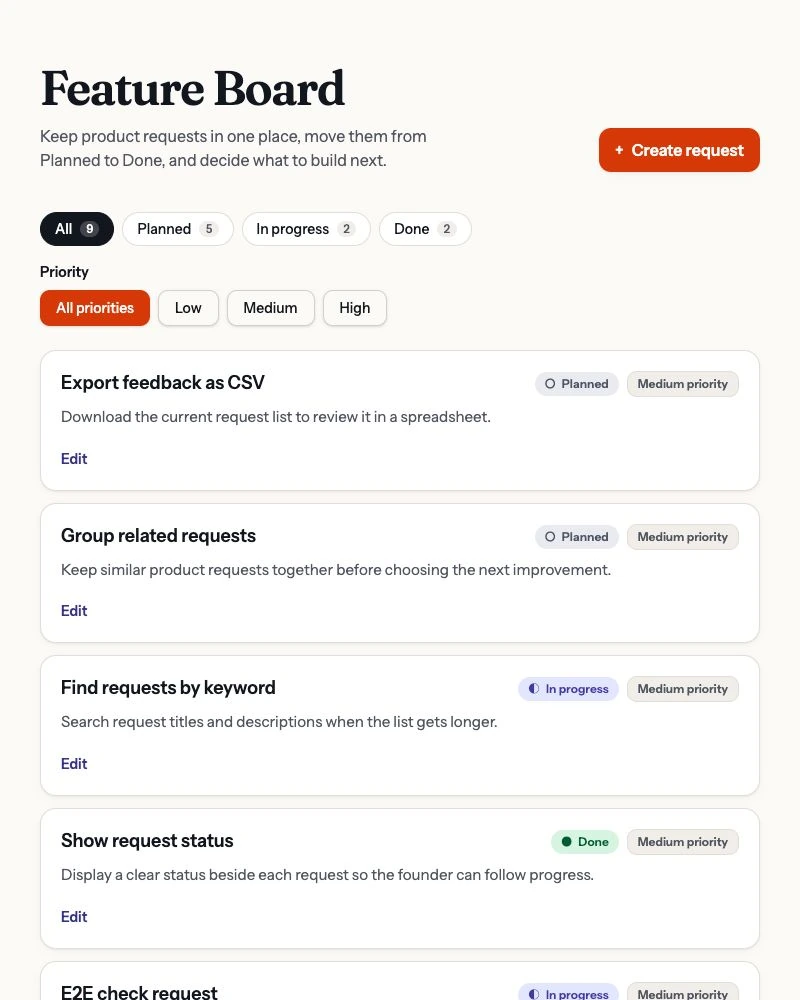
For a founder who wants the backend in the same product, that is a useful starting point. Lovable’s Cloud documentation also covers authentication, storage and server functions. We did not test all of those capabilities: this board deliberately had no customer sign-in.
v0: a Next.js app with a preview-only data layer
v0 generated a Next.js app whose server code wrote requests to .data/feature-board.json. A new request survived reload and could be read in a separate browser against that preview. The app itself disclosed that it used the preview server’s disk, not a managed database.
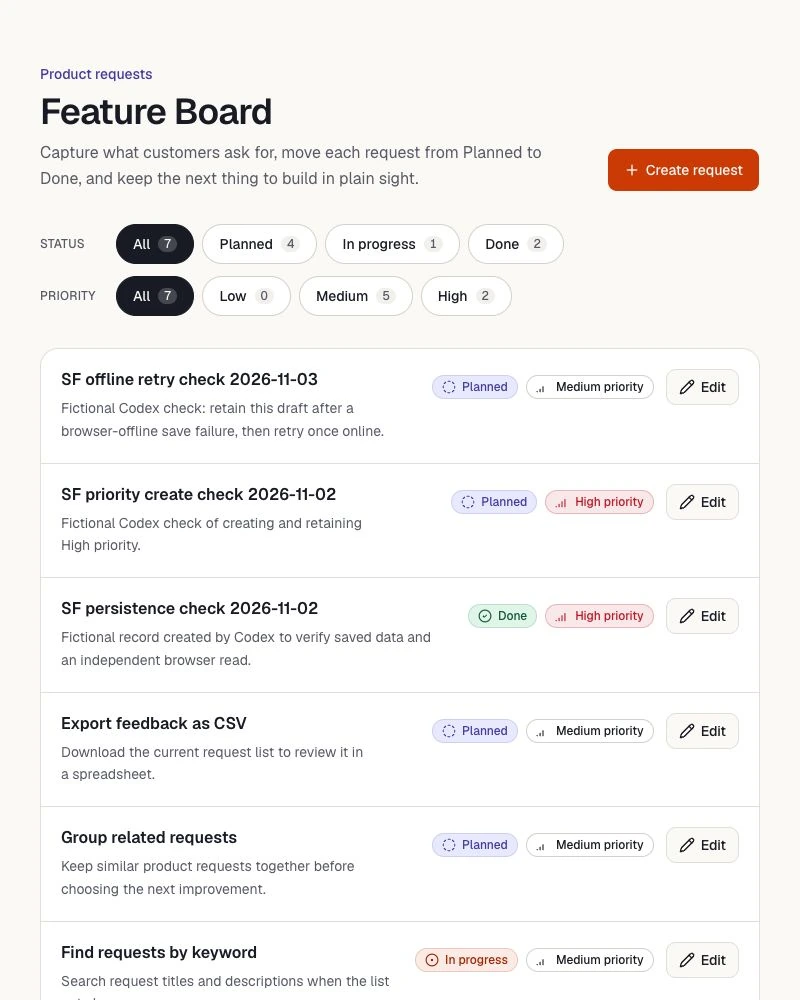
That file store was the choice in this generation under our no-new-service constraint. It does not mean v0 lacks backend support. Its full-stack guide documents server endpoints and integrations including Neon, Supabase and Upstash. We did not connect one or test persistence after a deployment or server restart.
Before using this particular build for customer records, choose and verify a durable data service. A successful preview reload answers a smaller question than whether the deployed product will retain its data.
Adding Priority worked. Closing the editor needed a fix.
The shared follow-up asked for Low, Medium and High priority, with existing records receiving Medium without a reset. Both apps preserved the starting requests, allowed Priority in create and edit forms, displayed it on saved records and combined the new filter with status.
We edited an existing request to High and created another with High priority. Both values survived a reload and a read in the other browser. That is the kind of small schema-and-interface change worth trying before you commit to a builder.
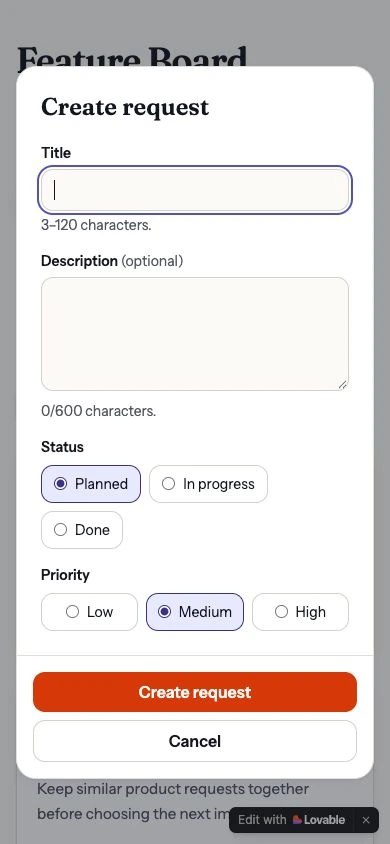
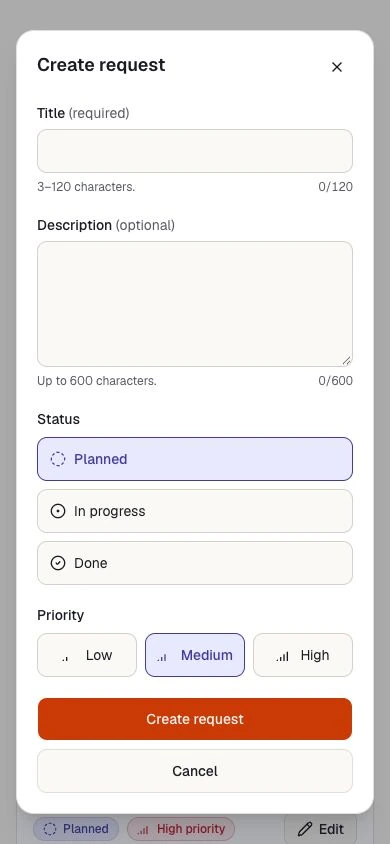
Keyboard use exposed a shared defect. Open a request’s editor, focus Title and press Escape: the dialog disappeared, but focus landed on the page body. A keyboard user lost their place in the request list.
Both apps passed the focus checks after the same short repair prompt. We then checked Escape, Cancel and an unchanged-value save ourselves: each returned focus to the opening Edit button, and the next Tab continued to the next request. We also checked that closing the mobile create form returned focus to Create request.
The useful lesson is to give the builder a reproducible action and expected result. “Make it accessible” would not have described this defect. These focused checks are not a complete accessibility audit.
What happened when saving actually failed?
In a separate Chrome tab for each app, we deliberately disabled that tab’s network connection through DevTools and tried to create a fictional request. Both apps showed a save error, kept the title and description in the form, and avoided claiming success.
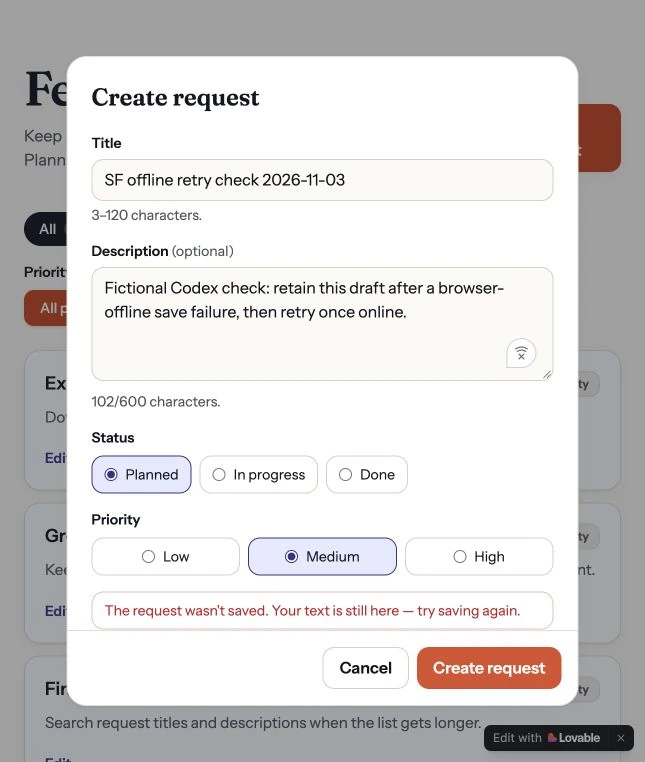
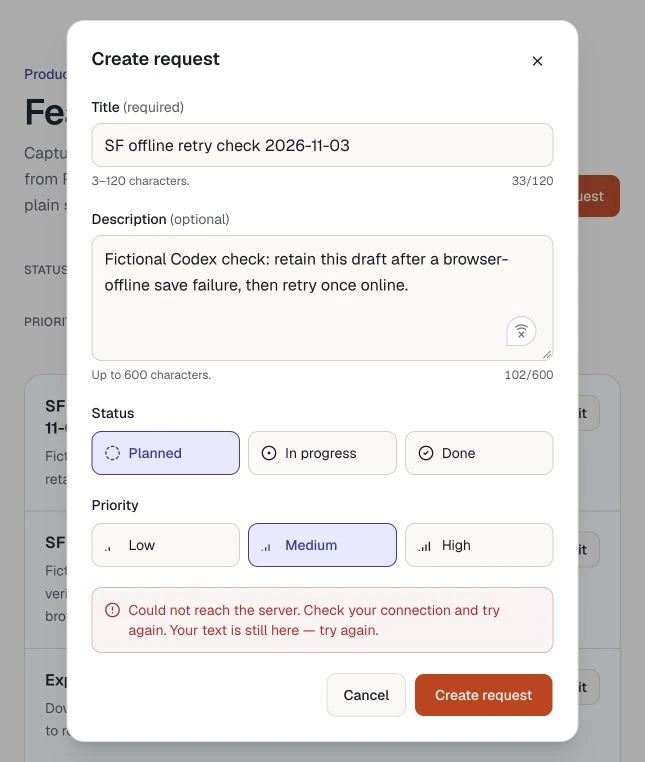
After restoring the connection, we retried the same draft once. Each app saved one request, which remained after reload and appeared in the other browser. Both recovered from this connection failure. We did not test every server error, and this result does not guarantee protection against duplicate writes.
For your own app, repeat this with the action that matters: submitting feedback, uploading a file or saving a customer record. Check the error, the retained input and the saved result after retry.
Pricing: separate the builder from the running app
Budget for three things: the subscription, the AI work used to build and repair, and the services your finished app runs. A plan’s included generation allowance does not establish its total production cost.
Scroll sideways to see both products.
| Public plan | Lovable | v0 |
|---|---|---|
| Free entry | $0. Five daily build credits, capped at 30 per calendar month. | $0. $5 in one-time credits for new users and a seven-message daily limit. |
| Entry paid plan | Pro: $25/month for the 100-credit tier, with unlimited workspace users. | Plus: currently listed at $30/user/month, with $30 included monthly credits and $2 daily credits on login. |
| Running the app | Cloud and AI usage have their own grants and consumption rules. | Hosting, database and app-model usage depend on the services you configure. |
Public monthly USD prices and allowances checked November 3, 2026. v0 lists its prices before applicable taxes. See Lovable pricing, its plan comparison and v0 pricing for current terms. The public v0 page displays $30 alongside a struck-through $90; this is its current displayed offer, not a price guarantee.
Our v0 test account was different: it still showed Premium at $20/month. That is the account used in the screenshots, not an offer we can promise to a new reader.
Lovable’s available 5.10 credits ran out during the Priority task. The feature was visible, but its agent paused; work finished the next day with the focused repair. That repair used 2.30 Lovable build credits. The corresponding v0 repair used $0.92 of existing generation credit. These are different units on different plans, so they are not a price-performance ranking.
If your app needs AI features
The AI that writes the app and the AI your customers use inside it are separate decisions. For a feedback product, you might want request summaries or classification after the core save-and-edit flow works.
Lovable’s built-in AI connector documents features such as chat, summaries and classification without your own provider account or API keys. Calls made by the deployed app consume usage credits; they are separate from asking the builder to change code.
v0 documents Vercel AI Gateway as its default route for adding model functionality. Optional marketplace providers can require installation and click-through terms; direct provider calls can require environment variables. We did not add or test an in-app AI feature in these boards.
Whichever route you choose, check the model’s output against real examples, its cost per useful action and what happens when a call fails. A working summary button is only part of the feature.
Code access is only part of the handoff
On Lovable Free, the native editor was read-only and we could copy a visible source file. The current code documentation distinguishes individual-file downloads on any plan from manual editing and full-codebase ZIP downloads on paid plans. Git sync is documented on all plans. A Free account is therefore not the same as having no access to the code.
v0 exposed its generated source, and we copied files from its editor. Its FAQ documents local export and code editing. The Download ZIP action did not produce a captured file in our attempts, so a complete export and local run remain unverified in this trial. That is a limit of our evidence, not a finding that v0 cannot export.
We did not test either app’s complete migration to another host. If an exit path is important to your business, verify source export, database access, configuration and a local run before committing real customer data. For this v0 build, that also means replacing or deliberately managing its development-only file store.
Try the change your product will actually need
Choose the backend workflow that fits, then give the builder one small end-to-end task. Use this adapted trial brief in a separate prototype. Replace the bracketed fields with your own job and example records; it is a shorter starting point, not the exact prompt transcript from our test.
Build a small [request board / internal tool / product prototype]
for [the person and job it should serve].

Use these four clearly fictional records: [supply titles and statuses].
Let me create and edit a record, cancel without saving, and filter
by status. Validate required fields and show useful save errors.

Use real server-side storage within my existing authorized setup.
Explain exactly where records live. Stop before purchases, new
accounts, permissions or deployment; identify any setup needed.
Do not describe browser-only or unconnected data as a database.

Check create, edit, cancel and filters. Reload and read a saved
change in another browser. Test keyboard focus after closing the
editor and the form at a 390px viewport. Report what is unverified.

Then add Priority: Low, Medium and High. Preserve existing data,
default old records to Medium, and let Priority combine with status.
Check a saved change again after reload.

Finally, test one controlled failed save without damaging real data:
show the error, retain the draft, restore the connection and retry
once. Confirm the saved result. Return changed files and known limits.
If you want to choose the interface foundation separately, see the free UI-library comparison or the tested shadcn dashboard sources. Those guides address components and starter code rather than a hosted builder’s backend.

