
v0 is an AI app builder that turns a written brief into a web app with editable code. A convincing first screen is only the start. The harder choice comes when that screen needs to save customer data, handle a second feature and remain understandable when something breaks.
If you are looking for a v0 alternative, start with the part of the workflow you want to change. Lovable is worth a trial for its integrated Cloud backend. Replit suits a founder who wants to work inside a browser development workspace. Bolt is a useful option for JavaScript apps with direct code access in a supported desktop browser.
You may also be better off staying with v0. It supports full-stack apps, database integrations and code editing; needing a backend is not, by itself, a reason to switch. v0’s full-stack documentation describes those options.
Lovable: for a prompt-led app with an integrated backend
Suppose your first product is a customer portal or a small internal tool. You want records to live in a database, but you do not want the first session to become a tour of separate backend services. That is a good reason to put Lovable on your shortlist.
Lovable Cloud brings hosting, database, authentication, storage and functions into the builder. Our trial used its managed database. That is a confirmed part of this build; authentication and the other Cloud features were not tested.
What worked, and what needed a repair
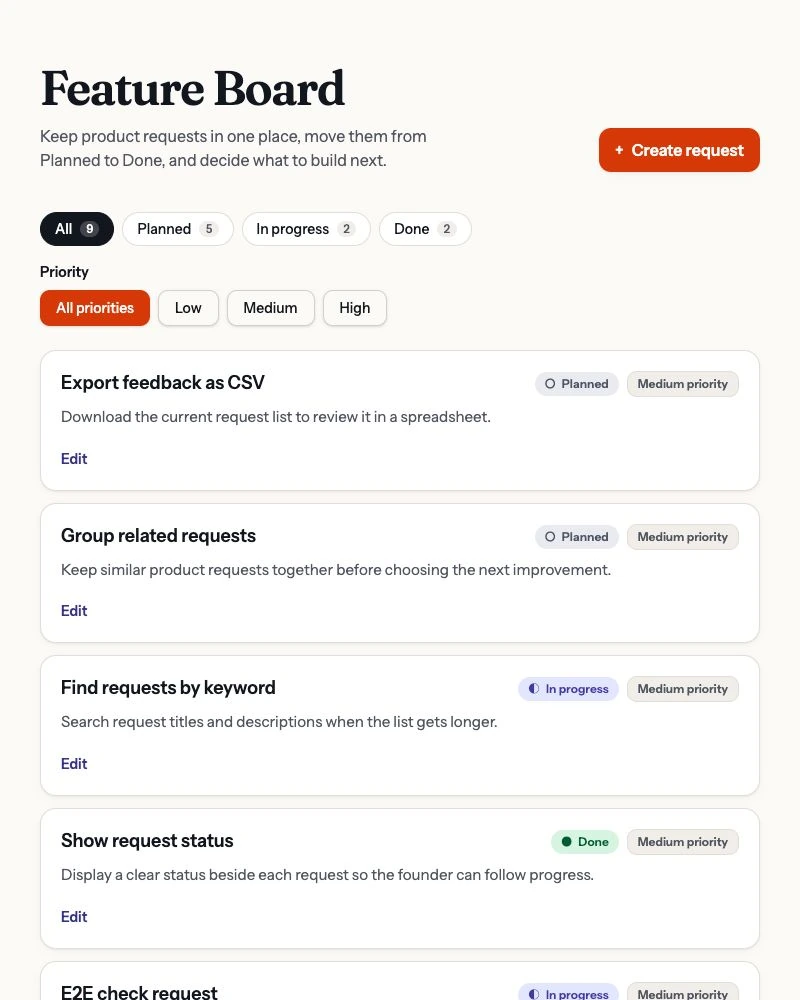
The Priority change worked across creation, editing and combined status/priority filters. Existing entries appeared with Medium priority. A saved change could be read after reload and from another browser.
The editor still needed a focused keyboard repair: closing it should return focus to the button that opened it. After that change, Escape, Cancel and a same-value Save did so. That matters when a person edits several requests with a keyboard instead of repeatedly finding their place.
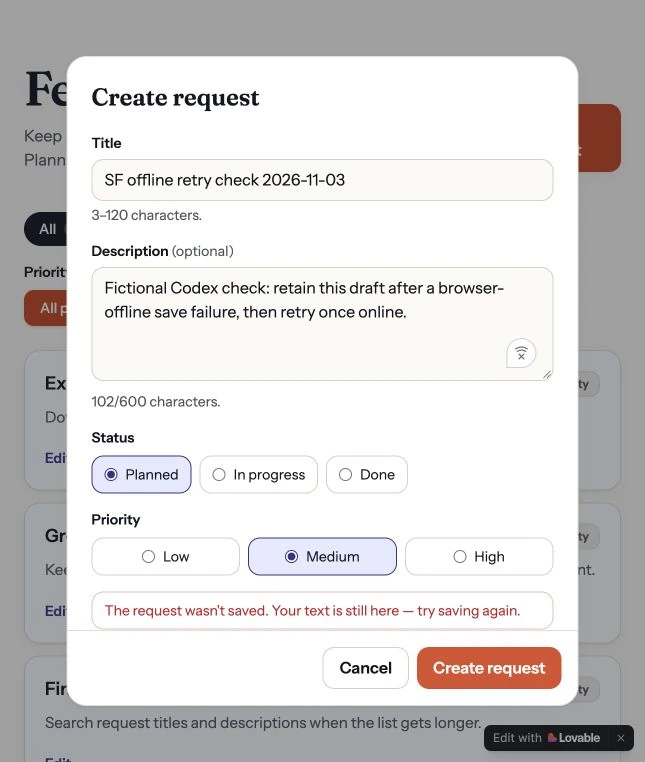
A separate browser-offline check produced a failed save while keeping the draft in the form. Retrying after reconnecting saved it, and the record remained after reload. This is the sort of behavior worth checking before putting real customer input into an app.
The tradeoff to accept
Free access is prompt-led: Code Mode is read-only on Free, while manual editing and a full ZIP download require a paid plan. Individual files can be copied or downloaded on any plan, and GitHub sync is available across plans. None of that is proof that a database and every service setting will migrate with the source.
Choose a Lovable trial when backend setup is your main obstacle. If direct manual code editing on a free plan is essential, check Bolt or Replit first. For the deeper two-product evidence, see Lovable vs v0.
Replit: for an inspectable browser workspace
If you want to understand what the agent changed, a workspace with files, a running preview, database tools and Git makes those changes easier to inspect. Replit puts those tools in the browser. Its editor and SQL database tools are documented parts of that workflow.
A working change, including the small interactions
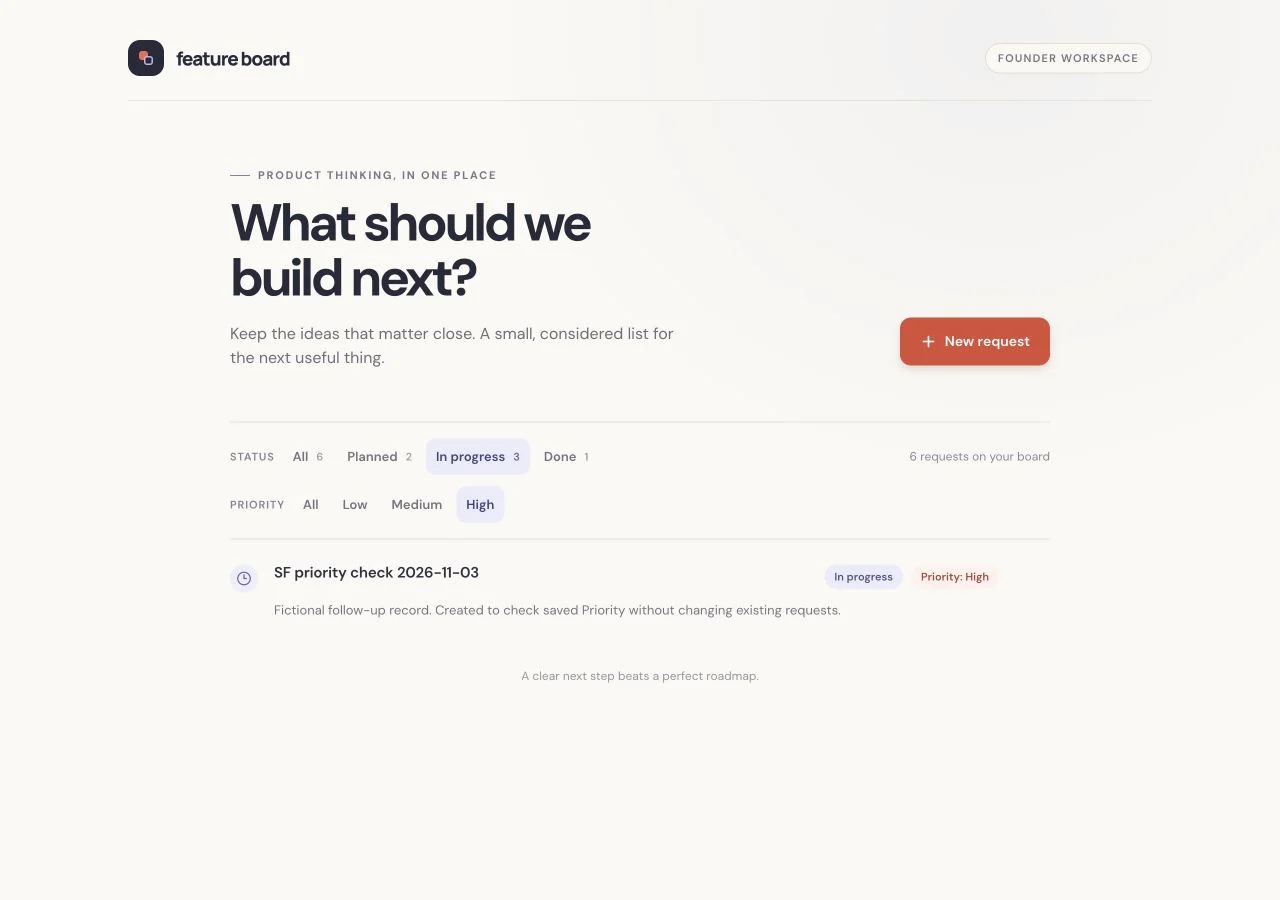
On 3 November, the agent added Priority to the existing board. Codex created a High-priority request, changed it to Low and In progress, then combined those two filters. The matching record appeared; an incompatible filter combination showed an empty state. “Show all requests” restored the list.
After setting the record back to High and reloading the app, High plus In progress still found it. At a 390-pixel-wide responsive viewport, the editor stayed within the screen. Escape, Cancel and a same-value Save returned focus to the exact Edit button used to open it.
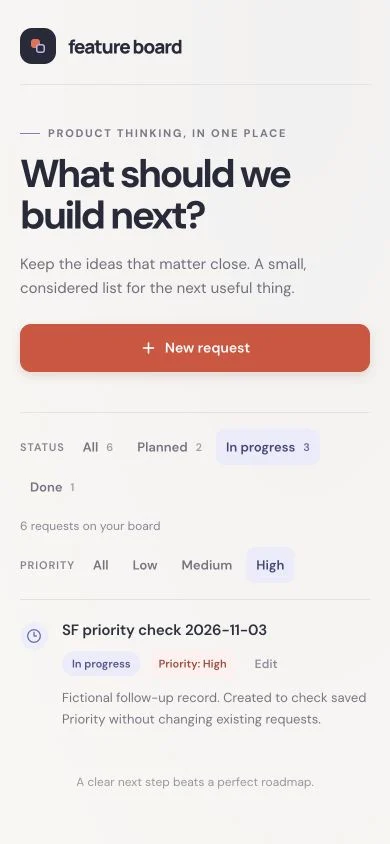
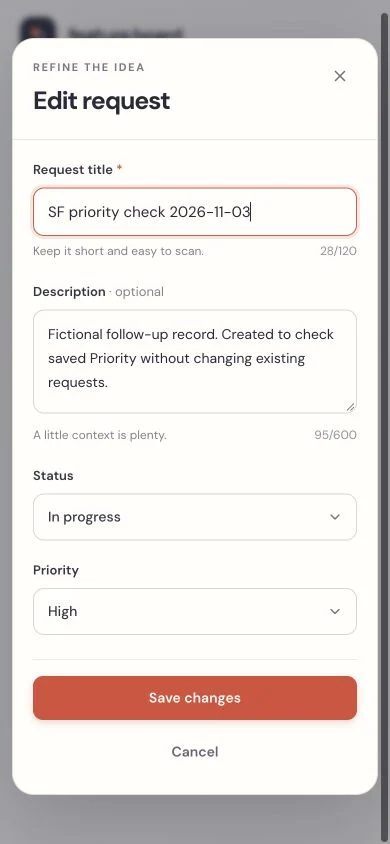
Those are useful signs for this small workflow. They do not establish how the app handles a failed save: that check was not completed for Replit. We did not compare every database record before and after the change, so this is not a complete data-preservation check.
Check the development-to-production step
Replit distinguishes development and production databases. A working preview is not evidence that your production database has been configured, populated and protected correctly. Its database environment guide is worth reading before you publish.
The current agent modes are Free, Power and Max; availability and model controls depend on the plan. Our follow-up used Free mode. Do not assume the same task, on another mode, will use the same allowance. Current mode documentation.
Choose a Replit trial when you want to inspect and develop the project in one workspace. Make the database transition and spending controls part of the trial, rather than discovering them at launch.
Bolt: for a JavaScript workflow with direct code changes
Bolt is worth considering if you want an agent to build the first version, then expect to edit files or use the terminal yourself. Its browser environment supports full-stack JavaScript apps, with database and hosting options through Bolt Cloud. Bolt’s platform overview explains that scope.
The feature change worked; the later reload remains unresolved
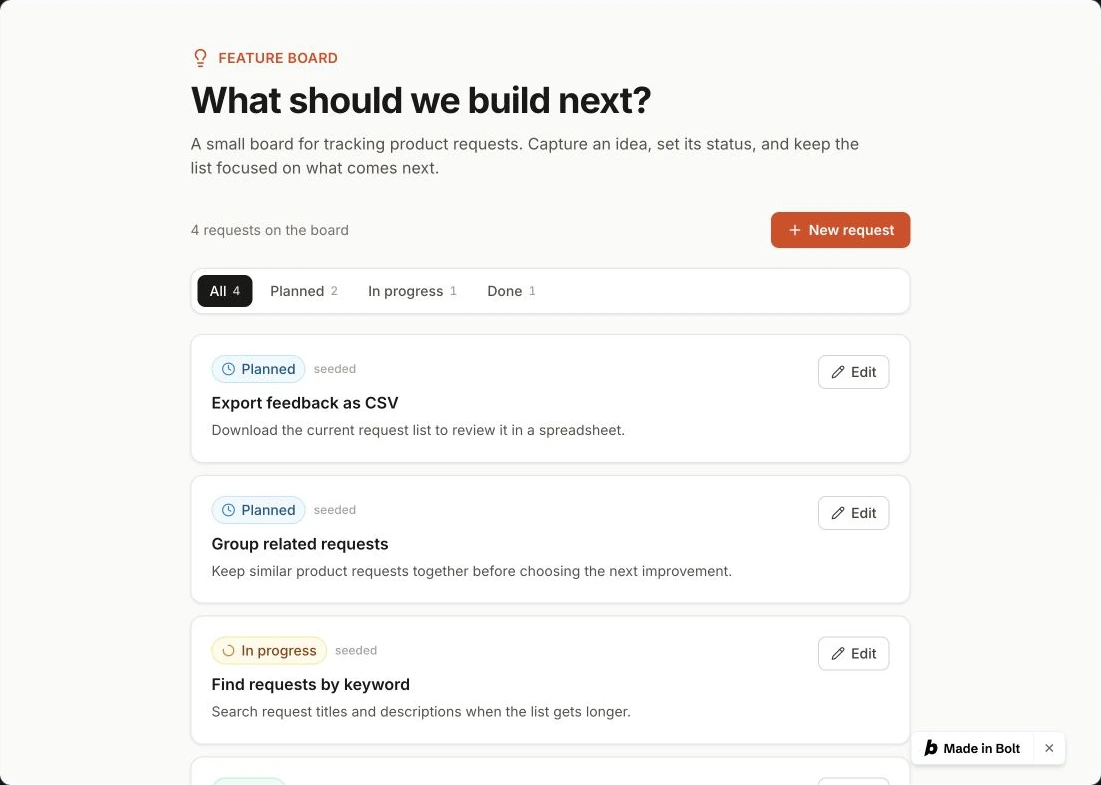
In the 3 November follow-up, the app displayed its seven existing requests with Medium priority. Codex added a new High-priority request, edited it to Low and In progress, and checked matching and empty filter combinations. Those UI checks worked.
A later reload of the builder hit a WebContainer startup timeout. That prevented a confirmed post-reload read of the changed record. It does not prove the data was lost, and one startup failure does not establish Bolt’s general reliability. The changed record could not be checked after that reload. The current mobile editor and failed-save path also remain unverified.
The useful code-access condition
According to Bolt’s Code view documentation, manual file edits and terminal commands do not use tokens. Direct editing and terminal access require desktop Chrome or another supported Chromium browser; Code view is read-only on Safari and mobile. That browser condition matters if you intend to use free access for hands-on corrections.
Choose a Bolt trial when JavaScript and direct code work fit your plans. Before committing, repeat the saved-data and mobile checks on your own app.
When staying with v0 makes more sense
Switching builders is expensive if it merely replaces one set of unfamiliar settings with another. If you like the interface and your project fits the Next.js and Vercel ecosystem, give v0 a specific problem to solve before starting again.
In our constrained trial, v0 used development-server JSON storage because the brief prohibited adding new services. That was a choice for this test, not a limitation of v0’s backend capabilities. A customer-facing product would need an appropriate persistent database and deployment configuration.
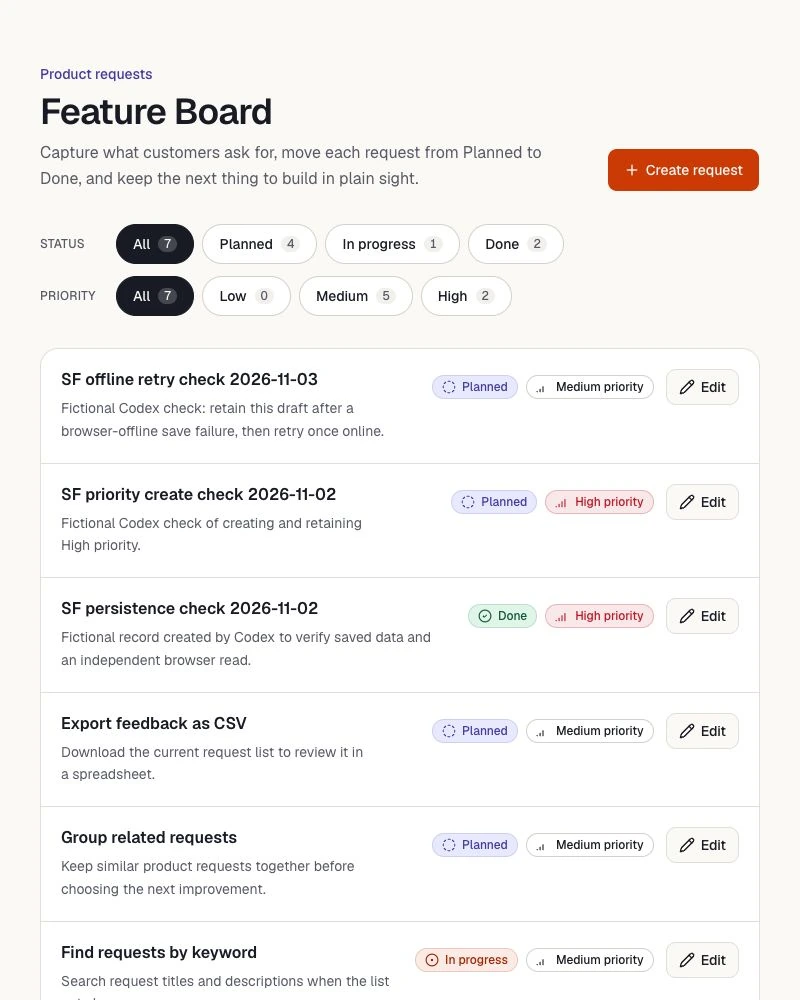
v0 handled the Priority workflow and, after the same focused keyboard repair, returned focus correctly. The separate offline-save check retained the draft and allowed a successful retry. These observations show useful behavior in this preview; they do not validate production storage, authentication or security.
If your real complaint is that the UI looks generic, first try better components and a clearer brief. Our UI libraries for vibe coding guide compares shadcn/ui, Untitled UI Free and daisyUI. That is a different decision from moving the app, its data and its services.
What the trials do—and do not—show
Adding Priority is a useful second task because it touches existing data, forms, editing and filters. A good-looking first page cannot tell you whether those pieces work together.
Swipe the table to compare the four builds.
| Observed check | v0 | Lovable | Replit | Bolt |
|---|---|---|---|---|
| Storage in this build | Development-server JSON; constrained brief | Managed Cloud database | Integrated SQL database | Bolt database |
| Create/edit Priority; combine filters | Observed | Observed | Observed | Observed before later startup problem |
| Read saved Priority after reload | Observed in preview | Observed | Observed | Unverified: builder startup timeout |
| 390 px editor; return keyboard focus | Observed after one focus repair | Observed after one focus repair | Observed in follow-up | Current changed version unverified |
| Failed save retains draft; retry saves | Observed in browser-offline check | Observed in browser-offline check | Not completed | Not completed |
| Complete source/data handoff to a local app | Not verified | Not verified | Not verified | Not verified |
“Observed” describes this fictional app, not a platform guarantee. Physical phones, production access controls, security, scale and long-term durability were outside the checks. For Replit and Bolt, complete preservation of every database record after the change remains unverified. The trials cannot support a speed, cost-efficiency or overall reliability winner.
Compare the costs after the first generation
Check three things separately: the builder subscription, the cost of running the app, and any AI calls made inside the finished product. The Feature Board did not use in-app AI, so its results say nothing about the cost of an AI chatbot or document-processing feature.
| Builder | Free starting point | Month-to-month paid entry |
|---|---|---|
| v0 | 7 messages/day; credit offer depends on account | Plus: US$30/user/month, current displayed offer; US$30 monthly credits plus US$2 daily on login |
| Lovable | 5 daily build credits, capped at 30/month | Pro: US$25/month for the 100-monthly-credit workspace tier in the official USD table |
| Replit | Starter has limited Agent/cloud allowances | Core: US$20/month; Pro starts at US$100/month. Verify commercial-use needs before choosing Core. |
| Bolt | 1M tokens/month, with a separate 300K daily cap | Pro: $25/month, billed monthly, starting at 10M tokens/month |
Public prices checked 3 November 2026. v0 prices exclude applicable taxes; Replit taxes depend on location. Lovable prices can be localized and tax may apply; personal introductory offers are excluded here. Bolt’s retrieved card displays “$”. Recheck currency, tax and checkout terms. Our legacy v0 Premium plan is not the current new-customer offer.
v0’s pricing documentation distinguishes a one-time US$5 offer for new Free users from monthly US$5 credits retained by existing Free users. Do not assume another account has your allowance. Also check hosting terms: Vercel Hobby is for personal, non-commercial use.
Lovable’s unified credit balance can cover building, Cloud and app AI. Grants and paid allowances have conditions; a working backend is not unlimited free hosting. Replit also has usage-based runtime and database charges. Bolt’s token allowance sits alongside hosting and database limits.
A million tokens and a hundred credits are not comparable amounts of finished work. We did not capture complete after-test usage meters. There is no defensible “cheapest app” result here.
Give one alternative a useful trial
Pick the route that addresses your actual obstacle. Use a disposable project and fictional records. Save this checklist in a note or spreadsheet with three columns: check, observed result, next fix. Then paste the brief below into the builder.
1. Build the small app first
Build a small feature-request board for [type of team]. Use fictional sample records only. Each request has a title, optional description and Planned / In progress / Done status. Provide a create form, editing and a status filter. Make the layout usable at 390px and desktop widths. Before building, explain where records will be stored and what will survive a page reload, another browser and a deployment. Do not add a paid service or enable automatic paid usage without asking. Keep a failed save open with its draft intact and an understandable error. Escape, Cancel and successful Save should return keyboard focus to the button that opened the form. Stop after this first version. Do not add Priority yet. Explain the files, storage and remaining work before production.Replace the bracketed team description before you use it.
2. Make a change to the working app
Create and edit a named record yourself. Reload and check that it is still there. Only then send this second prompt.
Add Low / Medium / High priority to this existing feature-request board. Default existing records to Medium without deleting or duplicating them. Preserve their IDs, titles, descriptions and statuses. Support Priority on create and edit, and combine the Priority and status filters. Provide a useful empty state with a way to clear the filters. Keep the existing keyboard and failed-save behavior. Explain the schema and file changes, and how I can check that existing records survived.Use this after checking the first version.
Record behavior, not the agent’s success message
- Make one named record. Edit it, reload and open the app in another browser. Record the exact values you see.
- Make the second change. Check old records, create a High-priority request, then edit it. Combine two filters and try a combination with no matches.
- Use the form at phone width and with a keyboard. Check long text, visible controls, scrolling and where focus lands after closing it.
- Check a failed save in a disposable preview. Open the form online. If your browser supports a per-tab offline mode, use it for that preview tab and attempt to save. Check that the draft stays, put the tab back online immediately and retry once. If you cannot run this check, mark it unverified.
- Inspect the exit route. Identify source files, data export, environment variables and external services. A downloaded ZIP alone does not show that the app runs elsewhere.
For example, a useful note is: “High + In progress still finds ‘Trial request A’ after reload.” “The agent says persistence is fixed” is something to verify, not a passed check.

