

A coding agent can build your app’s interface from scratch. A good UI library gives it a more consistent starting point: buttons, fields and dialogs with a design and an API to follow. The choice matters when you need to change the result or fix something that looks right but doesn’t work.
For a small React app, consider shadcn/ui when you want component source you can reshape, Untitled UI React Free when you want its coordinated fields and React Aria foundation, and daisyUI when you prefer styling your own HTML with component classes. These are UI building blocks, rather than app builders or Figma-only design kits.
The useful finding
All three supported the feedback inbox in this comparison, including validated forms, a working mobile menu and new requests that survived a reload. Changing the accent color, tightening the layout and adding a saved Priority field also worked in all three.
The interesting part was the work between installing components and getting a usable app. A storage error appeared behind an open dialog in all three builds. An incorrectly supplied icon broke the Untitled button layout. Both were mistakes in our integration, and both were fixable without buying a premium library.
How this comparison was made: On October 25, 2026, Codex implemented the same small feedback inbox in React and Vite using each library’s free controls. The builds share application logic, sample data and a custom dashboard layout; the controls and dialog integrations differ. Installation used the official CLI or npm, rather than connected MCP servers. Screenshots show those working prototypes, not vendor dashboard templates. Data is stored in the browser’s localStorage, with no backend or login. Official product documentation was checked October 26.
Which UI library fits your app?
Start with the kind of code you want to maintain. Both shadcn/ui and Untitled UI React put component source in your project. daisyUI supplies CSS classes for elements you write yourself. That difference is more useful than choosing whichever homepage has the nicest dashboard.
| Decision | shadcn/ui | Untitled UI React Free | daisyUI |
|---|---|---|---|
| What goes into your app | Editable component source added by the CLI. This build used the Radix-based Nova style. | Editable React component source, its theme and React Aria dependencies. | A CSS plugin and semantic classes on your own HTML elements. |
| A useful fit | A React app where you expect to compose and change individual components. | A React app whose forms and controls should follow Untitled UI’s design and APIs. | An app where you want to keep writing ordinary HTML and apply classes such as btn and input. |
| Form work in this build | Our adapter composed labels, fields, error messages and dialog content. | Fields accepted label, hint and invalid-state props. The button needed its documented icon slot. | Our markup supplied labels and errors; classes supplied styling. Our adapter controlled a native dialog. |
| What still needs your code | Layout, validation rules, saving, error placement, data access and the app’s actual workflow. A UI library doesn’t supply your business logic. | ||
| Cost of the tested UI | Free, open-source components. | Free components only. No PRO templates were used. | Free, open-source CSS library. No paid add-ons were used. |
| When to look elsewhere | You need a complete ready-made app rather than components to assemble. | Your project isn’t React, or you don’t want to adopt the supplied theme and component conventions. | You want imported React controls to manage more of the field and dialog structure for you. |
For a visual design file or a ready-made admin layout, use the dashboard UI kit guide. If you haven’t chosen an app builder or coding workflow yet, the vibe coding tools guide answers that earlier question.
The same feedback inbox, built three ways
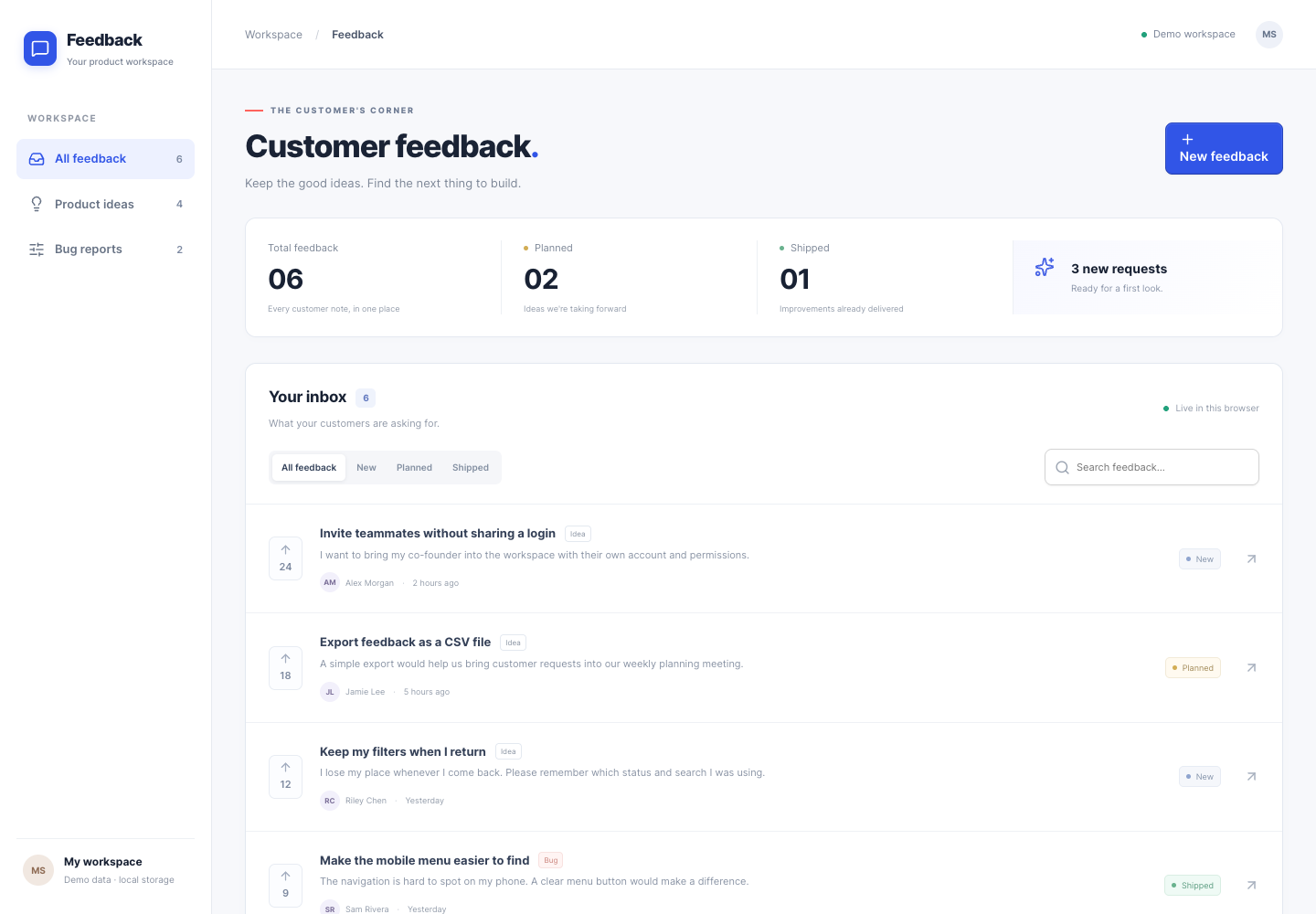
The task was deliberately small: show six fictional customer requests, filter by status, search, open a request and submit a new one. The form needed useful validation, a visible saving state and a clear response when saving failed. On a narrow screen, navigation and the form still had to work.
The surrounding dashboard is custom code. Each build uses a small wrapper, or adapter, to connect the shared app to its library’s controls. Similar screenshots therefore tell you that the three libraries can support the same design; they don’t show three different free dashboard templates you can download from the vendors.
shadcn/ui: component source you can change
shadcn/ui distributes source code for you to build on. In this implementation, its Button, Input, Textarea and Dialog components became the foundation for the inbox and submission flow. The chosen setup used Radix primitives; that matters because another shadcn setup can use different underlying controls.

The practical benefit is that your agent can inspect the local component source before changing it. You can also end up maintaining those changes yourself. In this form, labels, error text and validation rules were explicitly connected by our application code; installing an Input didn’t complete the form for us.
Choose it when: you’re building a React product and want to keep adapting the component layer. Before committing, ask your agent to show which components it installed and where it changed them. “Uses shadcn” should describe real imports and source files, rather than a visual imitation.
Untitled UI React Free: coordinated controls with a defined API
Untitled UI React Free also provides component source. Its React Aria foundation and supplied theme give you a set of conventions to work within. The React library is a separate product from Untitled UI’s Figma kit.
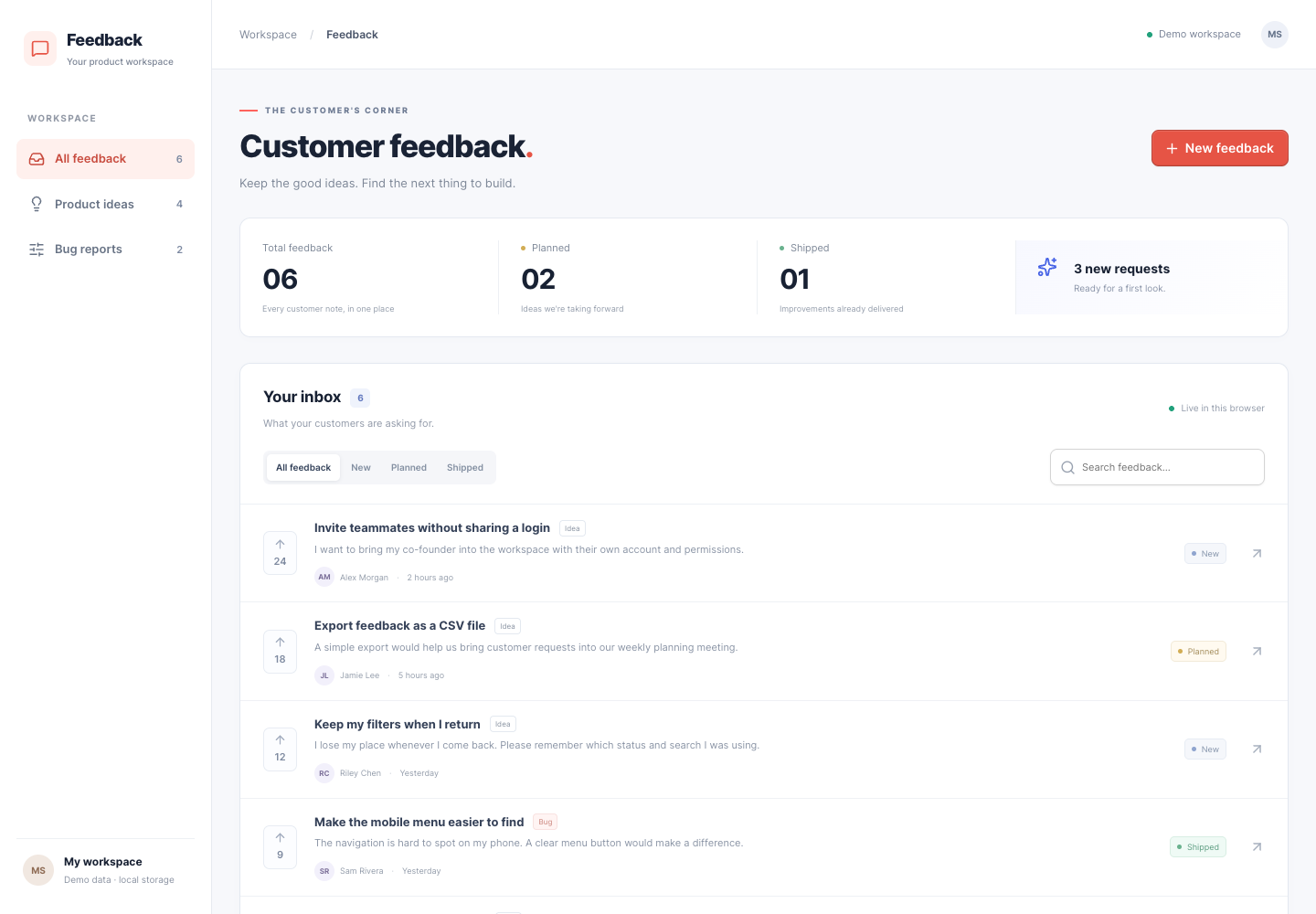
For this form, the Input and TextArea components accepted the label, required state, hint and invalid-state props together. That made the field structure explicit in the adapter. It didn’t remove the need to decide what counts as valid feedback or where to show a failed save.
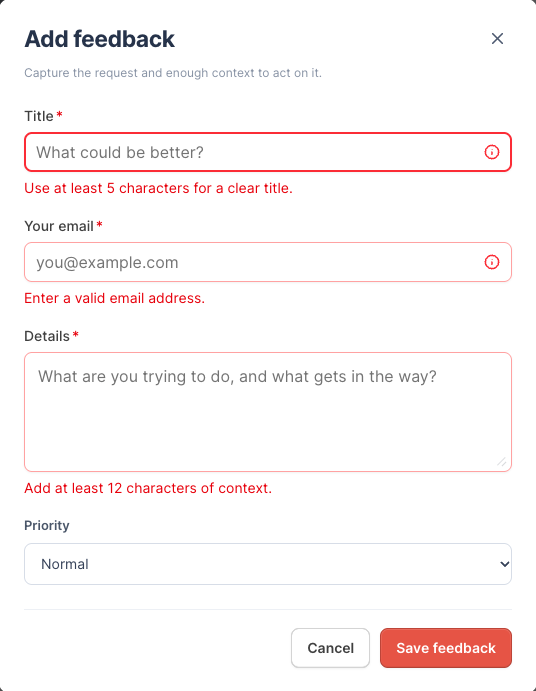
Choose it when: you like Untitled UI’s component design and want to use its field and React Aria conventions in a React app. Install the actual theme and read the component props. Copying its appearance while guessing its API loses much of the point.
daisyUI: component classes on HTML you control
daisyUI is a CSS component library. Instead of importing a React Button, this build styled a button element with daisyUI classes. That keeps the markup close to ordinary HTML while providing a coordinated visual system.
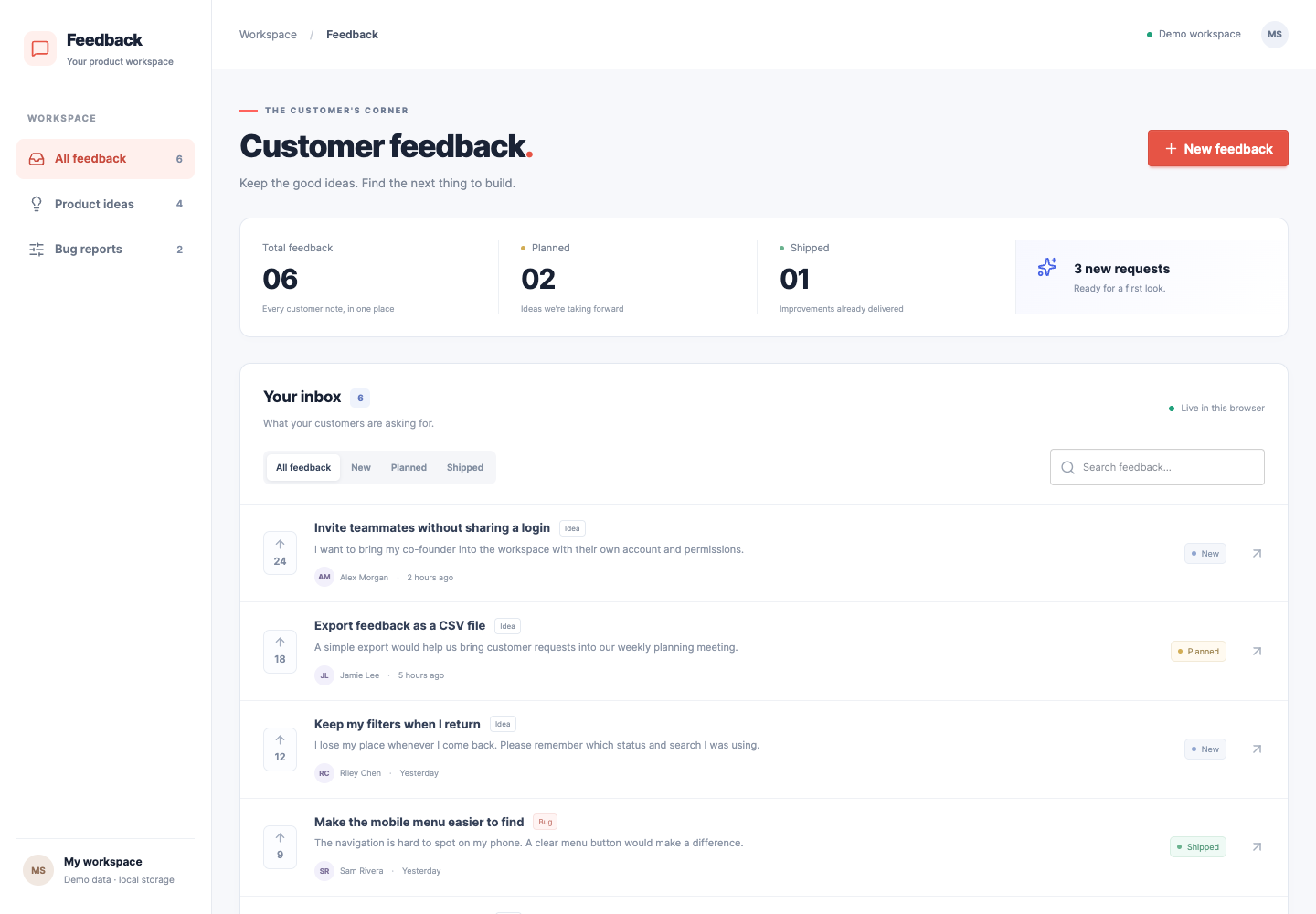
The dialog used the native HTML dialog element and showModal(), following daisyUI’s modal documentation. Our React adapter coordinated opening and closing it. Labels, validation messages and saving behavior also remained application work.
Choose it when: you want a class-based UI layer on markup you control. The documentation describes daisyUI as framework agnostic; this comparison only exercised its React integration. Check your own framework’s dialog lifecycle rather than assuming the React example transfers unchanged.
What needed fixing—and what the fixes teach you
A failed save needs an error inside the open form
In the first version of all three apps, a failed save left the explanation outside the dialog. The overlay obscured it. The user’s text was still there, but the form gave no visible reason to stop waiting or try again.
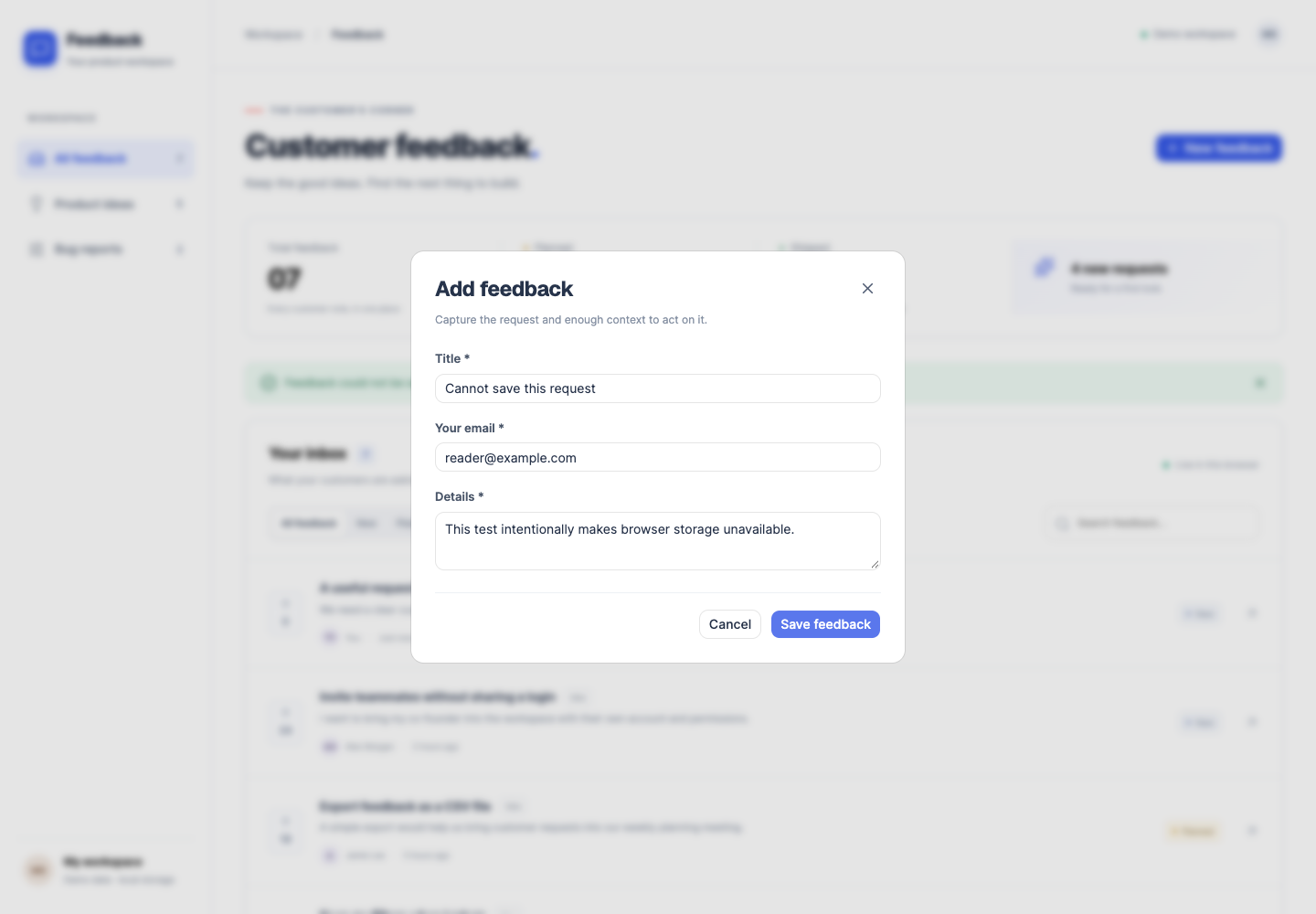

The fix was to render a role="alert" message inside the form and keep the inputs intact. The test deliberately made browser storage reject the write, so the failure path could be checked. This was our shared application mistake, rather than a defect in the libraries.

Use this in your own app: ask the agent to demonstrate a failed save while the dialog is open. You should be able to see what happened, keep what you typed and know how to continue. A working success message tells you very little about this path.
An icon needs the component’s actual API
The initial Untitled button placed the plus icon above “New feedback.” Our adapter had put the icon inside the text children. Untitled’s documented API expects iconLeading or iconTrailing. Using the intended prop restored the horizontal layout; the button went from 57px to 40px high in this build.
// Simplified from the corrected Untitled adapter:
<Button
  iconLeading={Plus}
  onPress={openFeedback}
>
  New feedback
</Button>
Our adapter also used isLoading and showTextWhileLoading for the saving state. Untitled’s button documentation explains those props. The lesson applies beyond this library: when an agent’s first attempt looks wrong, check the real component API before adding CSS workarounds.
What worked after the repairs?
All three final builds passed the same 15 browser checks. Search and status filters worked, empty submissions showed field errors, saving disabled the submit button and created one new request, and the request remained after a reload. Details dialogs closed with Escape; our application code explicitly returned focus to their triggers. Background controls were excluded while the dialog was open.
At a 390px browser viewport, each app kept the page within the screen width, opened its navigation and allowed the feedback form to scroll. The loading and error fixtures also worked. These checks describe this prototype; they aren’t a full accessibility audit or a test on a physical phone.
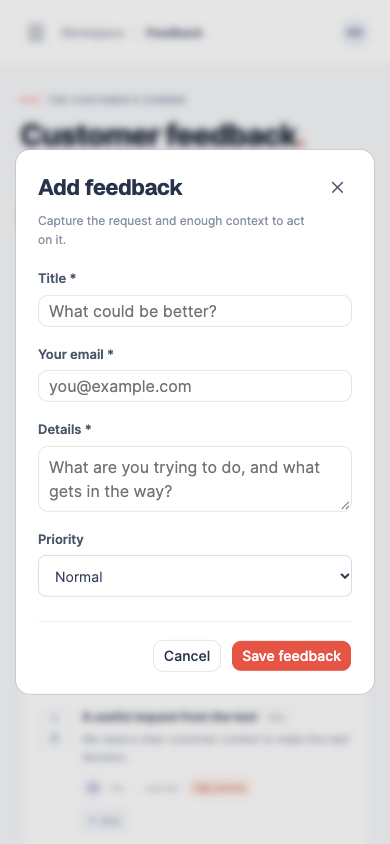
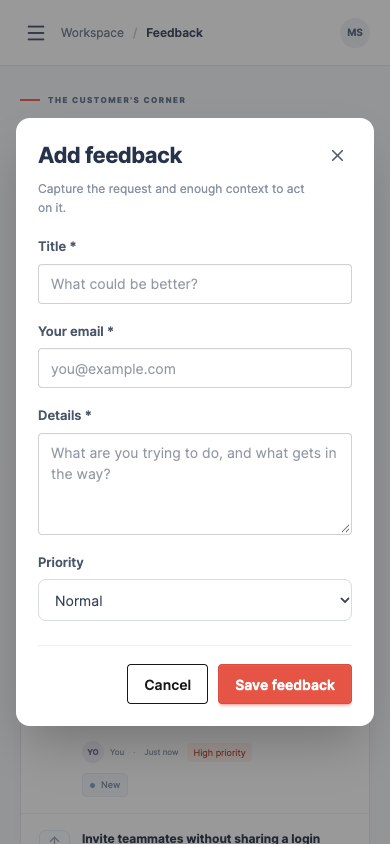
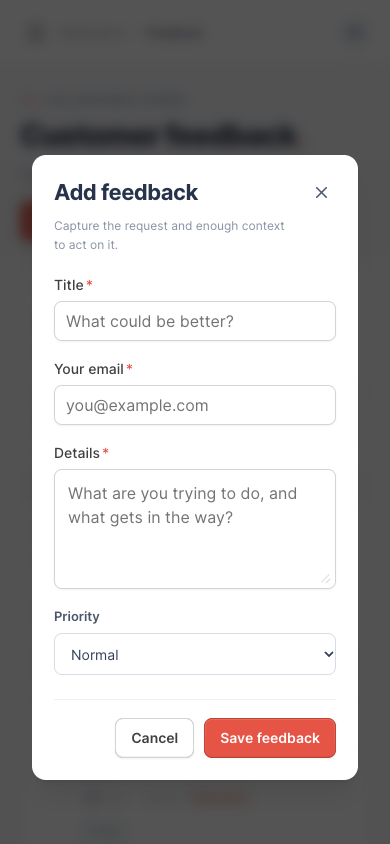
Then came a normal change request: use a coral accent, make the spacing more compact and add Priority to new feedback. All three builds supported the changes, and a saved High priority survived a reload and appeared in the list. The Priority dropdown was shared native HTML in all three, so this doesn’t compare their Select components.
There’s no supported speed or AI-credit winner here. The builds reused logic and were made sequentially by the same agent. Choose from the integration model and the code you want to maintain, rather than treating a passed checklist as a quality score.
Free components, paid extras and AI integrations
You don’t need a premium library to reproduce this example. shadcn/ui, the Untitled free sources used here and daisyUI are MIT-licensed; keep their notices and check any additional package or template license you add. Hosting, a real database and your coding agent’s charges are separate costs.
Untitled PRO adds more components, sections and complete page examples. That may matter if a specific included layout solves your next task, but it wasn’t needed for these forms and wasn’t evaluated here. If you want to inspect the paid offering, explore Untitled UI. Superfounder may earn a commission if you buy through that link. The free component link above goes directly to the documentation.
Each ecosystem also has tools for coding agents. An MCP server connects an agent to a component source or registry so it can look up and install the real thing:
- shadcn’s MCP server browses, searches and installs items from configured registries.
- Untitled’s MCP integration offers free components without authentication. Its documented search uses keyword matching without PRO; multimodal semantic search and PRO components require a PRO license.
- daisyUI Blueprint is a separately paid MCP offering. It isn’t required to use the free CSS library.
Those are documented capabilities, rather than results from the three builds. This comparison used CLI and npm installation and doesn’t establish whether an MCP integration reduces your prompts, time or token spend.
To try a connected workflow, follow the shadcn MCP setup guide. It takes the official registry tools through component search, installation and a working launch checklist, including an example-import fix and browser checks.
Try your shortlist on one complete workflow
Pick the library whose integration model fits your project. Then give your coding agent this task in a separate prototype. Replace the feedback fields with a small action from your own app if that makes the result easier to judge.
Build a small customer-feedback inbox using [chosen library].
Use its actual free components or documented CSS classes.
Read the current official setup and component APIs first.

Show six fictional requests, a status filter and text search.
Open request details in a dialog. Add a new-feedback form
with a title, email, details and Priority. Validate the form,
show saving, and preserve a new request after a reload.
Use browser localStorage for this prototype; no real users.

Demonstrate an empty submission, an empty search result
and a failed save with the dialog still open. Keep typed
values on failure and show the reason inside the form.
Check keyboard access, Escape, focus return and a 390px
viewport. Explain anything you did not verify.

Next, change the accent color, tighten the spacing and
confirm that saved Priority appears in the list after reload.
Show the changed files and identify custom code versus
library components. Do not buy or install paid components.
To inspect the implementations behind the screenshots, download the source examples. The ZIP contains three React/Vite projects, package locks, setup instructions and the supplied third-party license notices. You’ll need Node.js and npm to run them.
Download the three source examples (.zip)
Reproduction versions: shadcn CLI 4.22.1 with Radix/Nova; Untitled CLI 0.1.69 using source library version 8 and React Aria Components 1.22.1; daisyUI 5.7.50. Shared stack: React 19.3.1, Vite 8.3.5 and Tailwind CSS 4.3.3. The lockfiles record the exact installed packages. All screenshots show fictional data from the October 25, 2026 Codex-built prototypes.

Affiliate Disclosure: Some of the links in this article may be affiliate links, which can provide compensation to me at no cost to you if you decide to purchase a paid plan. This site is not intended to provide financial advice and is for entertainment only. As an Amazon Associate I earn from qualifying purchases.