
Webflow gives you visual control over HTML structure, CSS classes and CMS content. I use it for client websites where that control and a maintainable content system matter. Check the editing workflow and the combined Site, Workspace and add-on costs before choosing your setup.


When Webflow is worth the extra control
Webflow is a visual website builder for teams that want to work with the structure of a website: HTML elements, CSS classes, reusable components and CMS content. Shortlist it for a business or client site with case studies, articles, services or a directory that will keep growing. The strongest reason to choose it is having a maintainable content and design system, rather than rebuilding each page separately.
That control needs someone who understands the structure they are creating. A quick landing page may not justify the setup, and a site with accounts, payments and application logic needs a separate technical brief. Start by deciding who will build the site, who will maintain its content and what visitors need to do.
Review basis: Sebastian’s use and recommendation above are firsthand. The plan analysis, AI limits and evaluation exercise below use current official documentation, checked October 28, 2026; they do not represent a new paid-feature or AI-generation test. Webflow links here are direct provider links without an affiliate referral code.
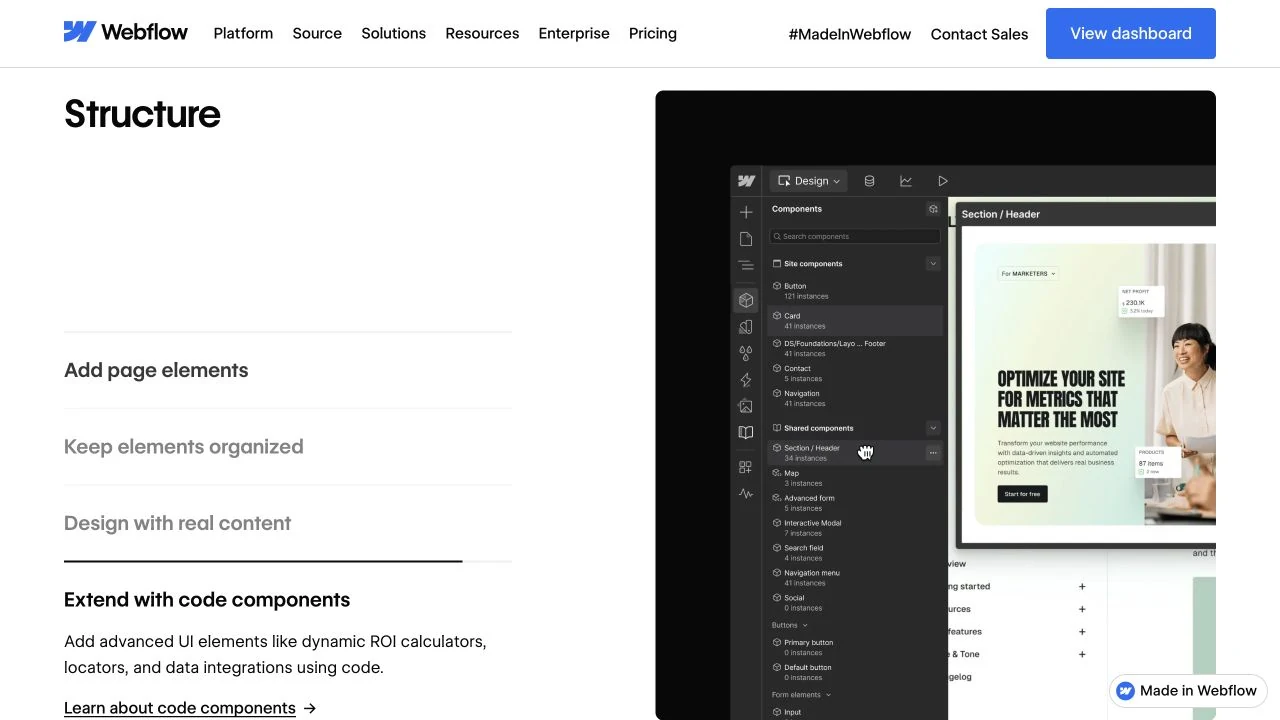
The header image is Webflow’s own Designer presentation, showing its component library and an example page, captured October 28, 2026.
Build a content system, then design its pages
The Designer exposes web layout concepts such as flexbox, grid, classes and responsive styling through visual controls. You can make a reusable class or component affect many places, which is useful once a client site has more than a handful of pages. It also means a casual global style change can have consequences elsewhere. Clear class names and a small set of reusable patterns are part of the work.
The CMS separates structured content from its presentation. For example, a case-study collection can hold a project title, client, service, image, results and SEO description. A collection template gives each project a consistent page, while collection lists can display selected projects elsewhere.
Here is a useful model to sketch before building a directory or content-heavy site. It is a planning example, not a tested import or a requirement to use these exact fields.
Store the factsProduct name, official URL, category, logo and a short listing summary belong in a tool record.
Choose the presentationA directory card and a detailed profile can draw from the same collection. Decide which fields each view actually uses.
Assign the editing workGive one person responsibility for checking prices, links and recommendation claims across the listing and full review.
The important decision is which facts should be shared and which copy needs its own field. A separate card summary will not rewrite itself when you change the long review. A CMS gives you a content structure; you still need a maintenance process.
What Webflow gives you for SEO
Webflow lets you set page titles and meta descriptions, including patterns populated from CMS fields. It also provides controls for canonical URLs and an XML sitemap. These are useful when a client needs consistent metadata across many articles or service pages.
For a migration, make the old-to-new URL map before launch and check the required redirect support for the chosen setup. Inspect the published canonical, indexing directives and sitemap rather than stopping at a successful save. Good controls help you implement a search strategy; the platform alone does not establish content quality or a ranking advantage.
Which Webflow AI features fit your site?
Webflow AI covers several different tools. The distinction matters most on an existing client site: an assistant being available does not mean every site can use every design-generation feature.
| Task | What it does | Important condition |
|---|---|---|
| Generate a site | Creates a proposed page structure, content and a theme. | For new sites or existing AI-generated sites. It cannot be applied to a site built another way. Free access allows two static pages; a paid Site or Workspace plan allows up to five initially. Site generation does not use Webflow AI credits. |
| Design sections | Drafts sections using a site’s styles and classes. | Still a public beta limited to selected free templates and AI Site Builder sites. It can reuse or add classes, but cannot update existing classes. This feature does not use AI credits. |
| Draft copy and SEO metadata | Generates or refines text; the SEO audit can suggest missing metadata and other fixes. | Requires a paid Site or Workspace plan and enabled Webflow AI. Uses credits. Check facts and generated markup; the SEO audit has coverage limits and is not a complete site audit. |
| Generate CMS samples | Creates sample collection items to help design layouts. | Basic excludes CMS. Access depends on the CMS-capable plan and role. Uses credits; unsupported fields can receive placeholders. Sample content still needs to be replaced or verified. |
| Generate code components | Creates editable React components such as a calculator or multi-step interface. | Requires a Site Manager or Designer role. Publishing needs a paid CMS-capable Site plan and a paid Workspace. AI edits use credits. This route cannot add a database, authentication or secret management, and does not connect to the CMS Content Delivery API. |
Sources: AI site builder, section design, copy generation, SEO audit, CMS samples and code components.
AI credits are pooled by Workspace. Starter includes 200 per month, Core/Freelancer 300 and Growth/Agency 400. Usage varies by task; unused allowances expire, so a credit balance is not a fixed number of finished pages. When working as a Freelancer or Agency guest, the applicable credits come from your own Workspace.
You can also connect compatible external AI tools through Webflow’s MCP server. The connection respects your site permissions. MCP itself does not use Webflow AI credits; your external AI tool has its own allowance. Credit-based Webflow AI features still follow their feature billing. Check changes before publishing, especially when an assistant modifies content or shared structures.
For web apps: Webflow’s App Gen documentation says further development is paused and deprecation is beginning. Existing apps continue to run. Webflow Cloud is a separate deployment route for application code, with its own plan and resource limits. Treat a logged-in app as an application project, not as an assumed capability of a CMS website.
What does the website actually cost?
A Site plan covers a particular hosted website. A Workspace plan covers your building and collaboration setup. A paid Workspace is optional for many ordinary hosted sites; buying one does not replace the Site plan for each custom-domain website.
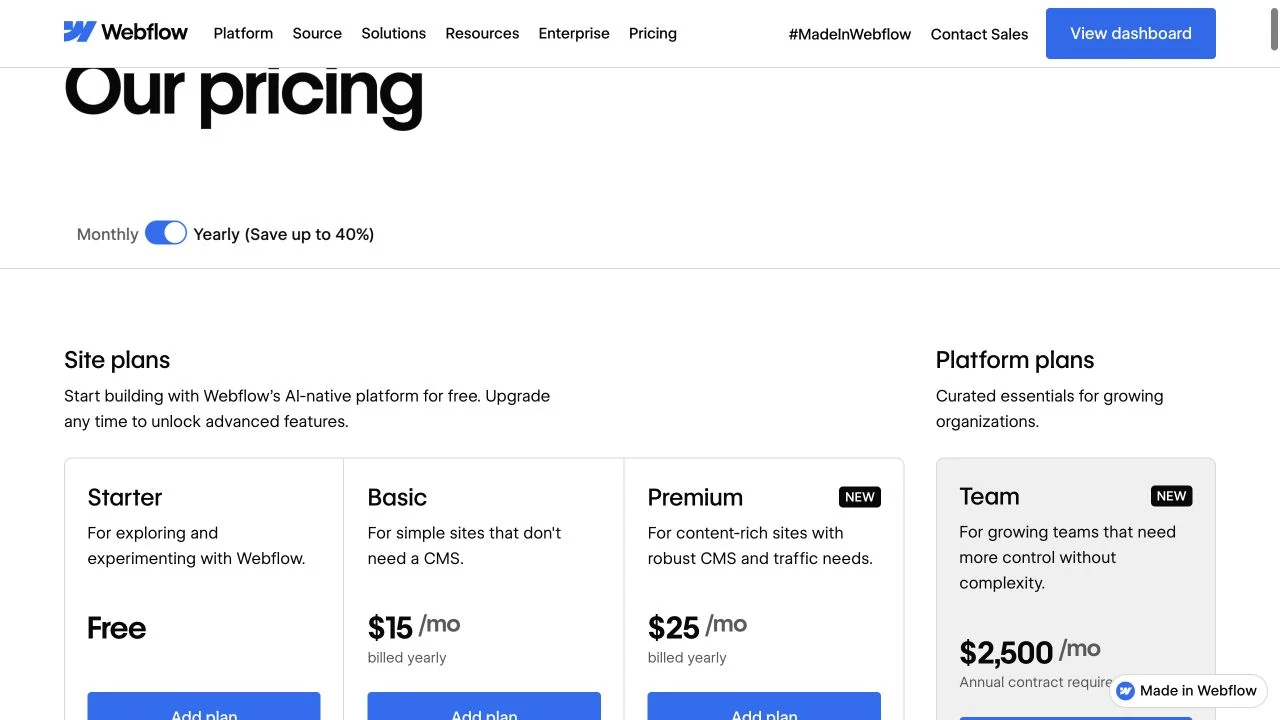
These are the public USD prices checked October 28, 2026, before applicable taxes. Annual prices commit you to a year. Premium uses the default 50 GB bandwidth selection; higher capacity and other add-ons change the quote. Check the selected plan and billing terms.
| Site plan | Billed yearly | Billed monthly | Relevant boundary |
|---|---|---|---|
| Starter | Free | Free | Webflow.io domain, two static pages, limited CMS. Useful for evaluating the builder. |
| Basic | $15/month equivalent; $180/year | $25/month | Custom domain and static pages; no CMS. |
| Premium | $25/month equivalent; $300/year | $39/month | CMS, 20,000 CMS items, 40 collections and 50 GB bandwidth at this selection. |
Premium replaced CMS and Business for new purchases. Some existing sites are still on a renewal-based transition, so your current invoice may differ from a new-site quote.
A budget for one site, then two client sites
Suppose you are the only designer and need one CMS website on a custom domain. With Premium billed yearly and a free Starter Workspace, the plan subtotal is $300/year. Do not add a paid Workspace just because the site has a CMS.
Now suppose a freelance designer manages two Premium client sites and chooses the Freelancer Workspace for its larger staging allowance and client workflow. At the displayed annual rate of $16/month for that Workspace, the budget is:
Two hosted CMS sites + one Freelancer Workspace
2 × $300 + $192 = $792/year before taxes and extras.
The Workspace is counted once. This example assumes the included owner seat, no additional paid seats and default site capacity. It excludes your domain, build/maintenance fees, premium templates, integrations, app usage and optional add-ons. It is a planning example, not Sebastian’s current bill.
Decide who owns and pays for each Site plan before the handoff. Webflow supports client payments for eligible freelancer/agency workflows. If you need localization, native analytics, experimentation or more bandwidth, put those requirements in the same budget rather than treating the base plan as the final price.
Try the content handoff before committing
The website is only maintainable if the person responsible can make the changes it needs. Use one real content type and a draft record to evaluate the editing workflow. This is a suggested acceptance exercise; it does not require publishing test content to your production site.
- Model one case study. Define the title, client, service, cover image, body and SEO description. Identify what must be required and what can be omitted.
- Use awkward content. Try a long title, a portrait image and a missing optional result. Check the list card and detail page at desktop and phone widths.
- Check the intended editor’s access. Can that person update the draft without touching shared design? Can they publish, and should they? Use the role you intend to give them.
- Preview the visitor action. Check the enquiry link or form route, its confirmation and the destination system. Do not confuse a working button with a delivered lead.
- Write down the responsibility. Record who pays, who can publish, who handles updates and what happens if the site moves to another Workspace or platform.
Client seats are specific to freelancer/agency Workspaces. Starter includes one per paid site, Freelancer one per site and Agency three per site. Extra client seats cannot currently be purchased, and someone sharing the Workspace owner’s business email domain must use a Workspace membership instead. Count actual editors rather than assuming every client needs a full design seat.
Copy this brief and fill it in for your project:
Website and primary visitor action:
Content types and expected record count:
One representative content record:
Shared fields versus separately maintained copy:
Who edits, reviews and publishes:
Site plan and selected capacity:
Workspace and required seats:
Locales, analytics, apps and other add-ons:
Annual platform subtotal and excluded costs:
Client ownership, payment and handoff arrangement:
What must still work if we leave Webflow:
Decision after the draft-page and editor check:
Where I would look more carefully
Learning and maintenance. Webflow makes web development visual, but classes, responsive behavior and content models still need thought. If a simple campaign page is the whole brief, check whether that control earns its ongoing cost. For Sebastian’s canvas-led alternative, read the Framer profile; use the shared website brief in our Webflow versus Framer guide for a direct comparison.
Leaving Webflow. A paid Workspace allows HTML, CSS, JavaScript and asset export. It is not a portable copy of the hosted CMS: CMS functionality, code components, Webflow form processing, search and localized content are among the exclusions. Exporting code is useful, but plan the replacement services before promising an easy move.
Application requirements. For authentication, a database or business logic, evaluate the actual app architecture and hosting separately. Our vibe coding tools guide covers application-building workflows. A CMS collection and an AI-generated interface do not, by themselves, supply that backend.
Should you choose Webflow?
Webflow is a credible choice when a business website needs custom structure, reusable content and an editing process you can hand over. Sebastian recommends it for that combination of client work and technical control. Choose the smallest setup that supports the real site, then verify one content model and the intended editor’s workflow before upgrading.
Disclosure: Some of the links in this article may be affiliate links, which can provide compensation to me at no cost to you if you decide to purchase a paid plan. This site is not intended to provide financial advice and is for entertainment only.