
Consider Framer if you want to maintain a visual service website with a small blog on one canvas. Consider Webflow if you need a larger content model or want a site built around reusable classes and a structured design system. Both can support lead capture and AI-assisted editing. The useful choice is the one you can keep accurate, easy to update and affordable after launch.
For a solo founder with one English-language site, a contact form and fewer than 1,000 blog items, Framer Basic already includes a CMS. Webflow Basic does not, so Webflow Premium is the comparable plan. Compare those configurations before comparing headline prices.
This is a comparison of current official capabilities and pricing, checked October 11, 2026. We have not completed a matched AI-generation test in both products, so we do not claim a speed or design-quality winner.
Compare the same business website
Imagine Northstar Studio, a hypothetical service business. Its founder needs a homepage that explains the offer, a contact form that delivers inquiries and a small blog. One person will edit the site. There is no checkout, member login or application backend.
Sources: Framer plans, Framer forms and Webflow’s current plan details.
For this project, unused CMS capacity should not decide the purchase. More important: can you change the offer without breaking the mobile layout, publish a real post and receive the form submission in the right place?
What can their AI tools actually do?
Framer: create and refine inside the canvas
Framer Agents accept a plain-language brief and create editable pages. You can keep refining in chat, select a section for a focused change or edit the result manually. This suits an iterative workflow: draft the hero, correct the offer, then adjust the layout.
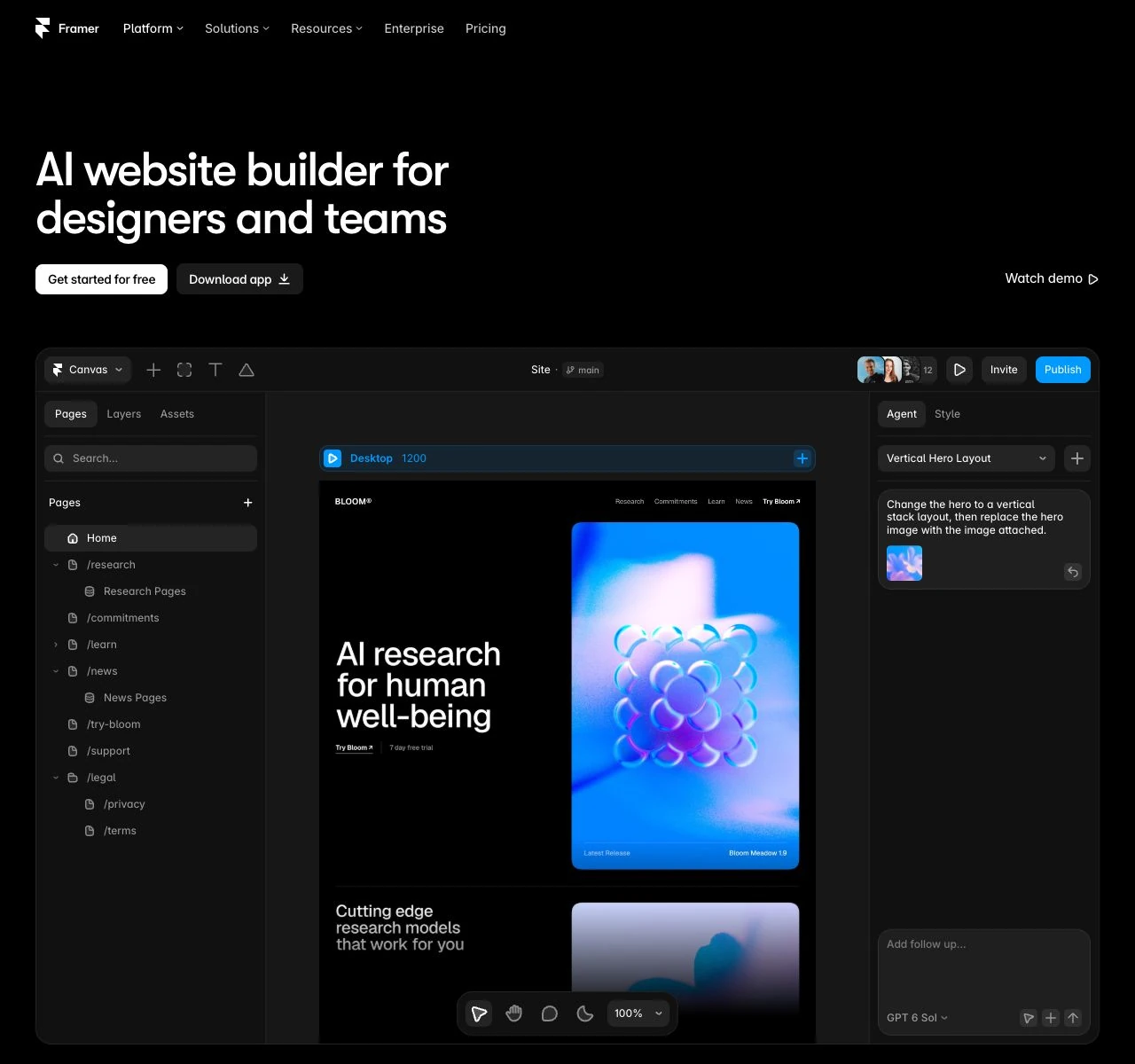
The Agent can also create CMS collections and fields, add items or import an attached CSV. Without supplied facts, generated entries contain plausible placeholder content. Replace it before publication. Blog lists, references, filtering and detail layouts can still need manual adjustment. For a concrete CMS task and launch worksheet, use our Framer review.
Webflow: a site foundation, then focused assistance
Webflow’s AI site builder generates structure, content and a theme from your business and design brief. It works on new sites or sites originally created with that builder, not any existing Webflow site. Free accounts are limited to two pages; a paid Site or Workspace plan allows up to five initial pages, with more added afterward.
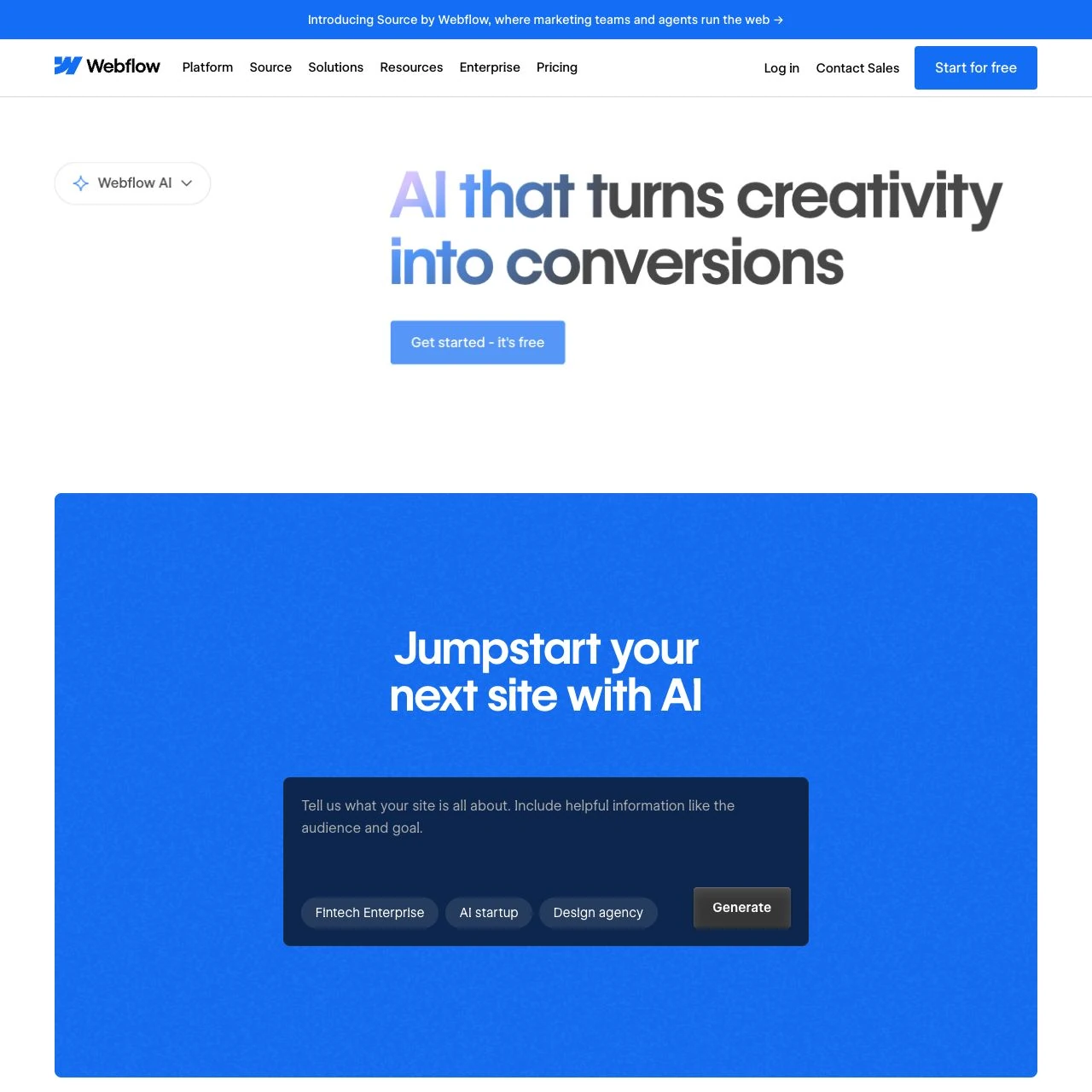
The section-design assistant remains a public beta for supported templates and AI-built sites. It reuses site styles but does not update existing classes or include dynamic data, images and components in its drafts. Separate tools can refine copy with a paid Site or Workspace plan and generate sample items on a CMS-capable Site plan; neither replaces factual review.
Credits measure usage, not finished websites
Framer Basic includes 1,000 monthly AI credits and Pro includes 3,000, shared across the workspace. Free workspaces without a subscription receive 500 trial credits once. Agent chat, Workshop chat and AI translations consume credits; usage varies with the request. Paid allowances do not roll over.
Webflow’s free Starter Workspace includes 200 monthly credits, pooled across its sites. Its AI site builder and section assistant do not consume credits, while copy, CMS, SEO and code generation do. Additional packs cost extra. The two platforms’ credit units are different, so 1,000 versus 200 does not establish which gives you more usable work.
What will the required setup cost?
Currency matters: Framer’s public source displays dollars without identifying the ISO currency. Our regional browser view displayed euros: Basic €10/month with yearly billing or €15 month to month. We have not verified a US-dollar monthly checkout price. Webflow explicitly quotes USD; Premium is $39 month to month. Both add applicable tax at checkout. Check your location, currency and billing commitment before paying.
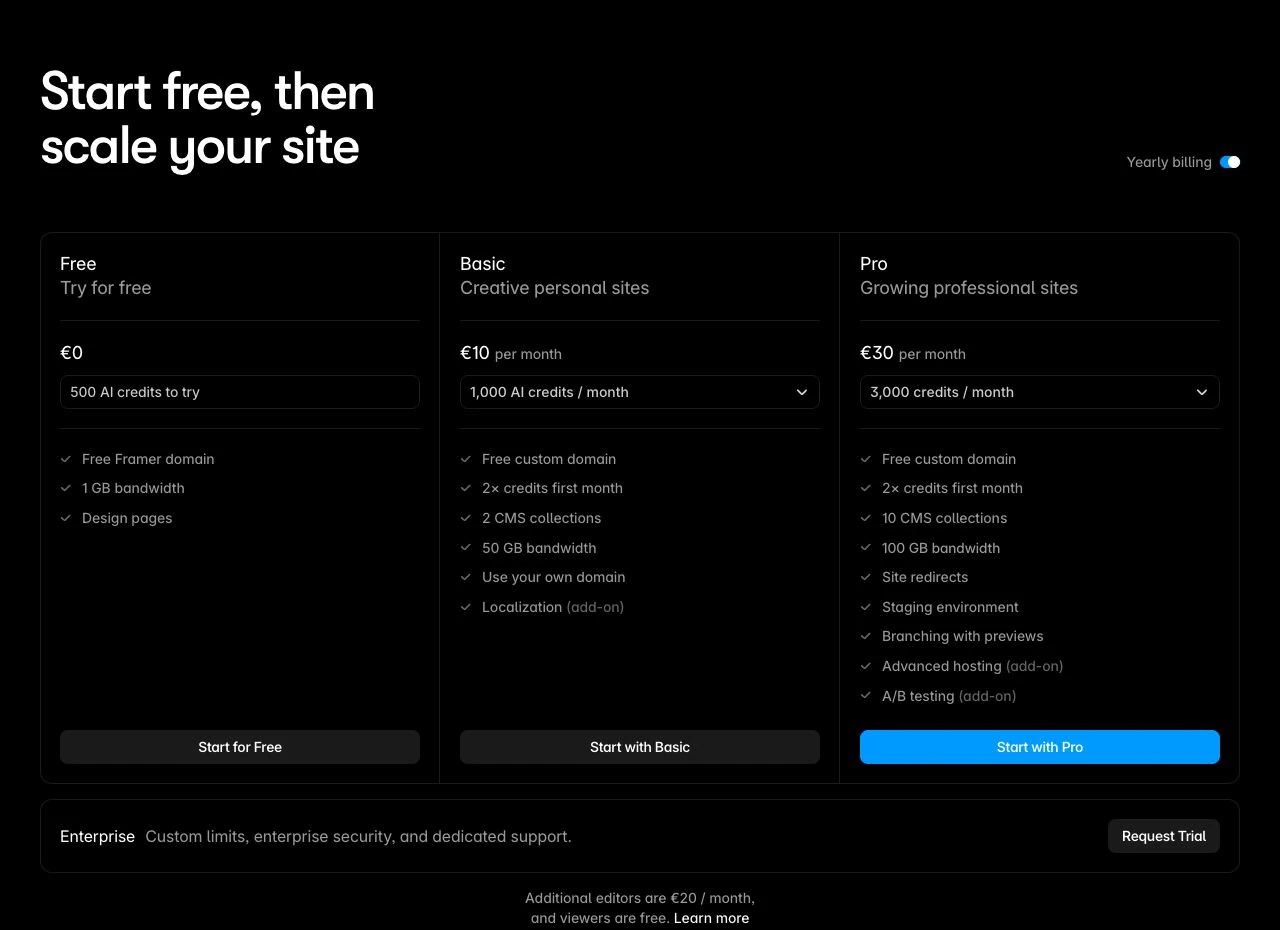
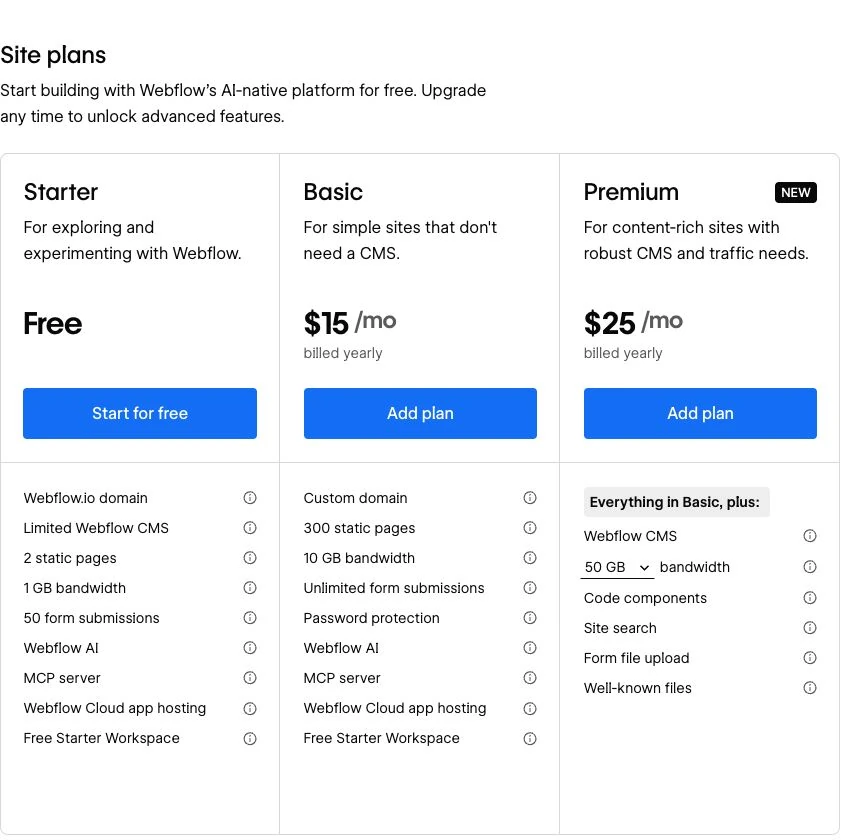
These totals exclude domain registration, templates, extra editors, localization, extra AI credits and external services. Do not buy those automatically. Add a line item only when your required workflow needs it.
Webflow distinguishes Site hosting from Workspace tools. A solo hosted blog does not automatically require a paid Workspace. Export and some advanced features do. Framer charges separately for additional editors; the workspace owner and viewers are free.
CMS, lead capture and search after launch
Try publishing one actual post with an image, a slug and a description. Then change a shared piece of information, such as the author bio. This reveals whether your content model saves work or creates repeated manual edits. Framer’s smaller Basic allowance covers this example; Webflow Premium provides more room if your content model expands.
Connect the contact form to the destination you use, then verify receipt, required fields, errors and the success state. Framer documents email, Sheets and webhook destinations with spam protection. A visible submit button is not proof of delivery. Track successful receipt separately from button clicks.
Both provide search controls. Framer supports metadata, CMS metadata variables, sitemaps and semantic markup. Webflow’s paid-plan AI audit can identify missing metadata and generate suggestions, but misses alt text in CMS items, components and lightboxes. Review those manually. Neither builder guarantees rankings or AI citations; useful content and the published site’s actual configuration still matter.
What happens if you outgrow the builder?
Framer’s HTML-export help says HTML export for self-hosting is unavailable, while its portability guide describes exporting the complete site. If independent hosting is required, confirm a working export route for your project before committing. You can copy CMS rich text as Markdown, but moving content is different from moving the complete website.
Webflow offers code export on paid Workspace plans. Working CMS, forms, search, localization and code components do not come with it. CMS data can be exported separately as CSV. Plan to rebuild the services behind the pages, preserve URLs and check redirects.
Custom interactivity also changes the budget. Webflow’s AI React components require a paid Workspace and a paid CMS-capable Site plan to publish, and are excluded from code export. Do not base a new application on App Gen: Webflow has paused development and says it will begin deprecating it. These are separate considerations from Northstar’s native contact form and blog.
Use this brief before you choose
Copy the same brief into each builder, then inspect the required setup. Northstar is hypothetical; replace its details with your own. The prompt describes the destination, not a promise that either generator automatically completes every connection.
For a focused campaign or service page, the landing-page guide helps you connect the offer, proof and enquiry action before building it.
Record these answers for each candidate:
- Must-haves: Does the paid configuration support your domain, content model and inquiry destination?
- Editing: Can you change a headline and image, then publish a post yourself?
- Mobile: Do navigation, text, images and form states work at an actual phone width?
- Delivery: Does a test inquiry arrive, and can you distinguish it from a click?
- Ownership: Who holds the domain, project, integrations and billing after handover?
- Cost: What is due now, what renews, and which optional charges are necessary?
If a compact visual site and small blog meet your needs, start by evaluating Framer Basic. If the larger CMS capacity and Webflow’s structured site workflow matter to your planned content, inspect Webflow Premium. Check the difficult requirement first; an attractive generated hero cannot compensate for a workflow you cannot maintain.
Evaluate Framer for your website · Check Webflow’s current plans
Disclosure: Superfounder may earn a commission if you buy through the Framer link. If neither fits your site’s job, compare the broader AI website builder shortlist.

Affiliate Disclosure: Some of the links in this article may be affiliate links, which can provide compensation to me at no cost to you if you decide to purchase a paid plan. This site is not intended to provide financial advice and is for entertainment only. As an Amazon Associate I earn from qualifying purchases.