Framer lets you design and publish a website on the same visual canvas. I recommend it for design-led business sites, portfolios and landing pages, especially if you already think in layers and artboards. Its AI agents, CMS and native analytics support more of the work in one app.
Check the cost of editors, languages and required features before choosing a plan. If independent hosting is essential, confirm a working export route first.
Check first: CMS limits, required Pro features and any self-hosting requirement.
warning
About the author
Hi, I'm Sebastian Scheerer. I've been UI/UX designer and tech startup founder, since 2010. I've co-founded Wunderlist and led its design before its acquisition by Microsoft. I also co-founded and headed the design at ottonova, Germany's premier digital health insurance, aiming for simplicity and customer satisfaction. Crafting user-friendly, impactful products is what I do. Read more about me | Book a call on Mentorcruise
When Framer fits your business website
Framer brings website design, a CMS and hosted publishing into one app. It makes particular sense for a portfolio, agency site or product landing page where layout, typography and motion are part of the selling experience.
Why I recommend it: Framer removes the need for Figma as an intermediate step in my website workflow. I can design and build in the same design-focused app. Its layers and canvas feel more intuitive to me than working with CSS classes in Webflow.
The canvas includes vector drawing, reusable components, variants and visual interactions. You can draw an icon, refine a section, adjust a responsive stack and connect a CMS layout without handing a static mockup to another tool. That can replace the separate mockup stage for a website; it does not mean Framer replaces every Figma workflow.
The same freedom makes the small-screen version worth checking early. A striking desktop animation is only useful if the text remains readable, navigation works and the visitor can reach the next step on a phone.
Shortlist Framer for a visual business website you or a named editor can maintain, with a clear inquiry, signup or booking action.
Budget for Pro when your requirements include redirects, staging, branching previews or more CMS capacity than Basic provides.
Check the essential workflow first for an application backend, complex commerce or mandatory independent hosting. Appearance alone cannot confirm that those requirements are covered.
Review basis: my stated use and current official documentation. This is not a completed end-to-end build test or a measured comparison with Webflow.
What Framer AI can build
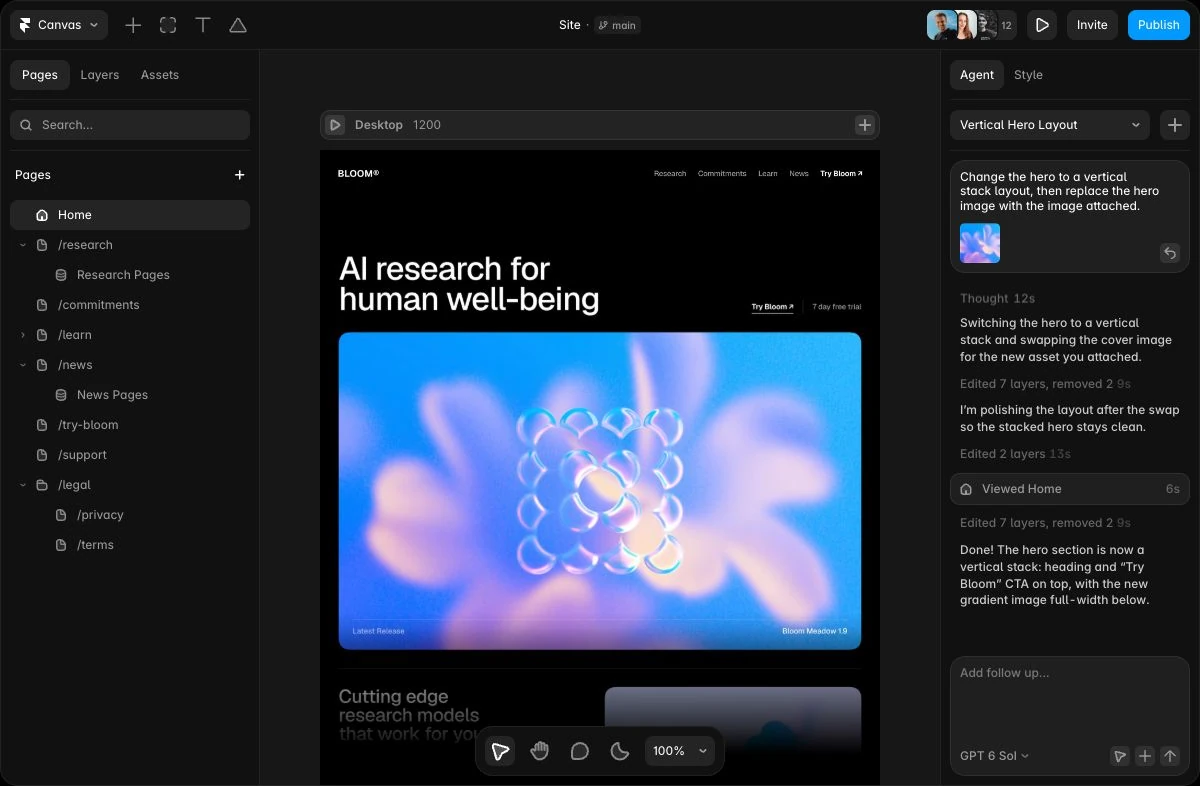
Framer Agent takes a plain-language request for a site, page or section and creates editable content on the canvas. You can continue in chat or adjust text, layout, images and spacing manually. Agent can also create code components for a custom site interaction; check their behavior on your actual pages. Give it your real offer and required visitor action; a polished layout cannot supply missing business facts.
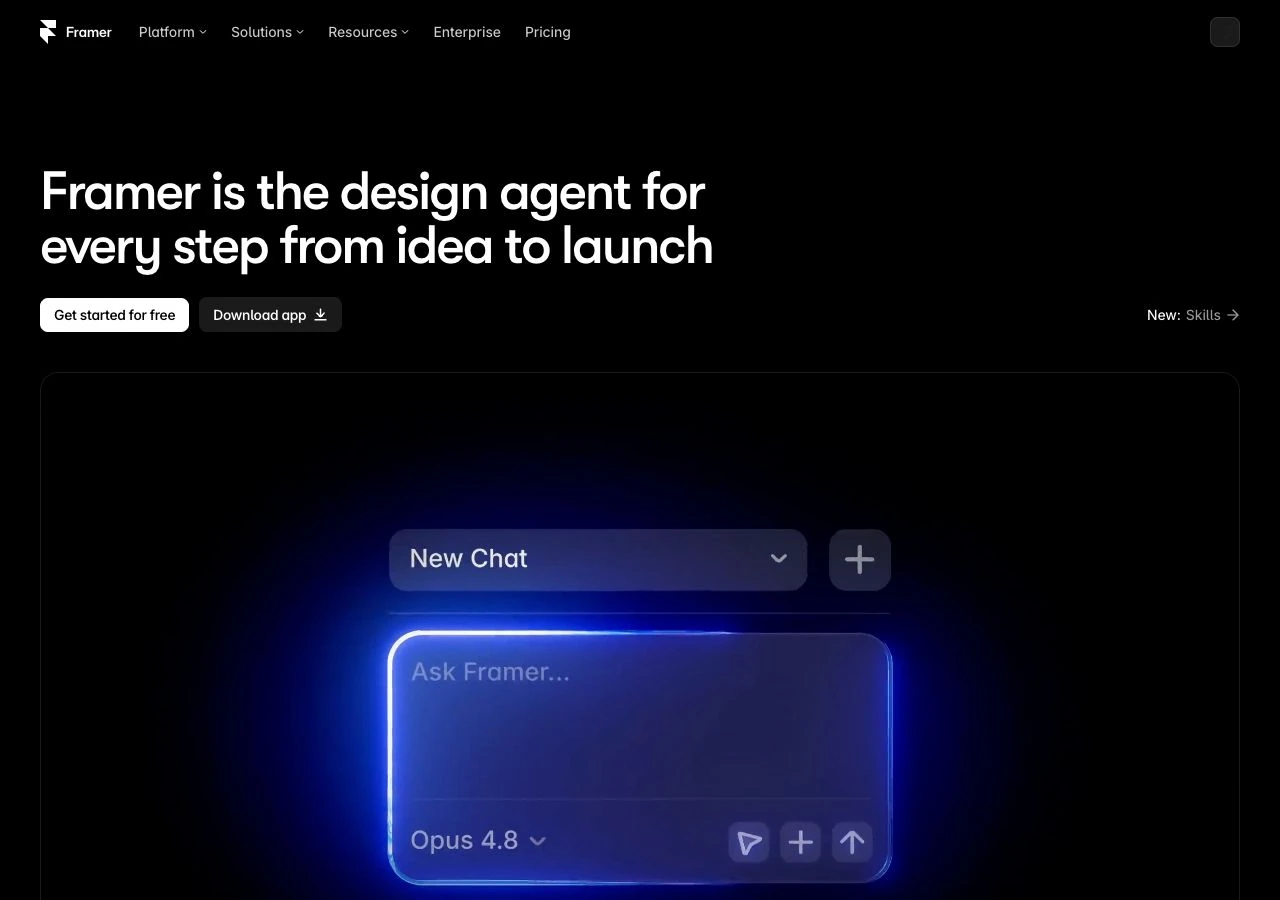
Framer’s official Agent and canvas preview, captured 11 October 2026. It illustrates the vendor’s workflow; it is not a site generated in our own test. Source: Framer.
The CMS workflow is useful for a site that needs ongoing publishing: Agent can create collections and typed fields, map an attached CSV and help connect content to lists and detail pages. Generated details you did not supply are placeholders. More involved references, filtering or conditional layouts may need manual canvas work.
For a small blog, try this focused request with content you own:
Create a Blog collection with title, slug, summary, cover image, publication date and body fields.
Use my attached posts; do not invent article facts, testimonials or performance claims.
Connect it to a blog list and a reusable post page. Include a clear link back to my service inquiry.
Mark missing assets and show which connections or mobile edits still need my attention.
Then change one post title, replace its cover and add a post yourself. Inspect the list, detail page and phone layout. This checks the maintenance job you are buying the tool for; it is more informative than judging one generated hero.
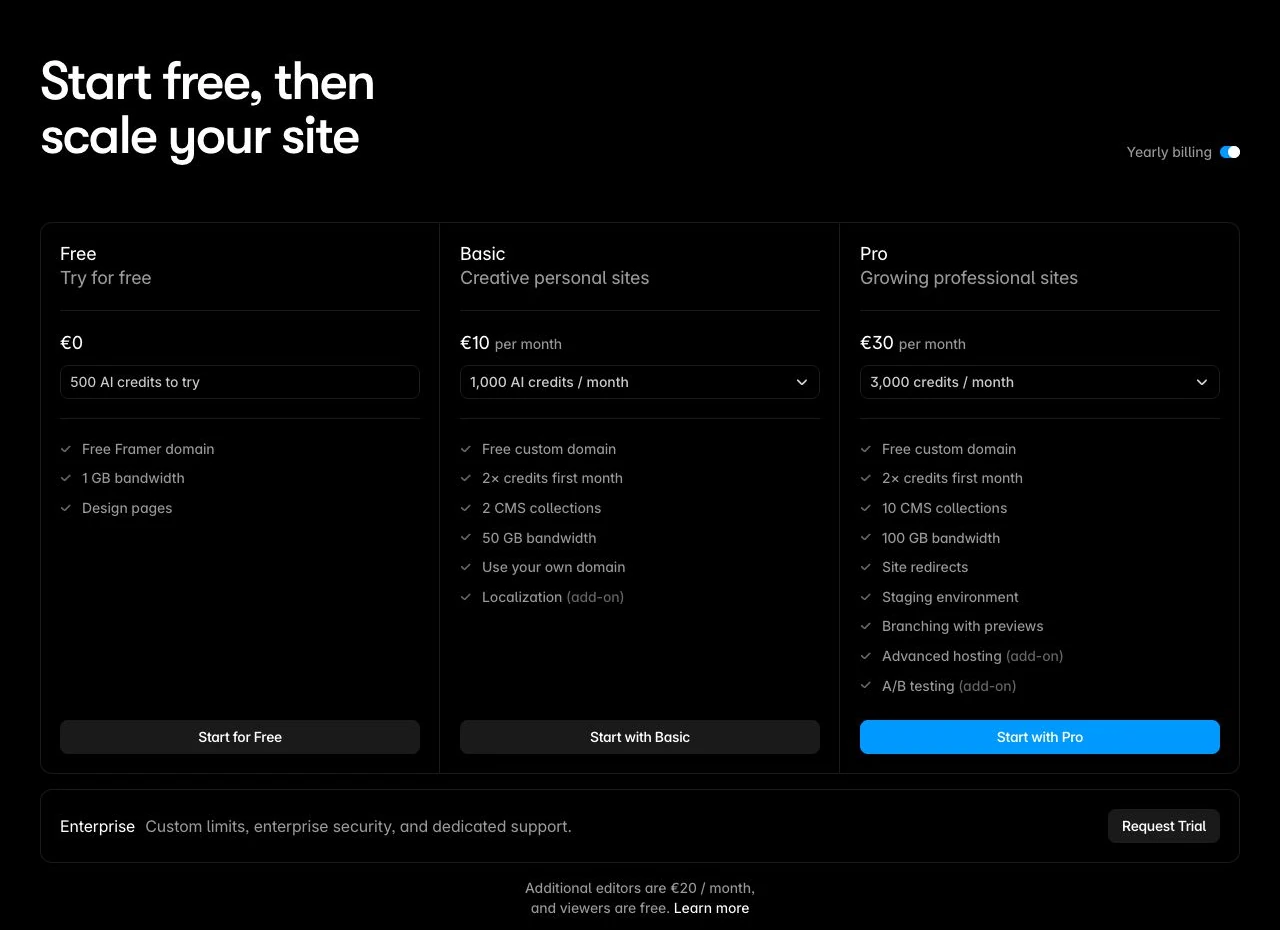
Workspaces without an active subscription receive 500 trial credits. Basic includes 1,000 monthly credits and Pro 3,000; paid project allowances pool at the workspace. That is not a promise of 1,000 prompts or completed websites.
Usage depends on the model, task and context. Agent chat and AI translation consume credits; unused paid allowances do not roll over. At the limit, new credit-using work pauses while in-progress work finishes and lightweight helpers remain available.
Extra credits are a recurring add-on. Top-ups require an active add-on and expire at calendar-month end; cancelling the add-on removes its remaining extra credits immediately. Before buying more, identify which remaining job needs AI and which you can edit directly. Budget for your remaining work rather than treating the allowance as a fixed number of prompts.
Framer pricing: choose the required plan
Price one hosted site first, then the editors and add-ons you actually need. These are Framer's public yearly-billing prices, checked on 26 October 2026 and shown here in USD before tax.
Framer plans: annual payment and included capacity
Plan
Site payment
Included capacity
Free
$0
Framer domain; try the editor
Basic
$10/month equivalent; $120/year
30 pages, 2 CMS collections, 1,000 items
Pro
$30/month equivalent; $360/year
150 pages, 10 CMS collections, 2,500 items
Framer localizes pricing. Confirm the currency, billing term and tax in checkout. The screenshot below uses EUR and annual billing.
Framer’s pricing page with yearly billing selected, captured 11 October 2026. This browser displayed EUR; paid prices are monthly equivalents billed annually. Currency and applicable checkout tax depend on location. Source: Framer.
For one founder, one language and a modest blog, evaluate Basic if its limits cover the site. Your own domain needs a paid plan. The owner and viewers are free. Additional full editors are listed at $20/month and content editors at $10/month in the yearly view; content editors can maintain CMS content, localization and on-page text. Extra locales are $20/month each. Rates and billing can change with your selection, so confirm the complete checkout.
A two-language site with one content editor
Suppose you run the site, a contractor maintains the posts, and you need English plus one additional locale. Using the public yearly-view rates above:
Basic: $120 site plan + $120 for twelve months of one $10 content-editor seat + $240 for twelve months of one $20 locale = $480 over a year.
Pro: $360 site plan + the same $120 seat and $240 locale = $720 over a year.
These are illustrative twelve-month budgets, not a single upfront invoice or Sebastian’s actual bill. Site, seat and add-on billing can differ. Tax, domain renewal, templates, extra AI credits and other services are excluded.
If the contractor must change layouts, a full editor at $20/month adds another $120 over twelve months compared with the content-only seat. If you work alone in one language, neither extra is needed. Choose the plan and permissions from that actual job.
The eligible yearly-plan domain offer covers the first year through Hover, then renews at the standard domain rate. Monthly sites do not qualify, and its terms say claiming the domain forfeits the site refund option. An existing domain you own is a separate connection.
Localization, extra AI capacity, advanced hosting and A/B testing can add cost; do not assume these are all included in the base fee. If you need other languages, AI translation also uses the shared credits; a locale add-on does not make AI usage unlimited. Manual translation remains available after credits run out. Get a quote for your actual site, people and required add-ons before comparing alternatives.
Forms and SEO: the setup you still own
Framer's native forms can send submissions to email, Google Sheets or a webhook, with form states and spam protection. Pick the destination before designing the inquiry page. Booking, CRM or newsletter delivery depends on the service connected to it.
Submit a legitimate test inquiry and verify it arrives with the fields you need. Check validation, the error state and the acknowledgment. A success message on the page does not establish inbox delivery.
For AI readers, Framer documents server-rendered HTML and Markdown versions of optimized pages. Markdown may be unavailable for unoptimized or rate-limited pages. Search controls and crawler-readable formats do not guarantee rankings or AI citations; the accuracy and usefulness of your content still matter.
Framer Analytics starts collecting standard site statistics after publishing, without an additional analytics script. You can inspect visitors, pageviews, traffic sources, campaign tags, popular pages and devices in the same app you use to edit the site. Basic includes 30 days of history; Pro includes 90.
That is useful for a focused landing page: look at where visitors arrive, which page they open next and whether the intended action is being recorded. Framer’s native Agent can summarize a selected period and help investigate a page. Its interpretation still needs to be checked against the data and the question you asked.
Framer uses a cookie-free measurement model with a one-day unique-visitor window. A returning visitor on another day may be counted again, so totals can differ from tools with longer recognition windows. Some source and device details are estimates or limited by the browser.
Convert adds funnels, A/B tests and interaction-based customization. On Pro, it is a separate add-on starting at $50/month per 500,000 events in the public yearly view. Events can include pageviews, tracked clicks and tracked form submissions, so the allowance is not 500,000 leads. Confirm its billing cycle with the site plan.
Keep a tracked submission separate from a delivered inquiry, a qualified lead and a paid customer. Native analytics can help you decide what to investigate; they do not establish attributable revenue by themselves.
Content portability is clearer: you can copy CMS rich text as Markdown, and the portability guide describes structured data export through plugins. That is different from moving the complete hosted website. Check images, references, slugs and destination mappings before treating a content export as a migration plan.
Use this Framer CMS and launch worksheet
Choose one representative service page and three real posts. Run the CMS task above, edit the phone layout and verify the inquiry destination. Record an actual result or an unresolved requirement in each line; do not mark a row complete because an AI preview looks finished.
Framer plan / currency / billing term:
CMS collection and fields needed:
Three real posts imported or added:
List and post page connected correctly:
Post title, cover and new item edited without regenerating:
Phone layout and navigation repairs left:
Inquiry destination and received test evidence:
AI credits available / remaining AI-dependent work:
Owner and other editors / required permissions:
Additional locales / manual or AI translation:
Analytics history / Convert needed / events expected:
Site payment + seats + required add-ons + domain renewal:
Hosting or export requirement / verified route:
Decision: fits / blocked / needs confirmation — because:
If you can maintain the page and posts, the visitor action works and the full cost fits, you have a useful basis for choosing Framer. Resolve a blocked requirement before committing to an annual plan.
Which alternative should you compare?
If your decision is between these two visual builders, use the Webflow vs Framer comparison to compare the same service site and blog. If your main job is bookings, commerce or another workflow, use the AI website builder shortlist to select tools around that requirement. Its shared website brief helps you specify the broader project.
Affiliate disclosure: Superfounder may earn a commission if you buy through this Framer link.
Disclosure: Some of the links in this article may be affiliate links, which can provide compensation to me at no cost to you if you decide to purchase a paid plan. This site is not intended to provide financial advice and is for entertainment only.