
Figma helps you create editable designs, explore variants and collect client feedback before implementation. Check how its AI, seat permissions and Relume-to-Webflow workflow fit the project you need to deliver.

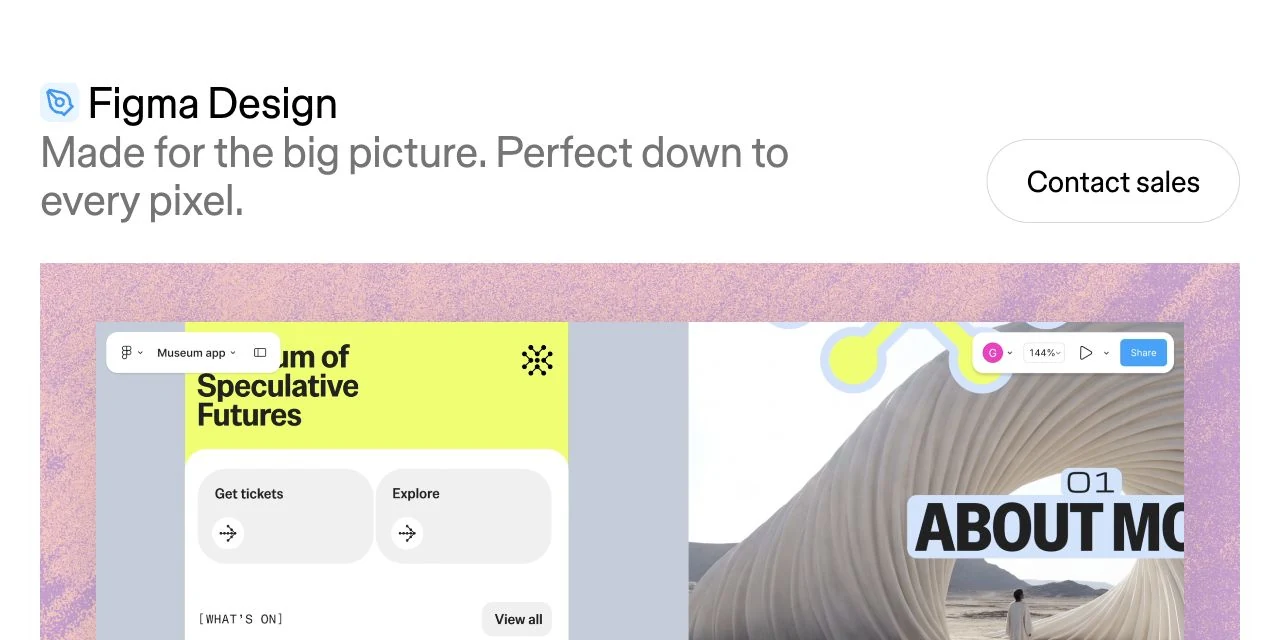

Product image above: Figma's official Design page, captured 27 October 2026. This is the vendor's product presentation, not a project from our own test. Image source.
When Figma earns a place in your workflow
Figma is a shared workspace for designing interfaces, exploring alternatives and reviewing them before implementation. It is especially useful when a client, designer and developer need to agree on the same screen, rather than exchange screenshots and scattered feedback.
Why I recommend it: I use Figma to create designs, including with AI, then edit them or have them implemented. Customers can comment on the design, and I can explore variants quickly. I find it particularly useful alongside Relume and Webflow.
I'd shortlist it for an app interface, reusable design system or client project that needs a separate review stage. For a straightforward website you can design and publish directly in Framer, that extra stage may be unnecessary. Choose Figma because the design and collaboration work matters to your project.
Review basis: my stated use and current official documentation. The exercises and budgets below are illustrative planning tools, not results from a new build or a measured comparison.
Editable designs, with AI when it helps
Figma Design gives you layers, vector tools, reusable components, variables and auto layout. These matter when an attractive first screen needs a longer headline, an error message or a different mobile arrangement. You can change the underlying design rather than regenerate a flat image.
The native Figma agent works inside design files. Give it a selected frame, reference designs and an available library, then ask it to explore another layout, revise copy or apply components and variables. Continue editing the result on the canvas.
Full seats with file edit access can ask the agent to change a shared file. View, Dev and Collab seats can chat without editing that file; anyone can ask it to make edits in their own drafts. Some advanced capabilities require a paid plan. New agent chats are visible by default to people with a Full seat and edit access to the file, so use project-appropriate context.
Figma Make creates code-backed prototypes and web apps from prompts and design context. It now supports moving between code and canvas, including copying Make work to the canvas for visual editing. Make and Design have different jobs; don't assume every generated interaction becomes an ordinary editable Design layer.
For implementation in another codebase, Figma's MCP connection supplies coding tools with design context, such as components and variables. Check the implemented behavior, responsive layout and accessibility. The Make page describes local codebase work as coming soon; that announcement is not an available local deployment route.
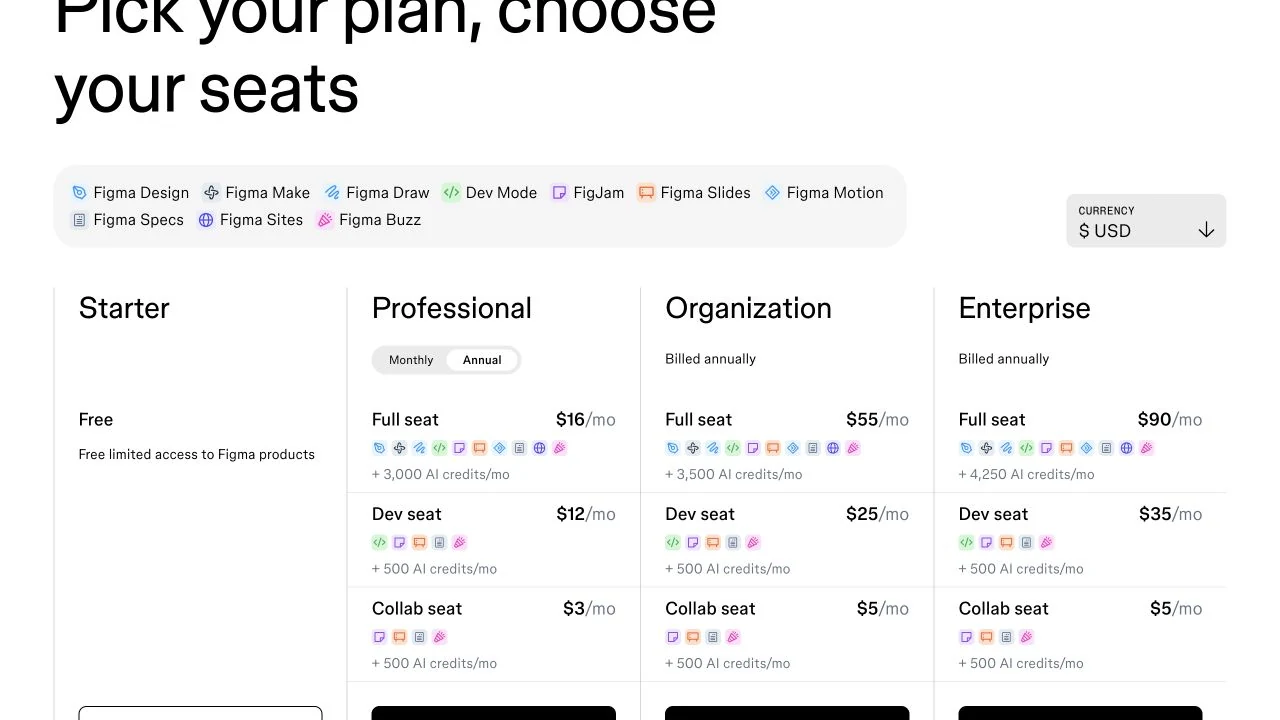
AI usage has limits. Starter users and View seats have a daily limit of 150 credits, capped at 500 per month. A Professional Full seat includes 3,000 per month; other seat types receive 500. Included credits reset and don't roll over. Extra paid credits are available with admin controls; credits are not a guaranteed number of completed designs.
How Figma fits with Relume and Webflow
For an agency website project, each tool can handle a different decision:
Relume's Figma plugin imports sitemaps, wireframes and style-guide concepts. Its guide requires a current Relume Figma Kit, version 3.0 or later. Relume documents a separate Site Builder import app for Webflow. Those paths do not establish automatic synchronization of every later Figma edit into a finished Webflow site.
Before committing to all three subscriptions, take one representative section through your intended route. Change the Figma design after the first import and see what must be reapplied in Webflow. That maintenance work is part of the cost.
Figma pricing: pay for the role, not every reviewer
The public USD pricing selector, checked on 27 October 2026, shows these Professional seat prices. Annual prices are monthly equivalents with annual billing.
Full seats edit shared Design files; Dev and Collab seats do not. Free viewers can comment and use basic inspection. A developer who only needs those functions may not need a paid seat either. Try Starter if its limited shared-file and feature access covers the job; Professional adds unlimited team files and projects, team libraries and advanced prototyping.
One designer, one developer and two client reviewers
If the designer needs Full and the developer needs full Dev Mode, one annual Full seat plus one annual Dev seat costs $336 for a year ($192 + $144). The two view-and-comment clients add no seat charge. Two annual Full seats would cost $384, but let both people edit Design files.
On monthly billing, that Full + Dev combination is $35/month, or $420 over twelve unchanged months. This is a hypothetical seat budget. Tax, extra AI credits, Relume, Webflow and implementation work are excluded. Confirm your currency and checkout total.
Watch changes during the year: approved new Professional seats are billed on a separate monthly subscription unless moved into the annual subscription. Moving someone to View frees their old paid seat for reuse; it does not erase the commitment already purchased. Review seat approvals and renewal quantities before inviting more editors.
Try the complete review-to-build loop
Choose one real screen. Make two meaningful variants, ask a reviewer to comment and resolve one change. Then implement the chosen version using your actual Webflow or code workflow. Record where information or editability is lost.
Screen and user action:
Primary version + one meaningful alternative:
Mobile, empty and error states needed:
AI output I can still edit / work left:
Reviewer can open and comment without edit access:
Implementation route / changes reapplied by hand:
People needing Full / Dev / Collab / View:
Billing term + seats + AI + connected tool costs:
Decision: does this review step remove enough uncertainty?
If that loop helps you make and communicate design decisions, Figma has a clear job in your stack. If it repeats work you can comfortably do in your website builder, keep the simpler workflow.
Explore Figma with one screen and a reviewer.
The Figma links on this page are standard provider links.
Disclosure: Some of the links in this article may be affiliate links, which can provide compensation to me at no cost to you if you decide to purchase a paid plan. This site is not intended to provide financial advice and is for entertainment only.