
Choose a website builder around your content, the action visitors need to take and who will maintain the site. Use the selection brief below, then read the relevant assessment before choosing a paid plan.
A good shortlist starts with the website you need to maintain. Use the same small brief in two candidates so an attractive first layout does not hide a missing requirement.
| Starting point | Decision to make | Read next |
|---|---|---|
| Mixo | Does a focused business website cover the pages, enquiries and ongoing content you need? | Mixo: plans and limits |
| Framer | Do its visual editing, CMS and visitor-action options fit the site you will maintain? | Framer: website requirements |
| Typedream | Do its site and creator workflows cover your content, forms or digital-product needs? | Typedream: workflow fit |
| Webflow | Do the content structure, design control and editing responsibilities justify the total setup? | Compare Webflow and Framer |
A useful selection rule: Remove a candidate if it cannot complete the visitor action or support the content you need. Then compare the work required to maintain the site and the full recurring cost.
For AI-assisted generation, use the same website brief in two shortlisted builders. Jetboost extends an existing Webflow site; it is not a standalone website builder.
These are starting points for evaluation, not a measured ranking. The linked assessments describe their sources and test limits.

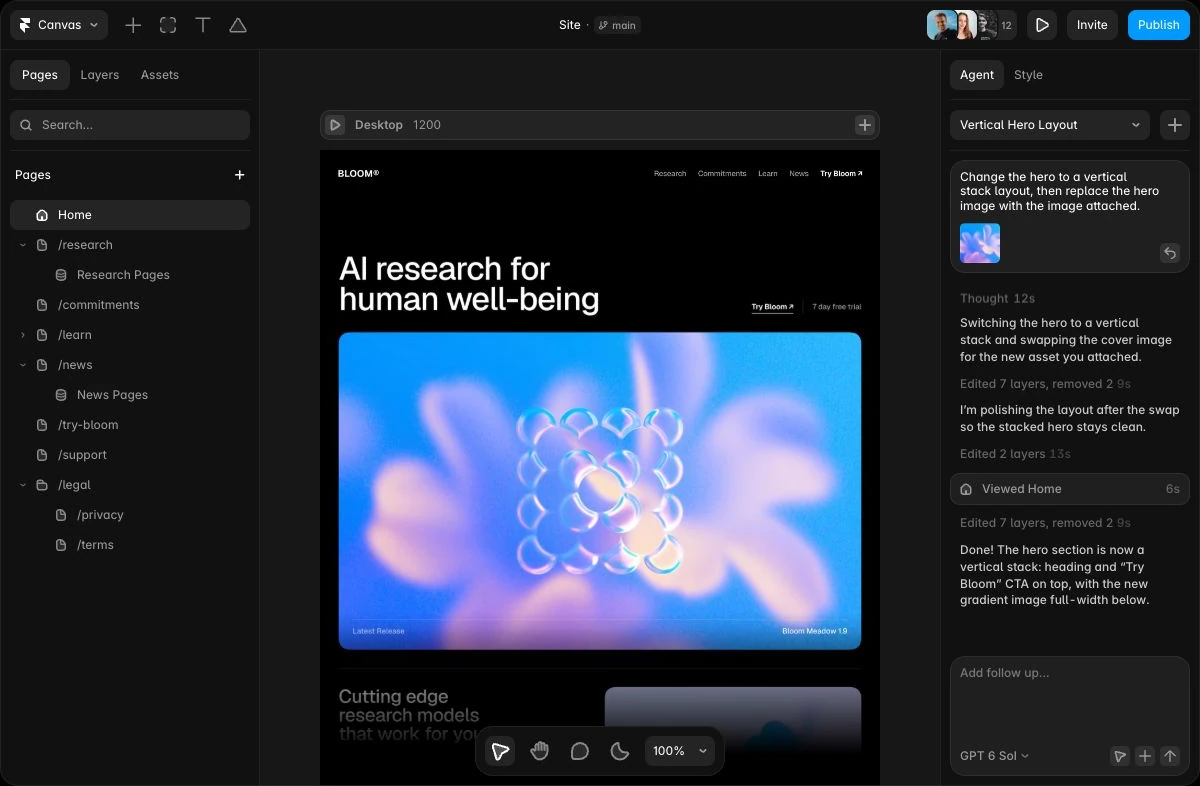
Framer combines a design canvas with vector tools, reusable components, AI agents, a CMS and hosted publishing. It suits designers and small teams who want to shape the live website visually and maintain it in the same app.
Public USD yearly view: Basic $120/year; Pro $360/year. Extra seats, locales, AI credits, Convert and applicable tax can increase the total.
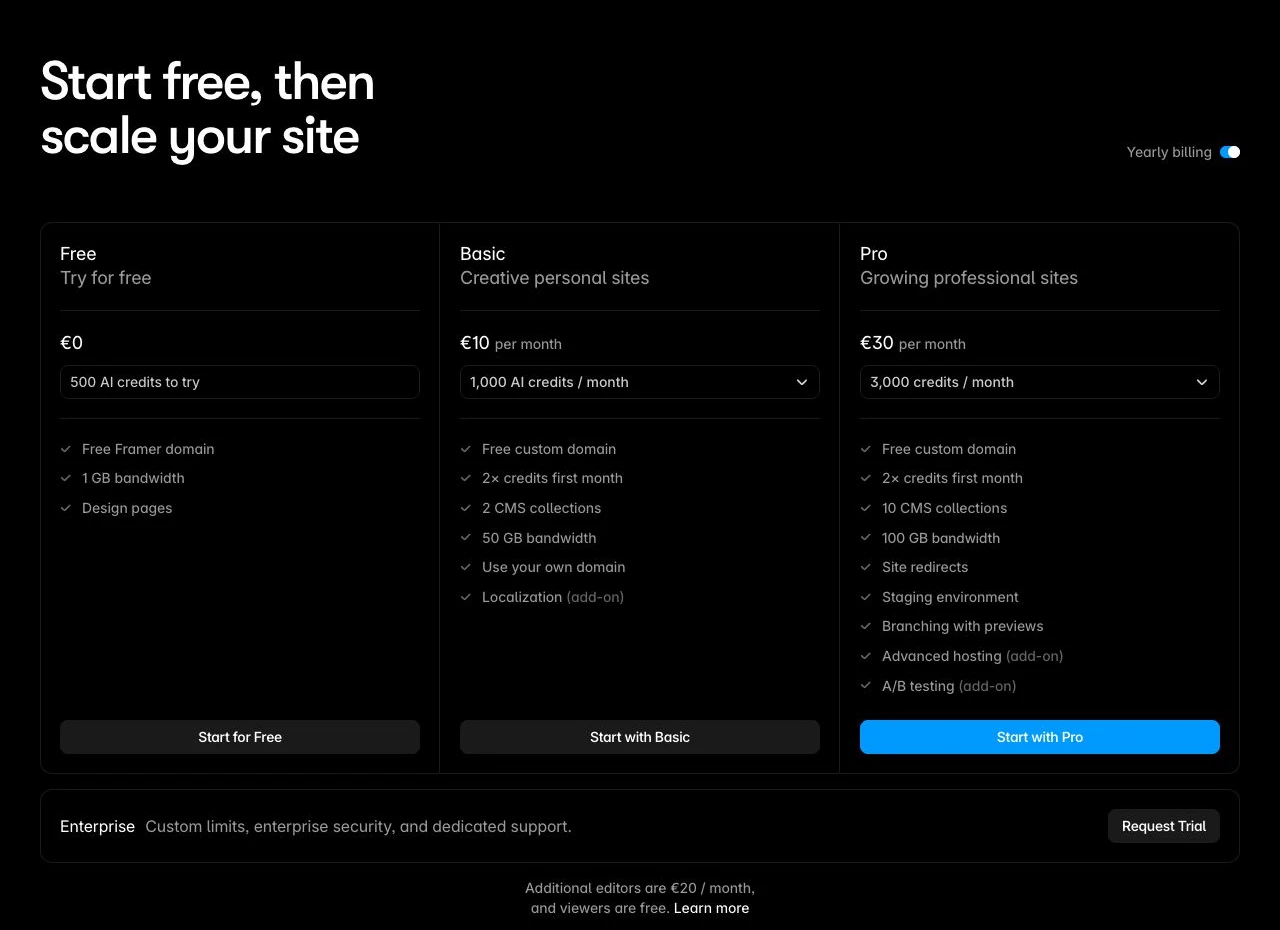
Choose Framer when its design canvas suits how you work and its CMS, visitor action and ongoing cost fit the site. Try one real page and three posts before committing. Confirm a working route first if independent hosting is mandatory.

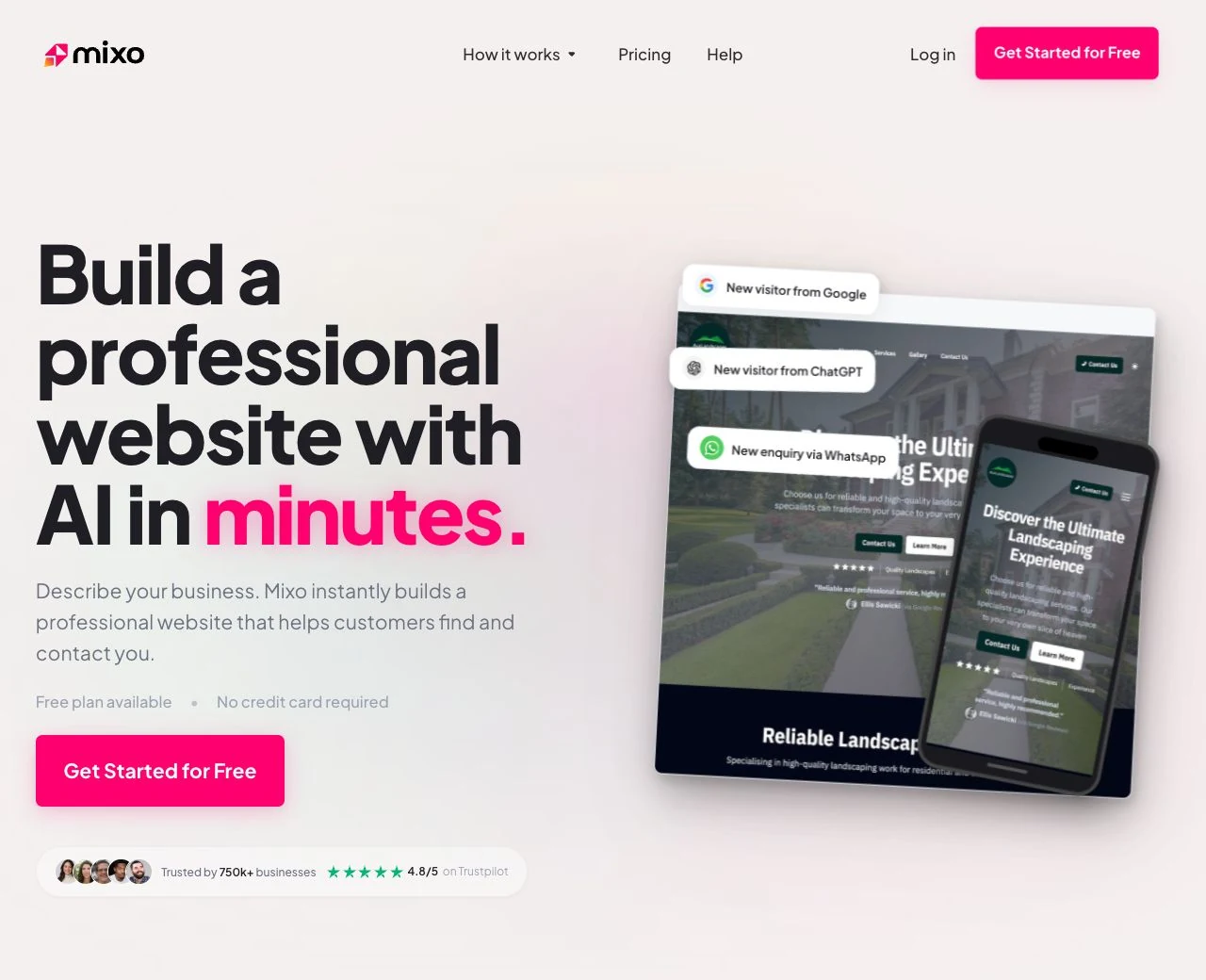
Mixo.io generates a hosted site from a business description. Its documented workflow includes editing content, collecting enquiries and publishing articles. Free uses a branded Mixo subdomain; paid plans add a custom domain, branding removal and more pages.
Checked October 10, 2026: Free $0; Business Site $20/month; Premium Site $40/month. Annual billing: Business $192/year ($16/month equivalent), Premium $384/year ($32/month equivalent). Dollar amounts as displayed; currency code, taxes and checkout quote unconfirmed. Domain renewal and transfer terms apply.
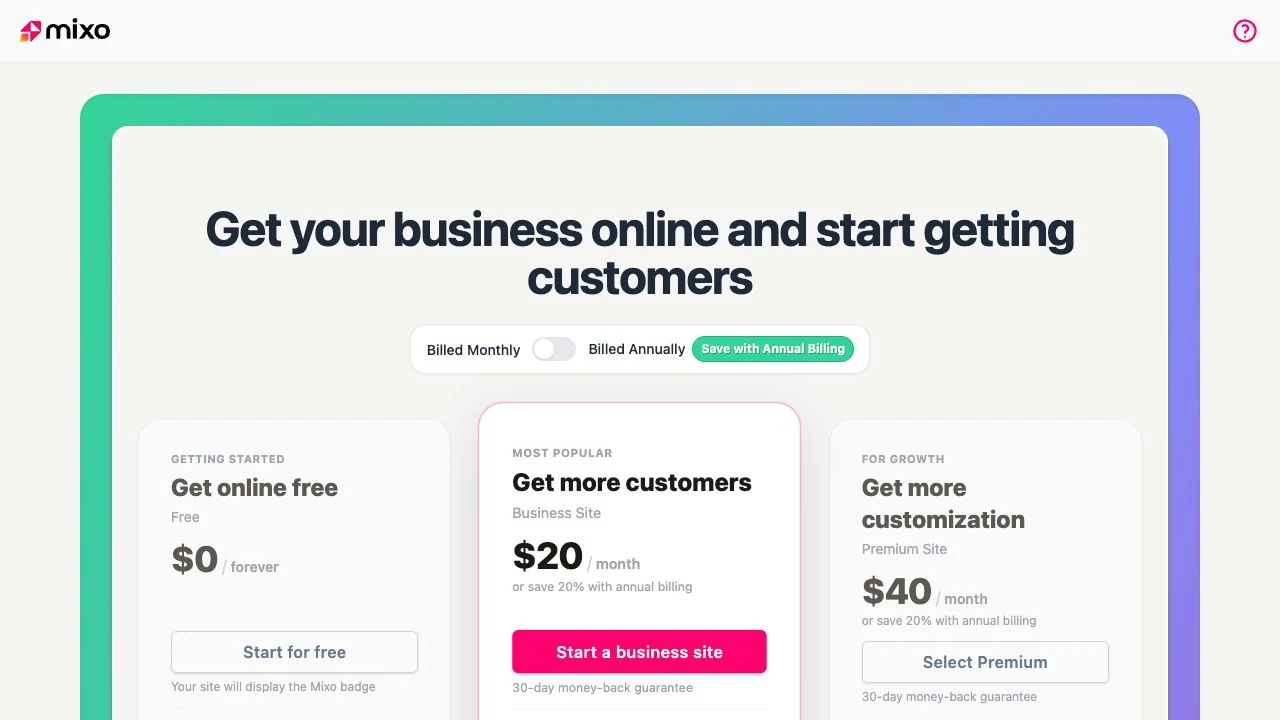
Consider Mixo for a focused business website with enquiries and articles. Evaluate the Free plan first, then upgrade for a specific domain, branding, page or content requirement. Confirm integrations and migration details if they are essential. This evaluation is based on current public sources, not a new paid-product test.

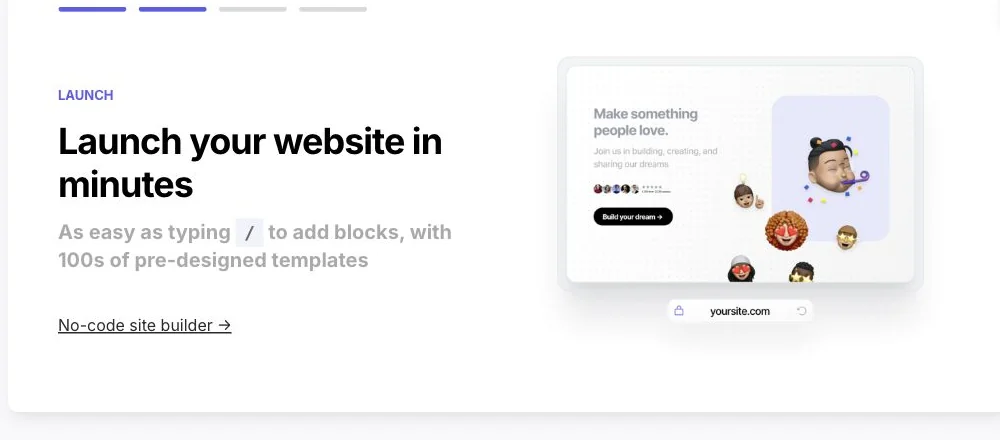
Typedream combines a block-based website editor with documented content and digital-product workflows. Our assessment focuses on fit: whether it can handle the site you actually need, and which purchase or migration details deserve a closer check. See the official site-builder page.
Per site, checked 9 October 2026: Free $0; Launch $20 monthly or $15/month equivalent billed annually; Grow $49/$42. Platform sales fees and payment processing are additional.
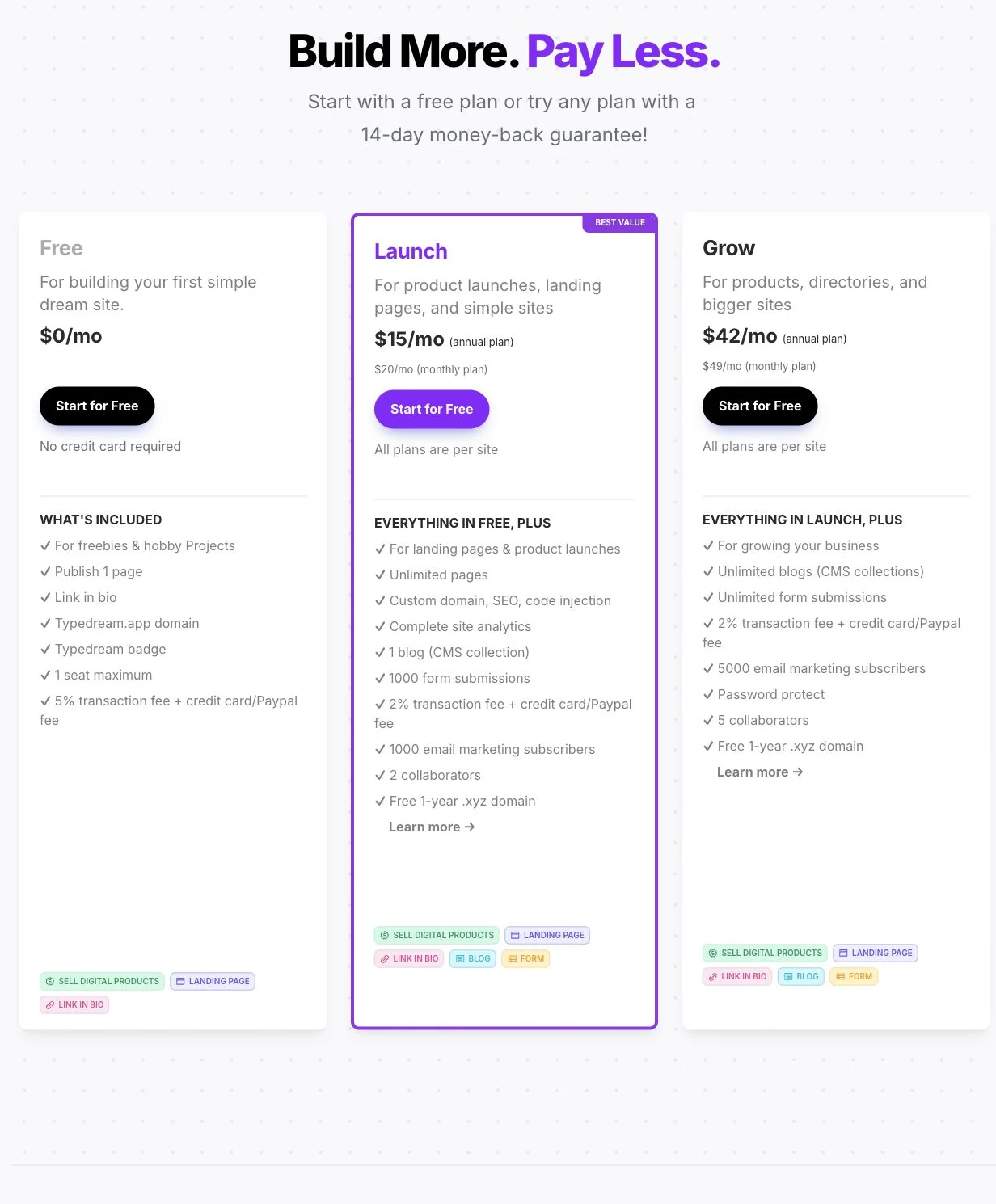
Sources: site builder, CMS, products, forms and AI release.
Shortlist Typedream when you need a focused marketing website and its documented creator workflows match your offer. Build a representative page and verify enquiries, delivery and migration requirements before committing. Our recommendation is based on official sources, not a numeric performance score.

Webflow combines a visual HTML/CSS website builder, structured CMS content and hosted publishing. Sebastian uses it for client websites where technical control and a maintainable structure matter. Model the content, editing roles and visitor action before choosing a package.
Public USD pricing checked October 28, 2026, before applicable taxes. Basic: $15/month billed yearly ($180/year), or $25 billed monthly; excludes CMS. Premium at the default 50 GB selection: $25/month billed yearly ($300/year), or $39 billed monthly; includes 20,000 CMS items and 40 collections. Free Starter Workspace available. Freelancer Workspace: $16/month billed yearly ($192/year). Additional seats, localization, analytics, bandwidth, apps and other add-ons can increase cost. Existing legacy billing may differ.
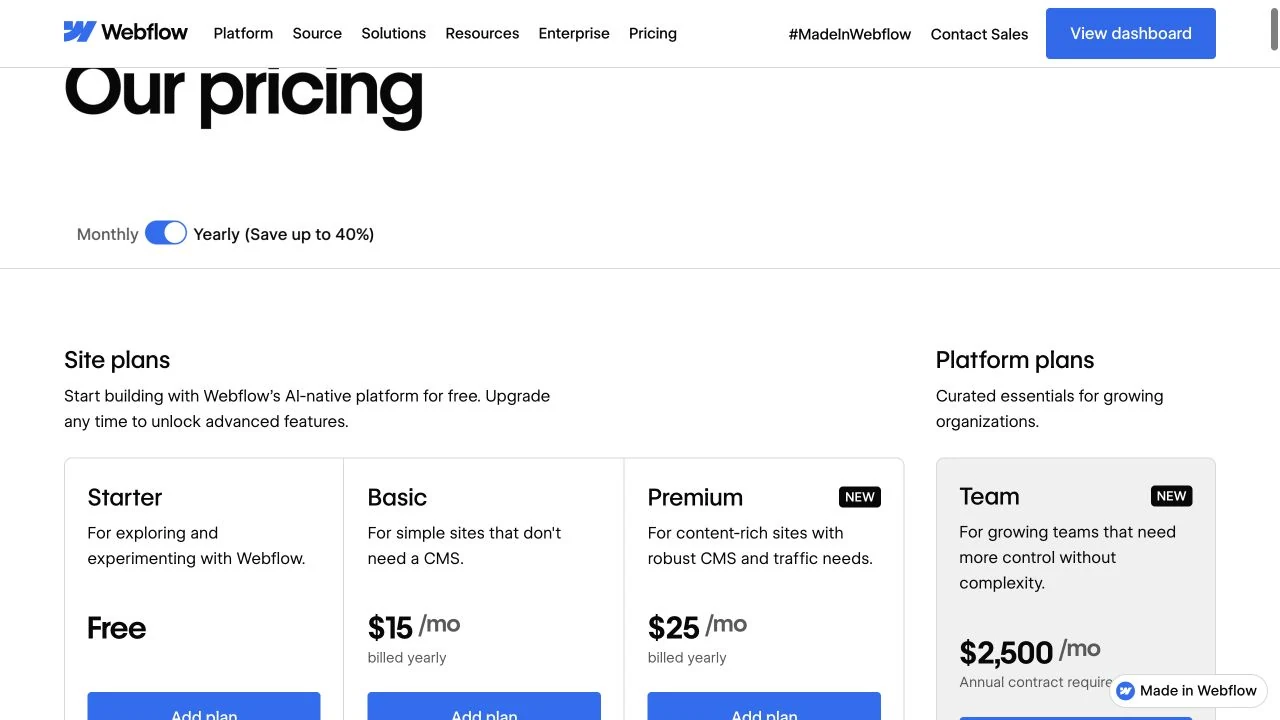
Choose Webflow when reusable CMS content and control over site structure justify the setup and ongoing maintenance work. Check one representative content type and the intended editor role, then price the required Site plan, Workspace and extras together.
Use a real page and one visitor action to narrow the shortlist. Check the required plan, ongoing editing work and full annual cost before committing. A generated design is the start of the evaluation, not proof that the website is ready for your business.
Disclosure: Some product links are affiliate links. We may receive a commission from a qualifying purchase. Personal use, documented tests and source-based assessments are identified where stated; inclusion alone does not mean a product was personally tested.