
Mixo.io is an AI website builder for a hosted business website with editable content, contact forms and a growing article workflow. Start with its publishable Free plan to judge whether the output fits your offer. This review explains the current AI features, plan costs and purchase checks.

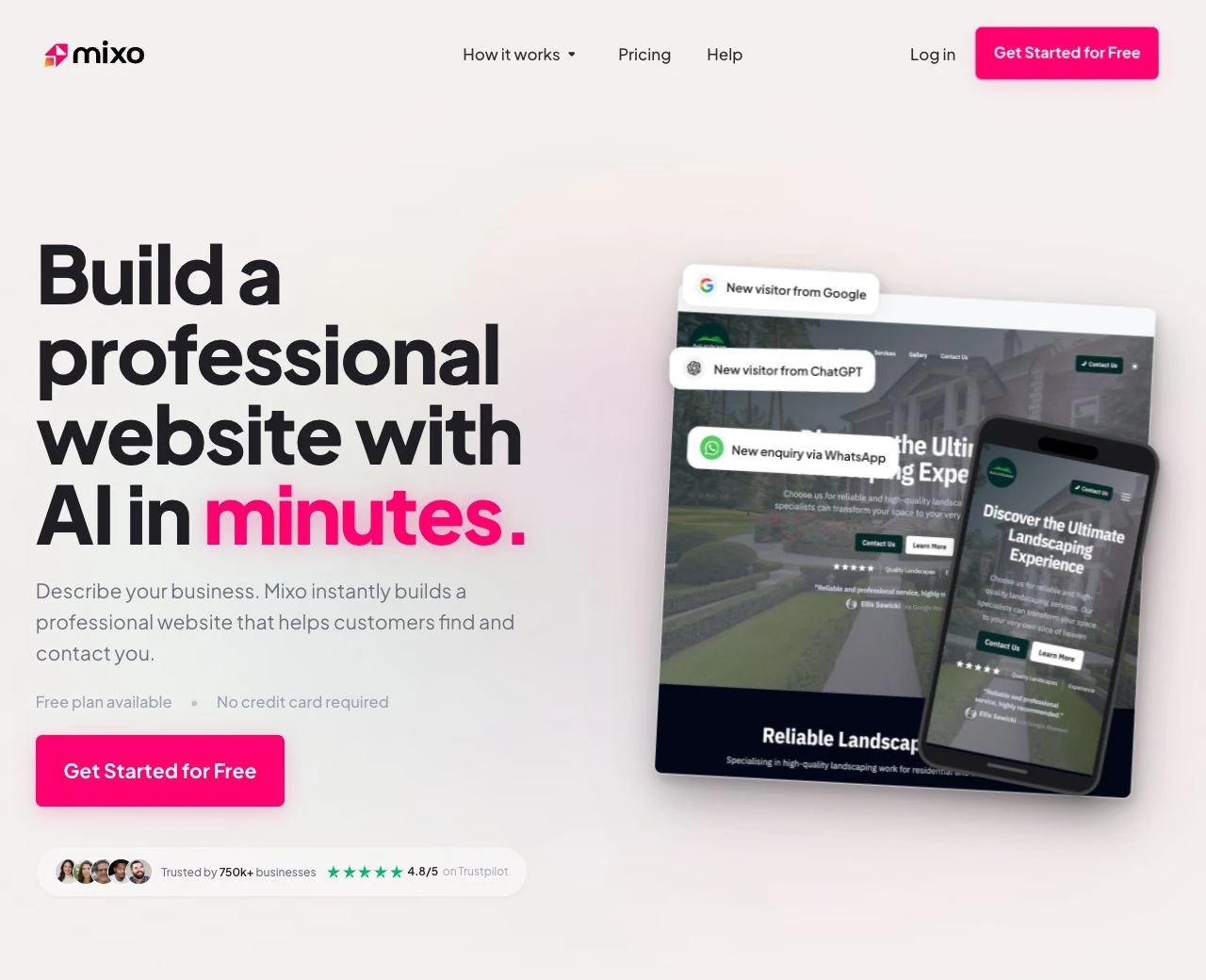

Research and disclosure: Updated October 10, 2026 from Mixo's public pricing interface and official help documents. This is a sourced editorial evaluation; we did not create a new site or test paid features, support, loading speed or business outcomes. The header shows Mixo's own public homepage, captured for this review on October 10, 2026. It is a marketing-page screenshot, not a site we generated. Source: Mixo's official homepage. Mixo signup links are affiliate links, so Superfounder may earn a commission if you purchase through them.
Is Mixo a fit for your launch?
Our verdict: Mixo.io is an AI website builder for getting a hosted business or idea-validation website online with editable content and contact forms. It is worth considering when your first goal is to explain an offer and collect enquiries. Start with Free to assess the output; pay when a custom domain, branding removal, extra pages or a larger content workflow solves a real requirement.
If your project needs a full online store, a customer login, a working SaaS product or precise control over code and layout, verify those requirements separately. Generating a public website does not establish that Mixo can run the whole business behind it.
What is Mixo, and what can you edit?
You describe the business and Mixo generates a site as a starting point. Its AI design documentation describes style regeneration. The editing guide shows section and field controls, a live preview, and separate save and publish steps. Text, photos, colors and layouts can be edited. This is a guided workflow; do not assume unrestricted drag-and-drop control from the word “customizable.”
The Free plan can publish a one-page site on a Mixo subdomain, with Mixo branding and included hosting/SSL. It is a usable starting plan, rather than only an unpublished demo. Paid plans add custom domains, branding removal and more pages. We did not confirm a total paid page cap or an account-wide site allowance.
Before generating: write a useful website brief
The difficult part is often deciding what the visitor should understand and do. Use this brief before prompting Mixo or any other builder. These are planning fields, not a claim that Mixo has seven matching input boxes.
| Field | What to write |
|---|---|
| Audience | Who buys, and where or in which industry do they work? |
| Problem | One specific problem the website helps them address. |
| Offer | Your actual service or product, deliverable and scope. |
| Proof | Real work samples, photos or permitted customer quotes. Leave blank if unavailable. |
| Primary action | One action: request a quote, book a call or join a waitlist. |
| Required structure | Pages, form fields, privacy notice and any essential integrations. |
| Voice and constraints | Tone, factual boundaries and claims the AI must not invent. |
Hypothetical example: A consultant offers fixed-scope onboarding audits to early-stage B2B SaaS teams. The main action is “Request an audit scope and quote.” The site needs service details, authentic work samples, a contact form and a privacy notice. The brief explicitly prohibits invented conversion percentages, client logos and testimonials.
From generated draft to a credible launch
- Generate a starting site using the brief, then replace generic offer text with your actual scope.
- Review every proof claim, photo and contact detail before publishing.
- Check the main action and form fields. Mixo documents AI form customization from a natural-language brief, followed by manual review and editing.
- Test your own form and destination, including confirmation or redirect behavior. This review has not submitted a test lead.
- Review the result on a real phone. “Responsive” describes a supported layout; it does not remove the need to check wrapping, buttons and image crops.
- Confirm domain ownership, tracking and privacy requirements before paying and connecting services.
Mixo's subscriber documentation describes viewing submissions and exporting a CSV once at least one subscriber exists. That makes lead capture more useful than a standalone design mockup, but contacts still need an appropriate follow-up process.
Current AI features: articles, forms and discoverability
Native article generation and editing
Mixo now documents Blog, Past Projects, Guides and Portfolio sections. The article generator takes a topic, notes, source URLs and up to five images. The article editor supports content blocks, a hero image, a URL slug and SEO fields. Hero images can be uploaded, selected from stock or generated with AI.
AI topic suggestions use site context and existing article titles. A bulk run generates five private drafts. Treat these as drafts requiring editorial review, especially when citing sources or describing customer results. These workflows are documented as of our check date; no verified feature launch date was found.
SEO and AI search: useful controls, limited promises
Mixo documents editable meta titles/descriptions, image alt text and a generated sitemap. It also says published sites get llms.txt and llms-full.txt on all plans. Those text files are a documented feature, not evidence of AI citations or a complete website export.
Mixo explicitly says they do not guarantee appearance in AI answers. Google's AI search guidance says ordinary SEO fundamentals apply and special AI text files or markup are not required. Focus on accurate, useful content and crawlable pages; neither generating an article nor publishing these files guarantees indexing, rankings or traffic.
Mixo pricing: Free, Business and Premium
Checked October 10, 2026: The live pricing page displays the following dollar amounts. Annual equivalents are paid as an annual bill, not month by month. Currency code, taxes and a checkout-specific quote were not confirmed.
| Plan | Monthly billing | Annual billing | Website and content |
|---|---|---|---|
| Free | $0 | $0 | One branded page on a Mixo subdomain. One content section; three published articles; unlimited drafts. |
| Business Site | $20/month | $16/month equivalent; $192/year | Custom domain, branding removal and more pages. One content section; Free article limit removed. |
| Premium Site | $40/month | $32/month equivalent; $384/year | Custom domain, branding removal and more pages. Multiple content sections; Free article limit removed. |
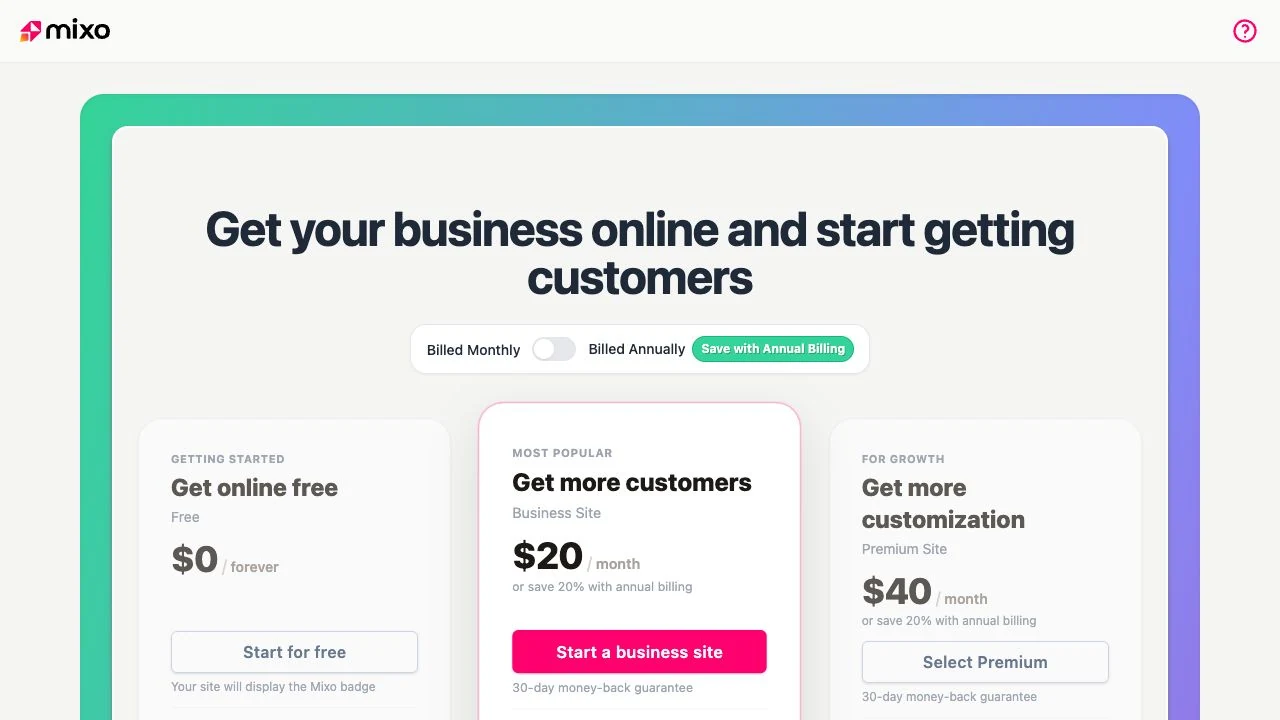
For bulk article generation, Free includes one five-draft kickstart run per site, Business allows three runs per calendar month and Premium allows unlimited runs. The Free publishing limit still applies after a bulk run. Unpublishing an article does not release a Free slot; deleting it does.
The domain terms make “free domain” an initial-registration offer; renewals cost extra. Mixo-bought domains sit in its Namecheap account without direct registrar access. Discounted/free domains require three active subscription months before transfer, or payment of the full domain price for an earlier transfer; the terms state 60–70-day processing. Connecting a domain you already own is a different arrangement.
The site advertises a 30-day money-back guarantee. Read the refund conditions: they concern the initial website plan purchase and include exclusions. Choose Free for evaluation, Business when its site/content limits fit, and Premium only when its documented additional capabilities matter to your project.
Mixo benefits, limitations and purchase checks
- A practical starting workflow: Generated pages, editable content, publishing and forms are documented in one hosted product.
- A meaningful Free plan: You can publish before committing to a domain or annual bill.
- Plan-specific content limits: Business is not the same as Premium for content sections and bulk generation.
- Integrations require checking: Google Analytics/GTM require a paid plan. Mixo lists Calendly and custom scripts, but script injection is available on certain plans; confirm your exact entitlement and provider costs.
- Payments are a separate workflow: The payment guide recommends external providers such as Stripe payment links, PayPal or Gumroad. This does not establish a native store with inventory, shipping and tax management.
Portability is unresolved: Contact CSV export is documented. Mixo's hosting page also promises site export, but we could not confirm the export format, plan eligibility or a working full-site migration workflow. Ask for those details if leaving the platform later matters. A CSV or llms-full.txt file is not an editable website project.
We have no new speed logs, uptime measurements or support-response test. Privacy tools also require your review: the feature page and Free-plan help differ on cookie-consent availability. Confirm the plan, then assess your actual scripts and data handling rather than treating a generated privacy notice as automatic compliance.
What the homepage screenshot shows
The header shows Mixo's own marketing website and how it presents its AI website builder. It identifies the product; it does not establish what your generated site will look like or how paid features perform. Use your own website brief to evaluate the output.
For your own evaluation, check whether a stranger can understand the audience, offer and next action. Compare your required pages, form fields and integrations against the current plan. We do not use unverified customer quotes or an unexplained numeric score to substitute for those checks.
Alternatives and final verdict
Compare Mixo with the Typedream review if a different website-editing workflow is important. Use the AI website builder guide as a broader starting list; its Mixo section is refreshed, while the other product sections retain earlier coverage. For every candidate, test the same brief and compare domain control, editing, content limits and migration requirements.
Mixo's strongest case is a focused hosted website that explains a business and collects interest, with a documented path to forms and articles. Free gives you a sensible place to start. Upgrade when a specific requirement justifies the plan, rather than because AI generation alone promises customers.
Explore Mixo's free plan — affiliate link. Confirm the live plan details before purchasing.
Frequently asked questions about Mixo
Is Mixo free to publish?
Yes. The documented Free plan publishes a one-page Mixo-branded site on a Mixo subdomain. Its separate content section permits three published articles and unlimited drafts.
Does Mixo have AI features beyond the initial website?
Current help documents AI article drafts, hero-image generation, topic suggestions and form-field customization. Availability and bulk/content limits differ by plan; generated material needs review.
Can I sell through a Mixo website?
You can follow its documented workflow for links to external payment providers. Verify the full shopping, fulfillment and payment requirements separately; payment links alone are not a complete ecommerce system.
Can I export or move my Mixo site?
Contact CSV export is documented. Whole-site export is advertised, but this review did not verify its format or migration workflow. Confirm that and any Mixo-managed domain-transfer conditions before committing.
Will Mixo get my site into AI answers?
No result is guaranteed. Mixo documents automatic AI text files, while Google says special files are not required for its AI search features. Useful, accurate content and normal SEO remain necessary.
Disclosure: Some of the links in this article may be affiliate links, which can provide compensation to me at no cost to you if you decide to purchase a paid plan. This site is not intended to provide financial advice and is for entertainment only.