
Brevo brings contacts, campaigns and sales tools into one platform. It is worth considering for a small business that wants a manageable CRM and email workflow. Check the contact tier, sending allowance and sales add-ons before judging the price.

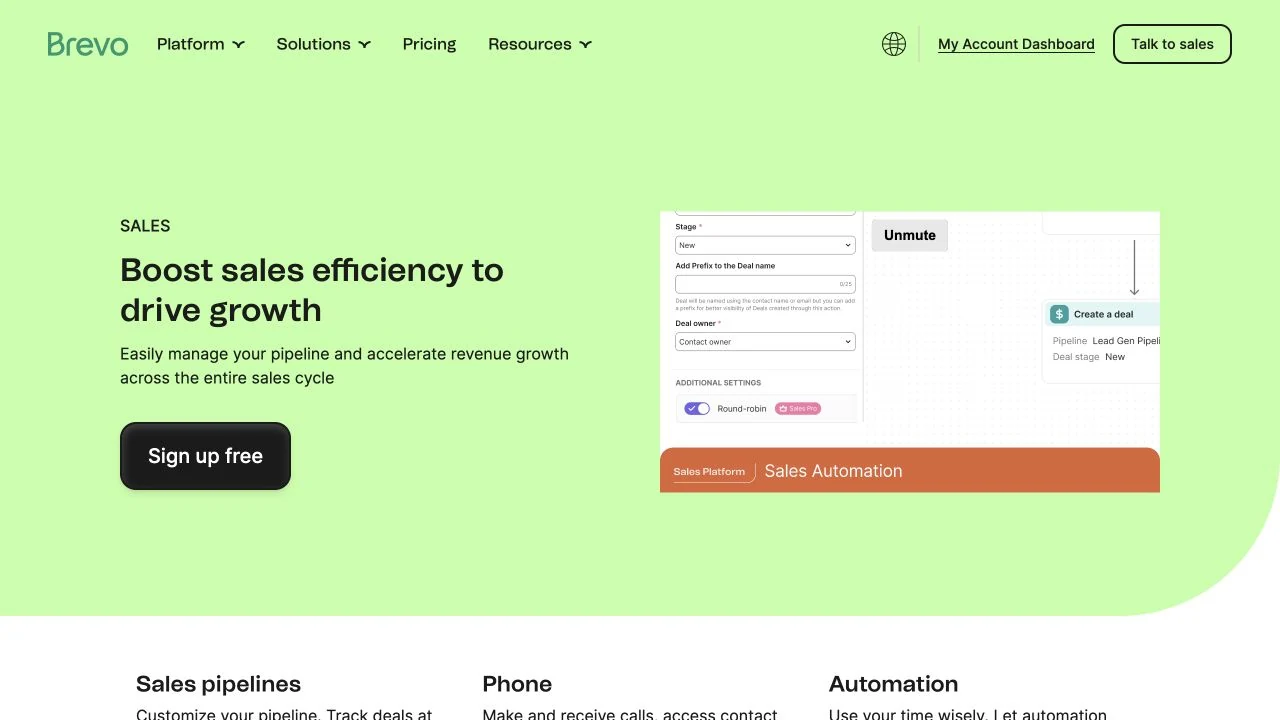

Product image above: Brevo's official Sales page, captured 27 October 2026. This is the vendor's product presentation, not a project from our own test. Image source.
When Brevo makes sense for a small business
Brevo, formerly Sendinblue, combines contact management, email campaigns, transactional messaging and sales tools. It is worth shortlisting when you want to keep the lead, the follow-up and the sales opportunity in one place.
Why I recommend it: I use Brevo and value its range of functions, straightforward interface and fair pricing. For me, that combination makes it a particularly good CRM deal.
A newsletter, a simple client pipeline and automated sales follow-ups can require different features and costs. Start with that job, then price the contact tier, sends and Sales package together.
If all you need is app-triggered email, evaluate that delivery workflow separately. If you already have a CRM that runs your sales process well, check whether adding Brevo would simplify work or leave you maintaining duplicate customer records.
Review basis: my stated use and current official pricing and documentation. My value judgment is not a claim that Brevo is cheapest for every business. The examples below are hypothetical; this is not a deliverability benchmark or a completed CRM migration test.
What you get for a simple CRM workflow
Brevo's included sales tools cover contacts, companies, tasks and reminders, up to 50 open deals and one sales pipeline. You can connect one mailbox and calendar, and use meeting scheduling. That is a useful starting point for a consultant tracking inquiries through a small number of stages.
A website project, for example, might move from New inquiry to Qualified, Proposal sent and Won or Lost. Decide what makes a lead qualified and who owns the next action. The pipeline can organize those decisions; it cannot supply them for you.
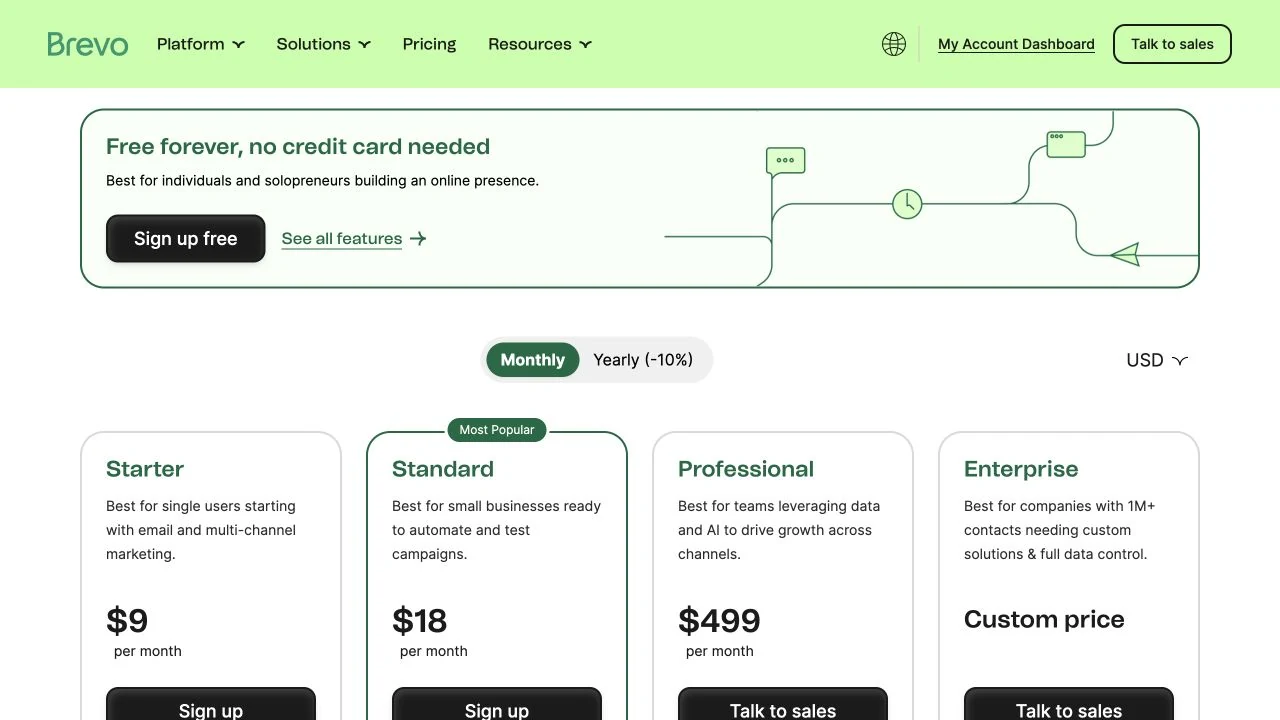
More than 50 open deals, multiple pipelines and sales automation require a Sales Essentials package. The official plan guide lists it at $31/month, available with paid marketing plans. Sales Advanced is a separate, higher-level package. A marketing plan upgrade does not automatically give you every sales feature.
Price both the contact list and the emails you send
The USD monthly pricing view, checked on 27 October 2026, starts at $9/month for Starter and $18/month for Standard, before applicable tax. Those are entry prices, not quotes for an arbitrary list size.
Free's large contact allowance does not mean you can send a 500-person newsletter in one day: 300 daily sends is below that campaign's recipient count. You would need to spread delivery out or choose appropriate paid sending capacity. Conversely, a paid entry plan can have a much smaller stored-contact allowance than Free.
A list of 1,200 contacts can outgrow a “5,000 emails” plan
Four newsletters sent to 1,200 recipients use 4,800 sends. That appears to fit 5,000 monthly emails, but the entry tier stores only 500 contacts. It fails the contact requirement before the sending allowance is exhausted.
If you also budget a three-email welcome sequence for 100 new subscribers, add 300 sends: 5,100 in total, before other messages. Brevo's current Starter and Standard table pairs the 10,000-email tier with up to 1,500 contacts. That capacity covers this illustrative workload and list growth, but its higher price still needs a current quote.
Brevo documents automatic upgrades when you cross the stored-contact limits of the first three Starter or Standard tiers. Crossing 1,500 to 1,501 contacts moves you to the next tier and increases cost. Leave room for growth and check imported contacts, not just the active newsletter audience.
When the inexpensive CRM needs an add-on
For a list within 500 contacts, Starter plus Sales Essentials is $40/month at the public monthly rates ($9 + $31), before tax and other add-ons. Standard plus the same package is $49/month ($18 + $31). These are illustrative base-tier budgets, not my actual bill; a larger contact tier raises the total.
If you only need one pipeline with fewer than 51 open deals and manual follow-ups, the included sales tools may suffice. If sales automation is essential, price the Sales package explicitly. If you need automated marketing for more than 2,000 contacts or A/B testing, evaluate Standard's relevant contact tier as well.
Branding can change the arithmetic too. During this check, the public USD monthly selector showed logo removal at $12/month, while the official plan help listed $9/month. Confirm the actual checkout price rather than adding an assumed fee. Standard includes logo removal.
Annual subscriptions are paid once a year; email credits still refresh monthly and unused allowance expires. Monthly subscriptions can be paused for up to three months; yearly subscriptions cannot. SMS and WhatsApp credits, extra seats and advanced sales features may add cost. Compare a complete quote using the same billing term.
Which AI features change the workflow?
The current plan comparison lists AI content generation and an MCP connection for tools such as ChatGPT and Claude in Starter. The writing tool can draft subject lines and copy; provide the actual offer, then check the claims and tone. Connecting an AI client is a separate integration, not a reason to skip review before a campaign is sent.
Standard adds AI send-time optimization. Professional adds AI segmentation and a Data Analyst for questions about your data; its public monthly price starts at $499. Those features are not all included in the $9 entry plan. Establish the campaign and reporting job first, rather than buy a much higher plan for an unspecified AI benefit.
Use appropriate sample data when evaluating connected AI tools. Check the access you grant, available operations and external AI subscription cost before connecting a live customer database.
Try one lead from inquiry to next action
Use a sample contact to walk through your actual process: capture the inquiry, assign a follow-up task, create a deal and move it through your pipeline. If automation matters, verify the trigger and resulting action in the plan you would buy. Keep a marketing subscription separate from a sales inquiry.
Stored contacts now / after import and growth:
Recipients per campaign × campaigns per month:
Welcome emails + other marketing or transactional sends:
Largest campaign / must it arrive on one day?
Open deals / pipelines / sales automation required:
Marketing plan and contact tier / Sales package:
Logo removal / seats / SMS or other add-ons:
Monthly total / annual commitment / applicable tax:
Sample lead → task → deal → next action verified:
Decision: which required job does this plan cover?
Brevo is a strong candidate when that contact-to-follow-up workflow fits, the interface suits you and the complete price still looks fair. Verify delivery and the actual next action in your own setup before moving a working business process.
Explore Brevo and price your contacts, sends and CRM needs.
The Brevo links on this page are standard provider links.
Disclosure: Some of the links in this article may be affiliate links, which can provide compensation to me at no cost to you if you decide to purchase a paid plan. This site is not intended to provide financial advice and is for entertainment only.